VerseIsland
Feed Learn Leaderboard Guides Reference Explore Search Docs Verse Library
Sign in
Feed Learn 📖 Codex Leaderboard Guides Reference Explore Search Docs Verse Library
Fortnite Creative › General · Up to Fortnite Creative · General · 38 of 40 in General
Browse Fortnite Creative

Timed Door

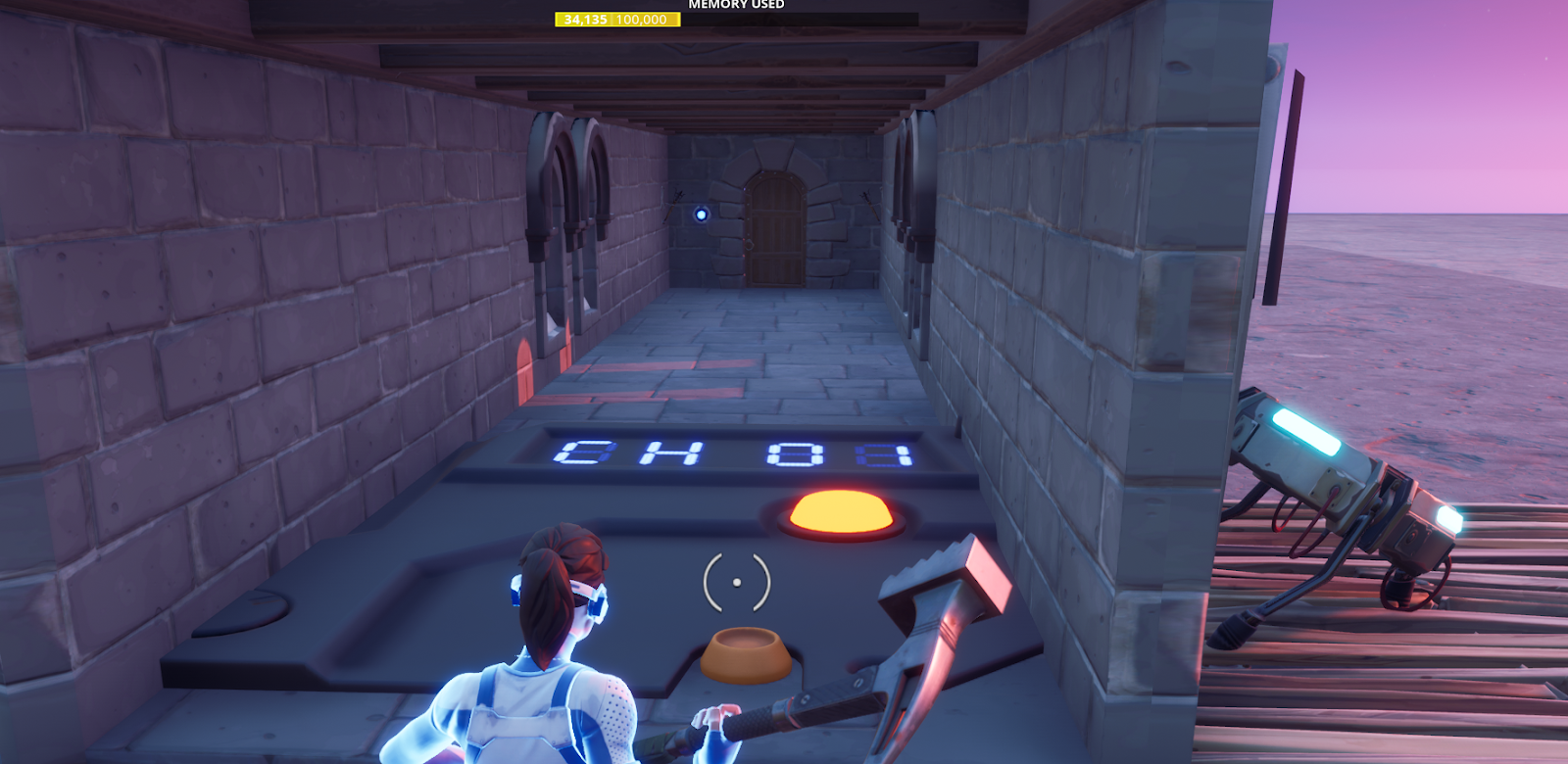
Timed Door Gameplay Example

A long corridor lies ahead of our adventurer, cloaked in near darkness. As she moves forward, the door opens, and torches to the sides burst into life. A ticking sound indicates that she only has a short window before the door closes. She hurries forward, but not fast enough, just as she reaches the door it slams shut and the torches go out. Better try again…

Timed Door Video

Ingredients

You will need:

  • 1 Trigger device
  • 1 Timer device
  • 1 Lock device
  • 2 Customizable Light devices (Burning Torches)

Method

Create a corridor with a door at the end. Embed a Lock Device into the wall with the door. The Lock can control the door, so it stays locked unless the Timer is running. Place the Trigger at the start of the corridor to open the door, switch on the torches, and start the timer. Set the Timer anywhere, and give the player just enough time to get through the door. When the Timer completes, it sends a signal to close the door, switch off the torches, and resets itself.

Modified Options

Trigger Device Options

You're reading a preview

The full reference is free for BrainDeadGuild Discord members — sign in to read it all, or open the original at the source.

Sign in with Discord — free for members Read the original at Epic Games

Sign in with your BrainDead.TV / BrainDeadGuild Discord account for full access.

Comments

    Sign in to vote, comment, or suggest an edit. Sign in
    📄
    Source
    Epic Games

    © Epic Games. Official Epic developer documentation, shown here as a reference with a link to the original. All rights remain with Epic Games. Terms ↗

    View original Sources & licensing
    Request removal
    Last updated Dec 7, 2024
    Keep exploring
    More in General · 38 of 40
    Prev
    storm wars in fortnite creative
    Next
    understanding island settings in fortnite creative
    Browse all files in this folder (A–Z)
    Related topics
    • Timed Door In Fortnite Creative General
    • Using Customizable Light Devices In Fortnite Creative Materials/Vfx
    • Using Customizable Light Devices In Fortnite Creative Materials/Vfx
    • Using Timed Objective Devices In Fortnite Creative Devices
    • Using Lock Devices In Fortnite Creative Devices

    Related

    Open in graph →

    Related topics

    • Timed Door In Fortnite Creative
    • Using Customizable Light Devices In Fortnite Creative
    • Using Customizable Light Devices In Fortnite Creative
    • Using Timed Objective Devices In Fortnite Creative
    • Using Lock Devices In Fortnite Creative
    VerseIsland · an archipelago of Verse & UEFN knowledge
    🗺️ Island atlas Learn Guides History About & Press Sources & Licensing Status

    Not affiliated with Epic Games. Fortnite, UEFN, Unreal Engine, and Verse are trademarks of Epic Games, Inc. Content is attributed to its source — see Sources & Licensing.

    🦜

    Scout · your island guide

    The Isle of Verse