
A/B Thumbnail Testing
The publishing and development process offers developers the opportunity to run an A/B test on island thumbnails to compare two different images to see which one drives more clicks and a higher click-through rate (CTR) — all backed by real player data to help you optimize engagement, reduce guesswork, and iterate faster.
Only a team member with publishing permission has the ability to create an A/B test and select which thumbnail to use after testing is complete.
Start A/B Testing
A/B testing is part of the publishing process but it is not mandatory. To learn more about submitting a single thumbnail, see the Cancel Testing section below.
Under the Promotional Materials tab, submit your two thumbnails. To begin A/B testing:
-
Ensure the two thumbnails are different.
-
Add any other media assets.
-
Click Next to continue.
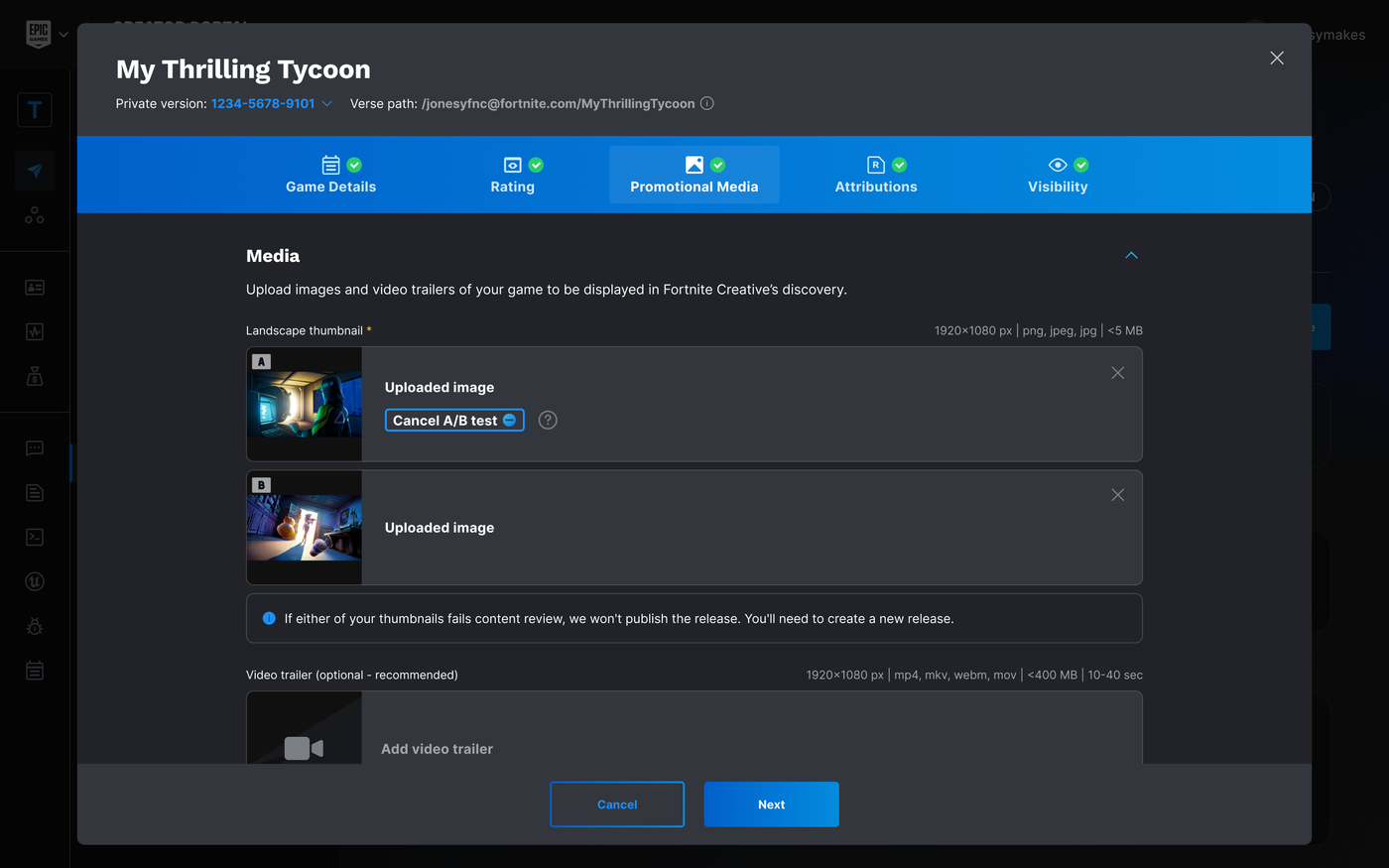
Promotional Media - A/B Thumbnail Testing.
The additional thumbnail will not get flagged as a duplicate.
You're reading a preview
The full reference is free for BrainDeadGuild Discord members — sign in to read it all, or open the original at the source.
Sign in with your BrainDead.TV / BrainDeadGuild Discord account for full access.