
Accessing Brand Content in Fortnite
As a developer, you can build islands with curated assets designed around a particular brand that Epic has partnered with. These brand islands offer players the chance to explore immersive, recognizable worlds.
You can access the feature set for each brand from Fortnite Creative and Unreal Editor for Fortnite (UEFN). However, some assets and templates are only available in UEFN.
From this page, learn how to access the brand content in Creative and UEFN, and how to enroll in the Fortnite Developer Program with the correct agreements to publish brand islands.
Brand Content in Creative
You can get started building in Creative, just like any other project, from the console.
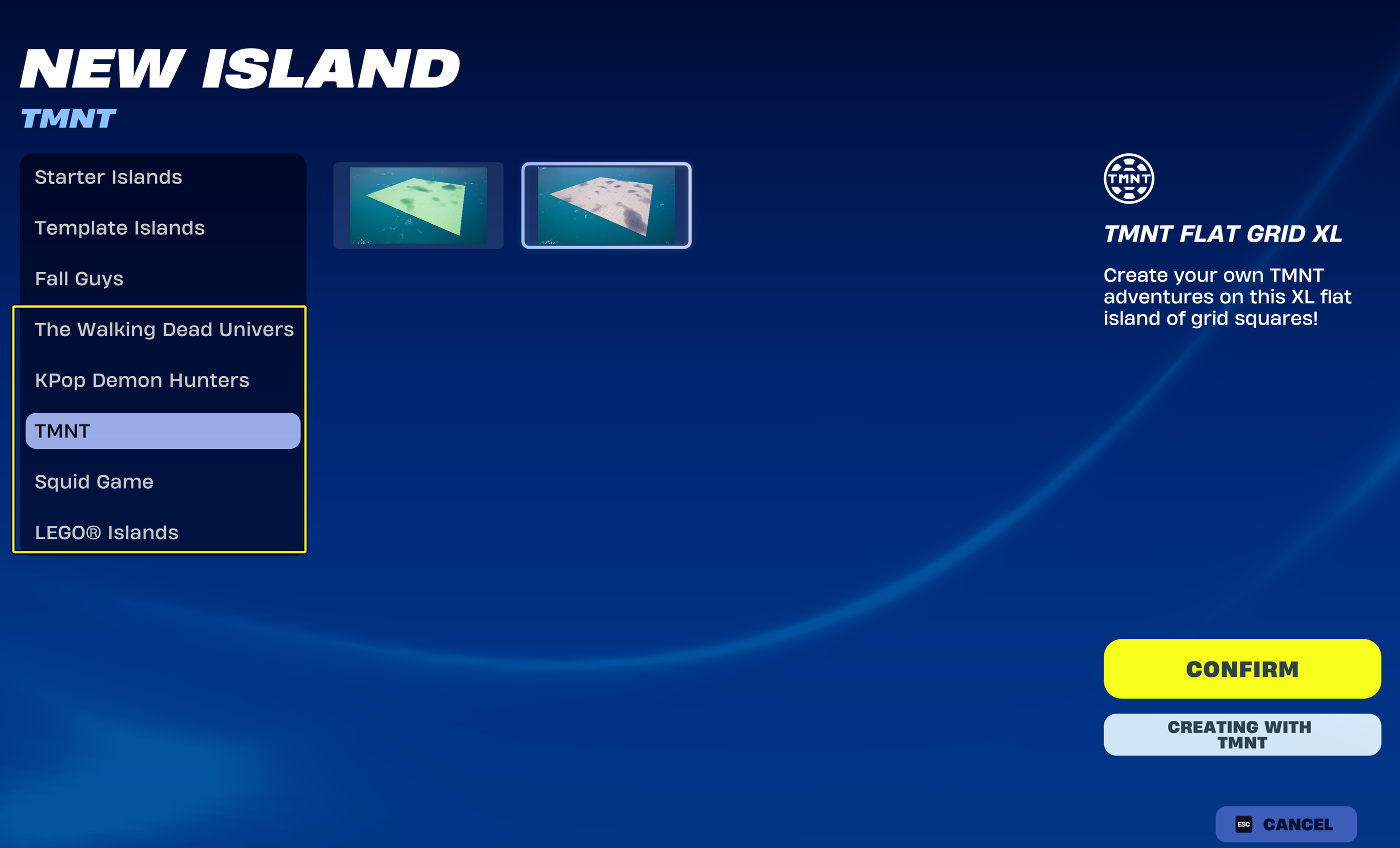
To create a brand island:
- Navigate to the console, and click Create New.
- Click one of the brand tabs to see the available islands.
- Select an island, and click Confirm.
- Enter the golden rift.
Content Menu
In Creative, you can find the brand-specific assets in the Content menu. Each brand has its own category, with assets grouped accordingly.
You're reading a preview
The full reference is free for BrainDeadGuild Discord members — sign in to read it all, or open the original at the source.
Sign in with your BrainDead.TV / BrainDeadGuild Discord account for full access.