
Implement a Race Scoring System
Devices used:
- 2+ x Race Checkpoint
- 1 x Score Manager
- 1 x Race Manager
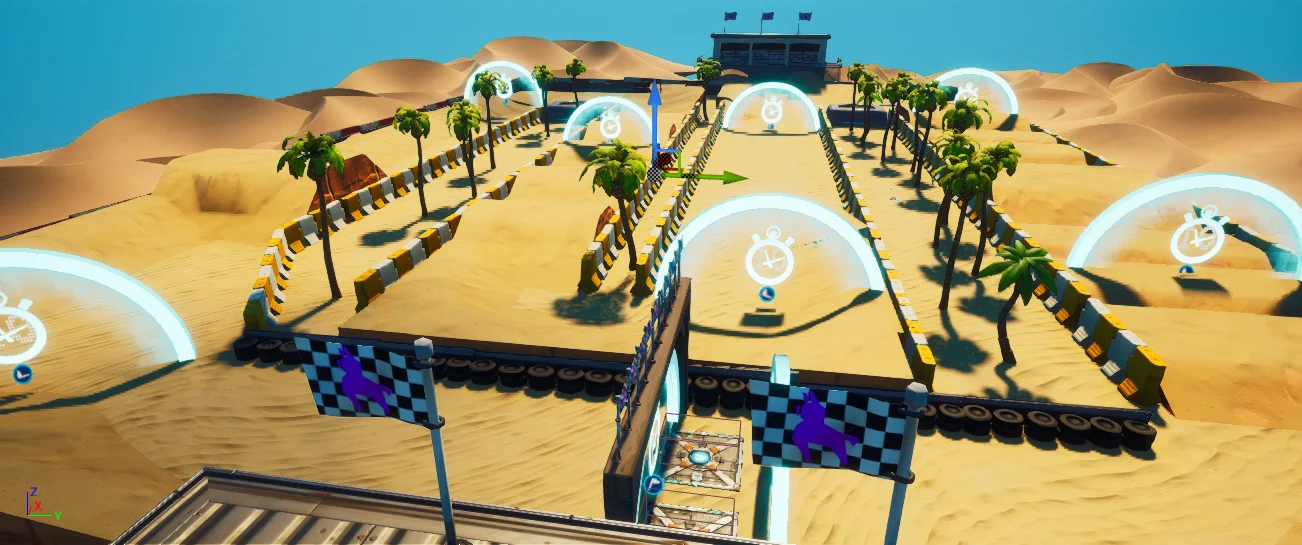
Now that most gameplay elements are in place, you need to add the devices which will allow the game to determine the winner of the race.
Set Up Checkpoints
Place the Race Checkpoint where you would like your race to start and configure the User Settings as follows:
| Option | Value | Explanation |
|---|---|---|
| Checkpoint Number | 1 | For each checkpoint you add, increment the number by 1. |
| Allow Players to Pass without Vehicle | False | This prevents a player from abandoning a vehicle and finishing the race on foot. |
| Visible Prior To Race Start | No | Not making the checkpoints visible prior to race start is used by lots of designers, but you can set this to a different value if you want. |
| Enabled During Phase | Gameplay Only | Players must wait until the race starts to pass a checkpoint. |
You're reading a preview
The full reference is free for BrainDeadGuild Discord members — sign in to read it all, or open the original at the source.
Sign in with your BrainDead.TV / BrainDeadGuild Discord account for full access.