
Building a Shooting Gallery Tutorial
Time to add some targets for the player to shoot!
Throughout this tutorial, we will be referring to targets as good targets and bad targets. The good targets are the ones that earn the player points when successfully shot. The bad targets cause the player to lose points if hit.
Devices Used
- 3 x Target Dummy Track device
- 3 x Target Dummy device
- 1 x Barrier device
Add a Moving Target
The player scores for hitting moving targets!
-
Open the Content Browser and navigate through the folders to Fortnite > Devices.
-
Search for target to surface the target devices.
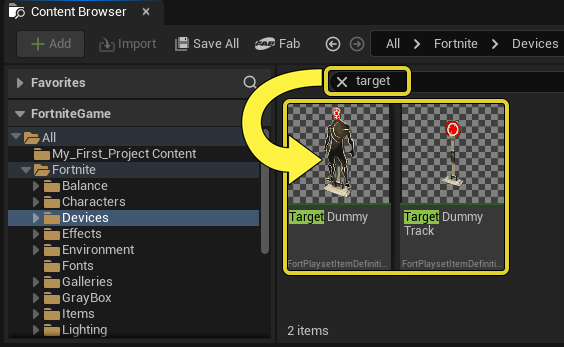
Search for Target in the search bar.
-
Drag a Target Dummy Track into the viewport. This target slides back and forth on a track.
You're reading a preview
The full reference is free for BrainDeadGuild Discord members — sign in to read it all, or open the original at the source.
Sign in with your BrainDead.TV / BrainDeadGuild Discord account for full access.