
In-Island Transactions Best Practices and Debugging
Learn best practices for various aspects of in-island transactions, along with tips for testing and debugging your storefront.
Using the In-Island Transactions Verse Device
The In-Island Transactions Verse device contains a template for in-island transactions. It has all of the implementations for key aspects of the Marketplace module in the Verse API. This includes items, offers, bundle offers, and the handling of purchases by leveraging the default store UI. Using this code as a guide can help you quickly set up your storefront.
To access the device:
- Navigate to Verse Explorer.
- Right-click your project name.
- Select Add new Verse file to project.
- Select In-Island Transactions Device.
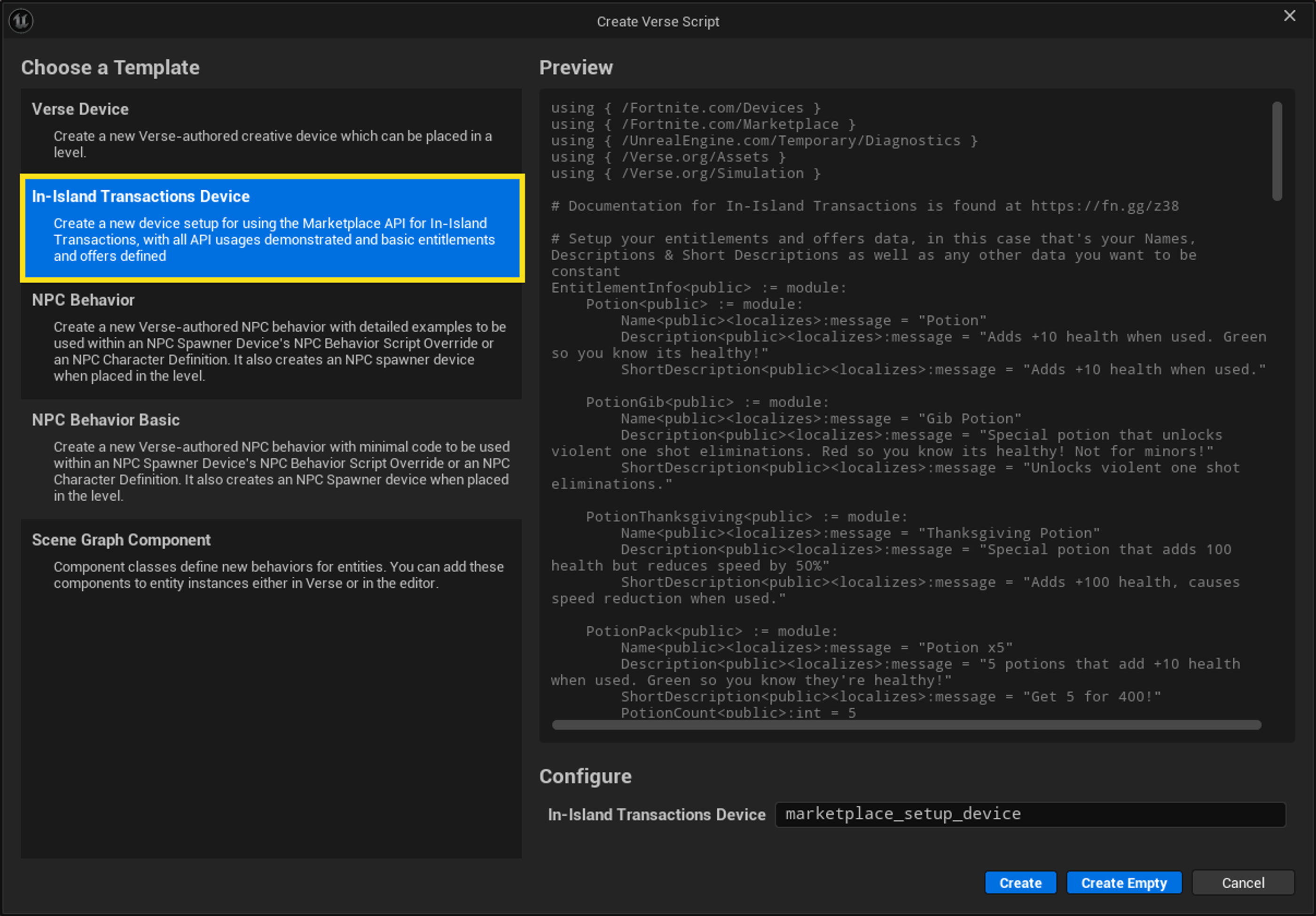
To use the code straight out of the box, go into the Verse code and edit the file for:
- Item names
- Descriptions
- Icons
Replace the default names in the code with names that match your entitlements and offers.
You're reading a preview
The full reference is free for BrainDeadGuild Discord members — sign in to read it all, or open the original at the source.
Sign in with your BrainDead.TV / BrainDeadGuild Discord account for full access.