
Island Settings in Unreal Editor for Fortnite
Island Settings provides a way to control factors as varied as how many players can play at the same time to the time of day on your island.
Every island in UEFN includes a utility for Island Settings, and for the most part, these settings are the same ones you can find in Fortnite Creative. The presentation, however, is different.
Where Island Settings in UEFN differ from those in Creative, this is called out below.
Access Island Settings
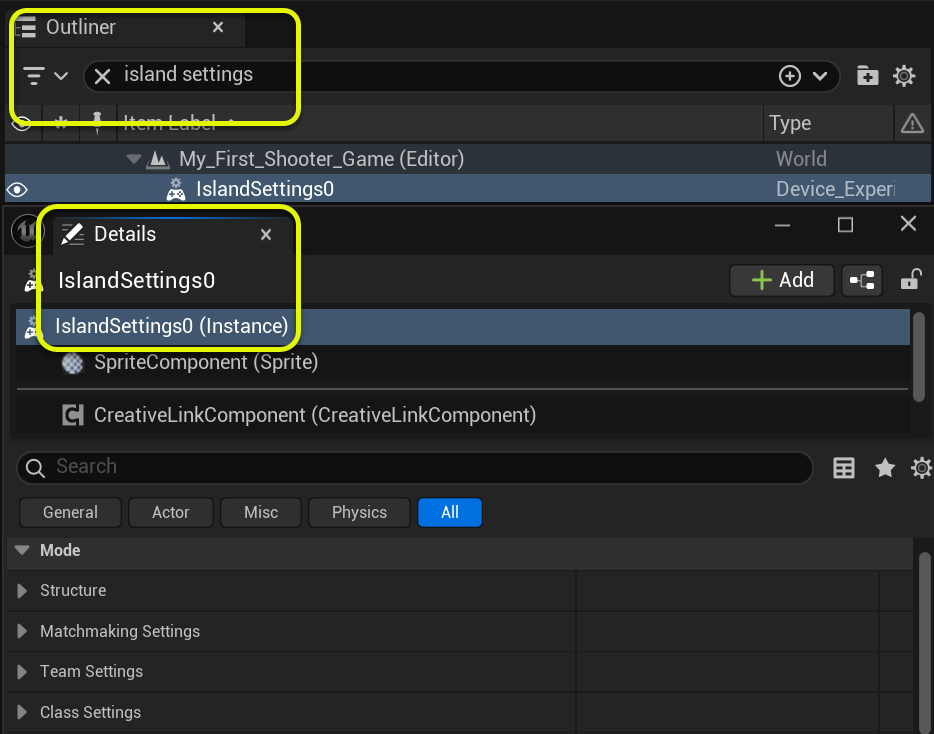
To access the Island Settings in UEFN, go to Outliner and type island settings in the search box.
Highlight the first instance, and the information will appear in the Details panel. (If the Details panel isn't already open, go to the menu bar at the top of the viewport, click Window, then Details, then select a Details panel.)
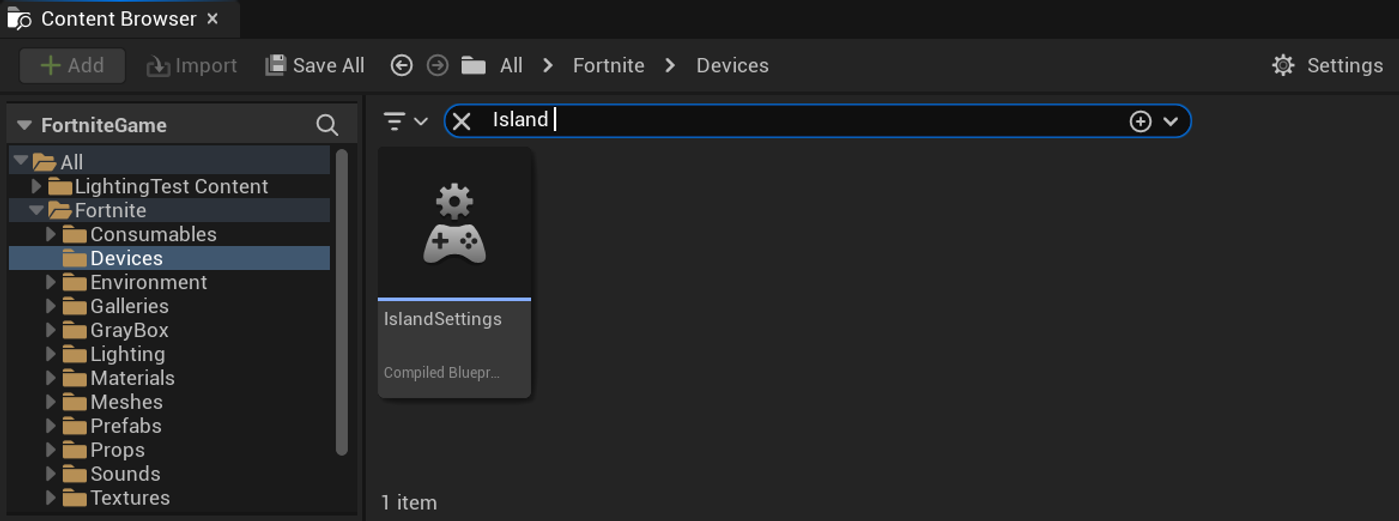
If you can't find the Islands Settings in the Outliner, go to the Content Browser, navigate to All > Fortnite > Devices, and search for island settings, then drag it into the viewport.
You're reading a preview
The full reference is free for BrainDeadGuild Discord members — sign in to read it all, or open the original at the source.
Sign in with your BrainDead.TV / BrainDeadGuild Discord account for full access.