VerseIsland
Feed Learn Leaderboard Guides Reference Explore Search Docs Verse Library
Sign in
Feed Learn 📖 Codex Leaderboard Guides Reference Explore Search Docs Verse Library
Fortnite › General · Up to Fortnite · General · 63 of 123 in General
Browse Fortnite

Media Capture Tool for Fortnite

The Media category in the Creative Island Settings provides a way for you to capture an image that you can use as a lobby background for your island.
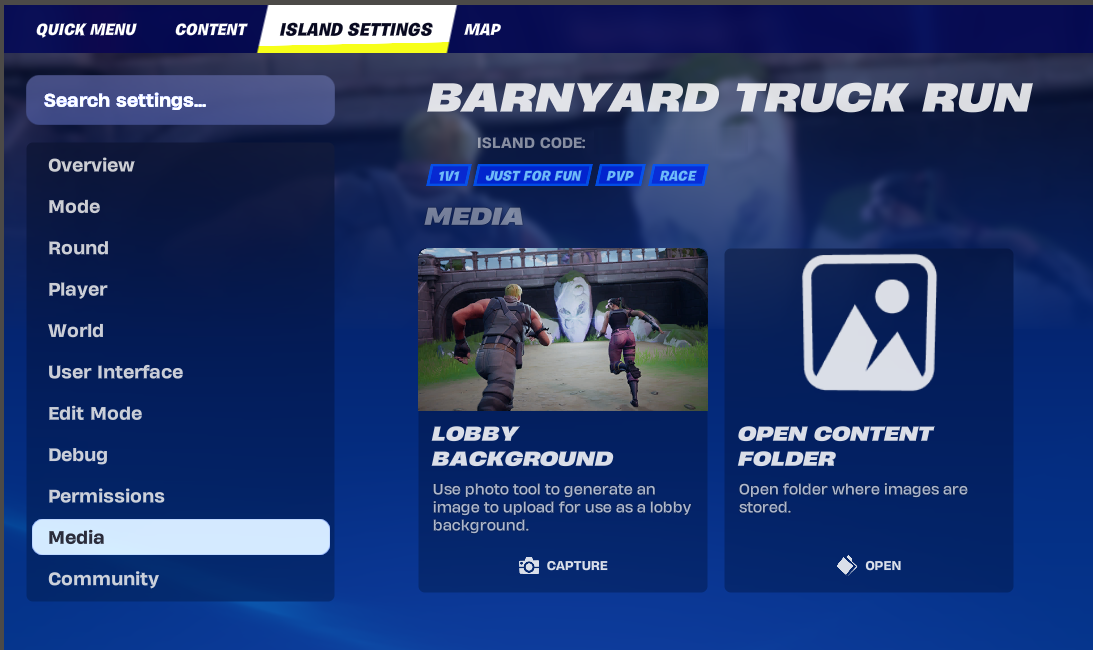
  1. Before capturing your background, go to where on your island you want to capture.
  2. Frame the shot you want to get, then go to Island Settings and select Media.
  3. Click the Lobby Background tile to go to your island in Capturemode.

Capture Your Image

There are three buttons at the bottom middle of the screen:
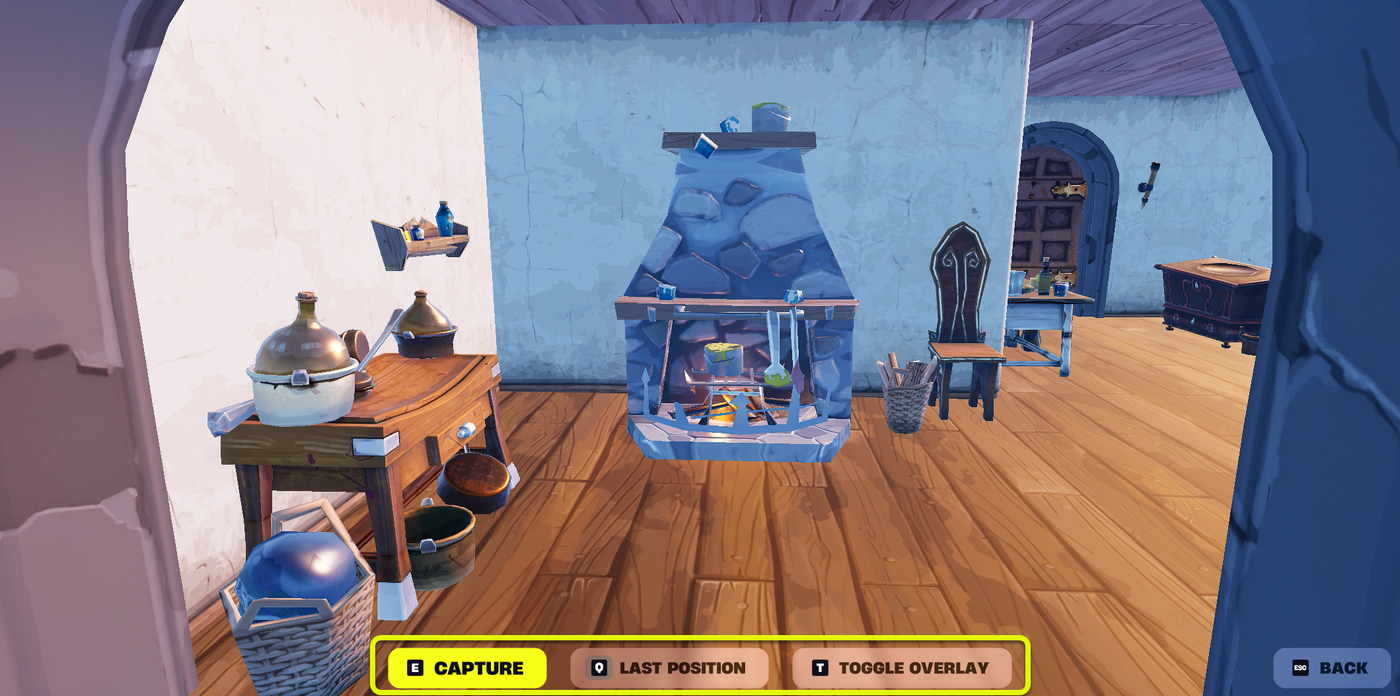
  • (E) Capture: Captures the image.
  • (Q) Last Position: Places your avatar (or camera) to the last spot it was at in the game.
  • (T) Toggle Overlay: This will toggle the avatar on and off, in case you want a background without characters.

Press the corresponding hotkey (E, Q, or T) to use any of these features.

  1. When you're ready, click Capture.  You'll be prompted to Confirmor Retakethe image.
  2. To find and use the image, click the Open Content Folder tile.  This will open your local folder where the image is saved.

You're reading a preview

The full reference is free for BrainDeadGuild Discord members — sign in to read it all, or open the original at the source.

Sign in with Discord — free for members Read the original at Epic Games

Sign in with your BrainDead.TV / BrainDeadGuild Discord account for full access.

Comments

    Sign in to vote, comment, or suggest an edit. Sign in
    📄
    Source
    Epic Games

    © Epic Games. Official Epic developer documentation, shown here as a reference with a link to the original. All rights remain with Epic Games. Terms ↗

    View original Sources & licensing
    Request removal
    Last updated Mar 29, 2026
    Keep exploring
    More in General · 63 of 123
    Prev
    mazey escape in fortnite creative
    Next
    method
    Browse all files in this folder (A–Z)
    Related topics
    • Creating Custom Lobby Backgrounds In Fortnite Creative General
    • Creating Custom Lobby Backgrounds In Fortnite Creative General
    • Island Settings In Uefn And Fortnite Creative General
    • Lobby Background Image Guidelines In Fortnite Creative General
    • Making Thumbnails And Videos In Fortnite Creative General

    Related

    Open in graph →

    Related topics

    • Creating Custom Lobby Backgrounds In Fortnite Creative
    • Creating Custom Lobby Backgrounds In Fortnite Creative
    • Island Settings In Uefn And Fortnite Creative
    • Lobby Background Image Guidelines In Fortnite Creative
    • Making Thumbnails And Videos In Fortnite Creative
    VerseIsland · an archipelago of Verse & UEFN knowledge
    🗺️ Island atlas Learn Guides History About & Press Sources & Licensing Status

    Not affiliated with Epic Games. Fortnite, UEFN, Unreal Engine, and Verse are trademarks of Epic Games, Inc. Content is attributed to its source — see Sources & Licensing.

    🦜

    Scout · your island guide

    The Isle of Verse