VerseIsland
Feed Learn Leaderboard Guides Reference Explore Search Docs Verse Library
Sign in
Feed Learn 📖 Codex Leaderboard Guides Reference Explore Search Docs Verse Library
Fortnite › Audio · Up to Fortnite · Audio · 12 of 26 in Audio
Browse Fortnite

Set Up Audio And Visual Effects

This section will show you how to set up audio, like barks, and visual effects, like camera shakes, to create engaging gameplay.

Audio Player Device

You can use the Audio Player device to set use dialog lines from guards. In game development, these are often referred to as barks.

Barks

You can find imported audio in "Project folder" > Barks. Click the Play icon to hear the audio file, then drag and drop it onto your island.
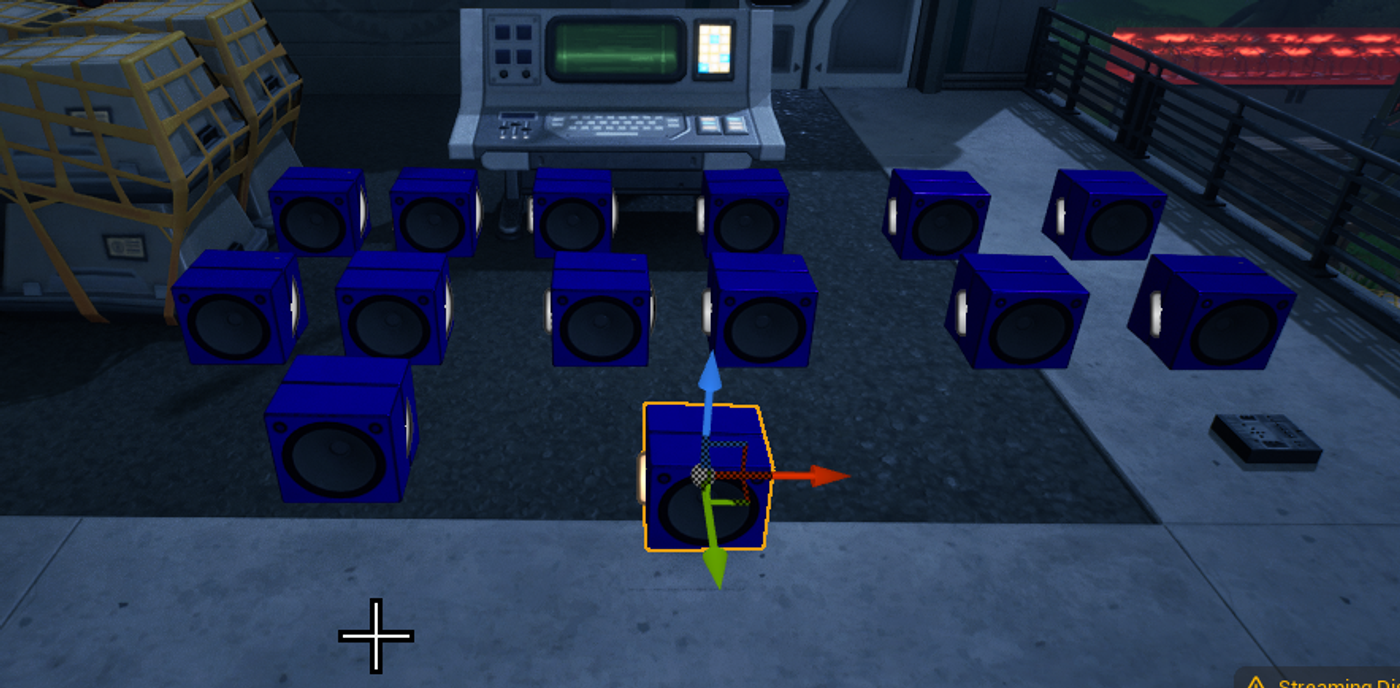
Audio File

Dropping an audio file onto your island will place an Audio Player device, which is hooked up to a Verse device to play a series of customs guard callouts. These callouts react to different events, like spotting the player or taking damage.

Place one Audio Player for every unique piece of audio that you want to play. This tutorial uses 14 different barks, with 14 different Audio Player devices placed.

You're reading a preview

The full reference is free for BrainDeadGuild Discord members — sign in to read it all, or open the original at the source.

Sign in with Discord — free for members Read the original at Epic Games

Sign in with your BrainDead.TV / BrainDeadGuild Discord account for full access.

Comments

    Sign in to vote, comment, or suggest an edit. Sign in
    📄
    Source
    Epic Games

    © Epic Games. Official Epic developer documentation, shown here as a reference with a link to the original. All rights remain with Epic Games. Terms ↗

    View original Sources & licensing
    Request removal
    Last updated May 12, 2026
    Keep exploring
    More in Audio · 12 of 26
    Prev
    sound component in unreal editor for fortnite
    Next
    using fortnite patchwork in unreal editor for fortnite
    Browse all files in this folder (A–Z)
    Next up
    • Customizable Lights
    • vfxCreator
    • This tutorial uses two [**Radio**
    Related topics
    • Verse Stronghold Template 5 Add Effects In Unreal Editor For Fortnite Tutorials
    • Stronghold 04 Set Up Leash Devices In Unreal Editor For Fortnite Devices
    • Stronghold Template In Unreal Editor For Fortnite Tutorials
    • Using Audio Player Devices In Unreal Editor For Fortnite Devices
    • Using Audio Player Devices In Unreal Editor For Fortnite Devices

    Related

    Open in graph →

    Related topics

    • Verse Stronghold Template 5 Add Effects In Unreal Editor For Fortnite
    • Stronghold 04 Set Up Leash Devices In Unreal Editor For Fortnite
    • Stronghold Template In Unreal Editor For Fortnite
    • Using Audio Player Devices In Unreal Editor For Fortnite
    • Using Audio Player Devices In Unreal Editor For Fortnite
    VerseIsland · an archipelago of Verse & UEFN knowledge
    🗺️ Island atlas Learn Guides History About & Press Sources & Licensing Status

    Not affiliated with Epic Games. Fortnite, UEFN, Unreal Engine, and Verse are trademarks of Epic Games, Inc. Content is attributed to its source — see Sources & Licensing.

    🦜

    Scout · your island guide

    The Isle of Verse