
Understanding Island Settings in Fortnite Creative
Island Settings are the settings you can control that affect the island you're developing. These settings are available when you're in Create mode and are inaccessible in-game, with a few exceptions.
Island Settings is one of the tabs available on the Creative menu nav bar. From Create mode:
- Use the M key to open the Creative Menu then select the Island Settings tab.
- Use the B key to open the Quick Menu then select the Island Settings tab.
You can also press either key to toggle back to your island.
In addition to the toggle keys above, you can:
-
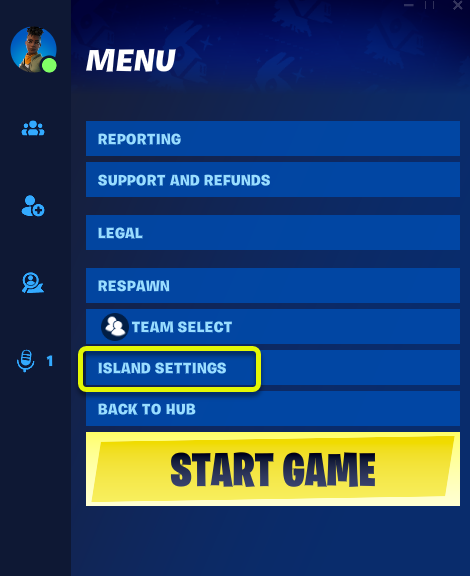
Press the Esc key, then select Island Settings from the options on the right side of the screen.
Island Settings vs. Game Settings
Island Settings define the rules and structure for a game mode, and rounds, environments, and settings that apply to all players and objects during a game for a single island.
You're reading a preview
The full reference is free for BrainDeadGuild Discord members — sign in to read it all, or open the original at the source.
Sign in with your BrainDead.TV / BrainDeadGuild Discord account for full access.