
Revision Control Viewport Status Highlighting
As a developer working with your collaborators, you want instant insight into how your project is evolving at a given time. Revision Control Status Highlighting provides a lens, directly in the viewport, into what your team members are working on, whether certain actors have newer versions, or which actors have been added or modified by you.
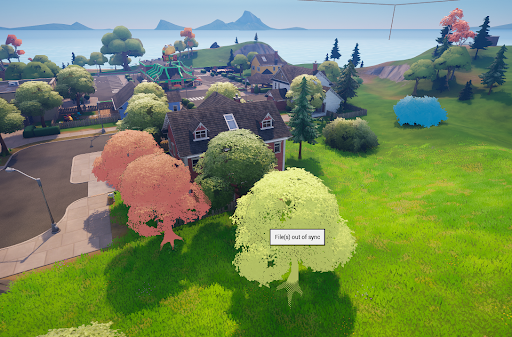
Default settings
When you open a level, you will see a red highlight (the same color as the corresponding revision control icon) on actors if they are checked out by one of your team members. Hovering on the actor will display a tooltip with the username of the team member who has this actor checked out.
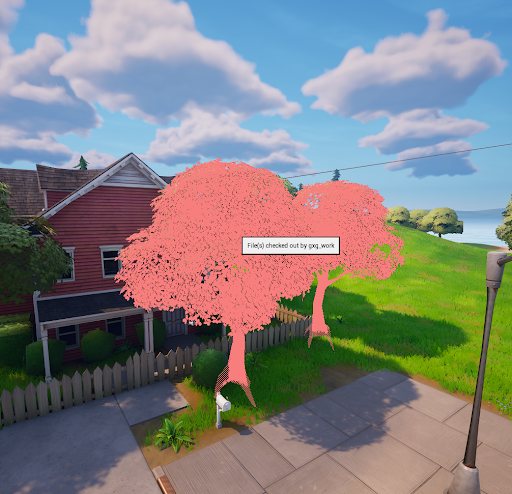
Yellow highlights indicate actors that have been updated in snapshots you haven’t yet synced, giving you a sneak peek at what will change when you sync to the latest. When you see yellow highlights, you can either sync to the latest or simply avoid working on that asset to prevent losing any potential changes.
You're reading a preview
The full reference is free for BrainDeadGuild Discord members — sign in to read it all, or open the original at the source.
Sign in with your BrainDead.TV / BrainDeadGuild Discord account for full access.