
Water Tools in Unreal Editor for Fortnite
Unreal Editor for Fortnite (UEFN) has tools to create customizable bodies of water. You can place an ocean, rivers, lakes, islands, and swiming pools from the Environment folder in the Content Browser. These water bodies, with the exception of the swimming pool, automatically raise or lower the terrain and do not require manual terrain sculpting.
Water tools should not be confused with the Water device in Fortnite Creative. Water tools use splines to create an editable outline for the body of water with curves and bends.
Add a River
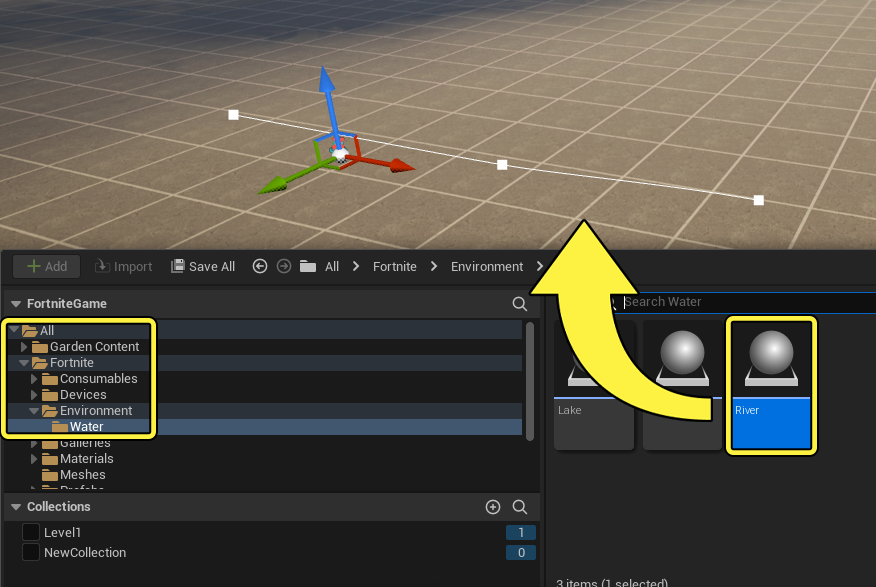
To use the River tool, locate the River thumbnail from the Environment folder in the Content Browser, then drag it into the viewport.
You're reading a preview
The full reference is free for BrainDeadGuild Discord members — sign in to read it all, or open the original at the source.
Sign in with your BrainDead.TV / BrainDeadGuild Discord account for full access.