
Viewmodel Texture Conversion Functions
The Make Image Brush From Texture and Make Image Brush From Material conversion functions provide a way for you to insert a Texture or Material from a viewmodel into an Image widget directly inside your User Widget.
Unlike the Set Material Parameter conversion functions, these two conversion functions remove the need to have a material with a Texture parameter. These conversion functions insert textures into your UI.
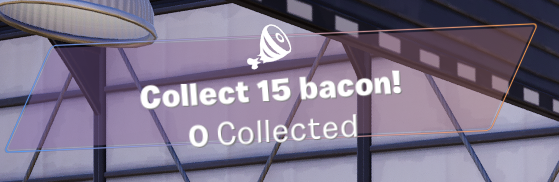
This example expands on the Tracker widget from the To Text tutorials by passing the Icon property from the Tracker viewmodel into an Image widget using the Make Image Brush from Texture.
Make Image Brush from Material and Make Image Brush from Soft Texture/Material share the same workflow and have identical properties as well. However, this tutorial does not cover how to set them up. Refer to tutorials in Making a Custom HUD to see how these properties are set up in the widget.
You're reading a preview
The full reference is free for BrainDeadGuild Discord members — sign in to read it all, or open the original at the source.
Sign in with your BrainDead.TV / BrainDeadGuild Discord account for full access.