
Making a Sweater with Marvelous Designer
Making a Sweater with Marvelous Designer
This tutorial walks you through creating a custom garment for imported MetaHumans in Marvelous Designer.
This tutorial walks you through creating a custom garment for imported MetaHumans in Marvelous Designer.
You're going to create a crewneck sweatshirt from a sample garment provided in Marvelous. Then, you'll craft your sweatshirt by editing each pattern, such as the sleeves and collars.
At the end of this tutorial, you should have a customized crewneck sweatshirt file that you can import into Unreal Engine (UE) to create a cloth asset.
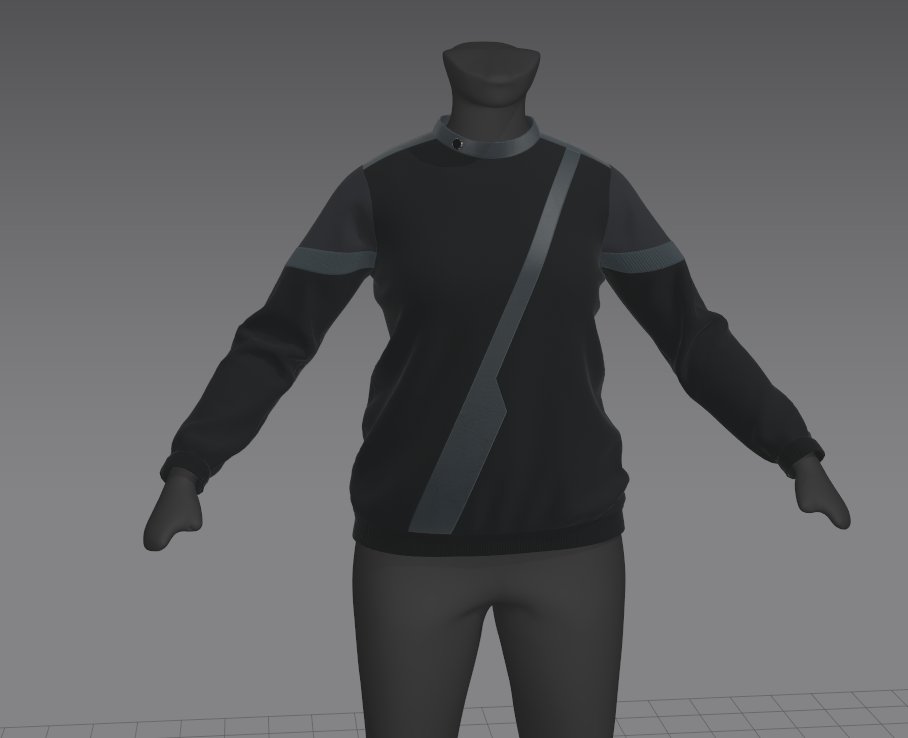
Add a Custom MetaHuman
To import a MetaHuman into Marvelous Designer, follow these steps:
-
Navigate to File > Add > Avatar to import a custom MetaHuman.
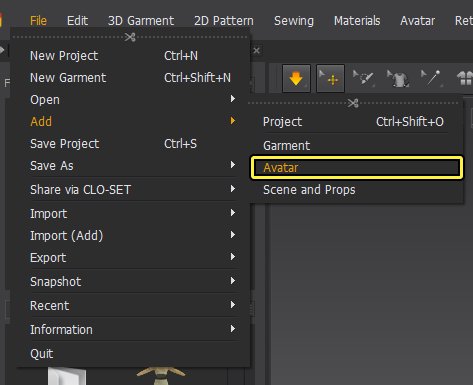
-
Import and load a MetaHuman with the following settings.
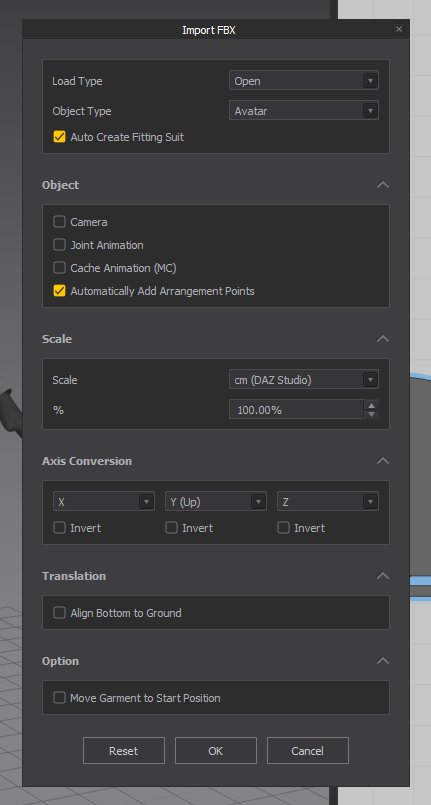
You're reading a preview
The full reference is free for BrainDeadGuild Discord members — sign in to read it all, or open the original at the source.
Sign in with your BrainDead.TV / BrainDeadGuild Discord account for full access.