
Text Localization
Automatically translate your text files in Unreal Editor for Fortnite (UEFN) into the languages Fortnite supports. Localizing your files provides a way for all the text in your project to show in a local language when a player in another region plays on your island. This process has two phases (export and translation), and is designed to be run iteratively as the localizable text in your project changes over time.
Text localization is intended to adapt the content to feel more natural for the target language. For instance, replacing culture specific idioms, puns, jokes, and references with a suitable equivalent for the target language. Translation on the other hand is a literal translation of every word.
Export
Export is the process of collecting the localizable text from your project’s content (assets and Verse), and converting it to per-language Portable Object (PO) files ready to be translated.
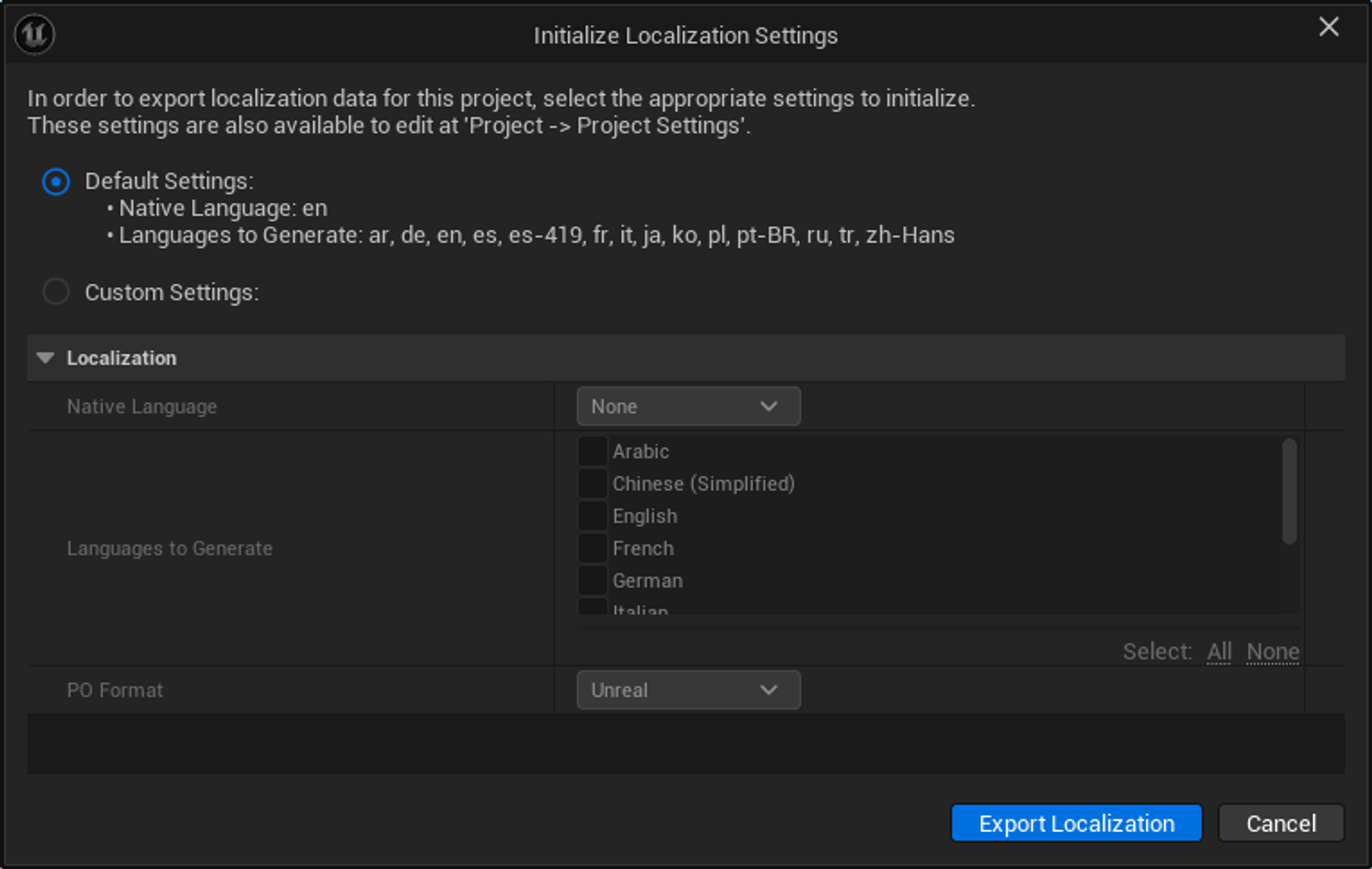
Export is triggered via Build > Export Localization. If you haven’t yet configured the localization settings for your project (Project > Project Settings), then you’ll be prompted to do so before moving on.
You're reading a preview
The full reference is free for BrainDeadGuild Discord members — sign in to read it all, or open the original at the source.
Sign in with your BrainDead.TV / BrainDeadGuild Discord account for full access.