
Using Live Link Hub
LiveLink Hub is a standalone executable that launches as a separate process on your workstation. Through LiveLink Hub, you can stream the data from your motion capture recording system to UEFN.
Use LiveLink Hub to capture data from your motion capture recording system to use as animations for your FN Mannequin characters, then use these animations to create movements that match your NPC's personality and theme.
You can then use the Take Recorder to record the live animation captured in LiveLink Hub.
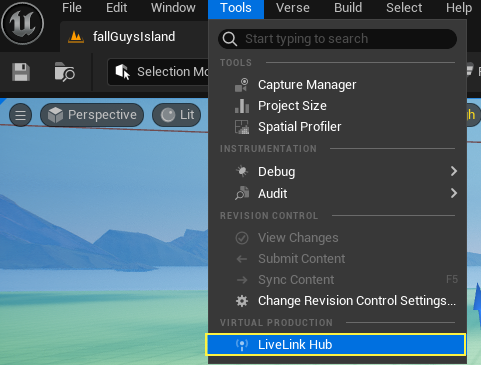
To launch LiveLink Hub, navigate to Tools > LiveLink Hub.
See the LiveLink Hub tutorial to go through the steps of using this tool.
Using LiveLink Hub
Below is an explanation of LiveLink Hub's features and tools. LiveLink Hub has an overall taskbar to record your animation, along with three panels, broken down into corresponding numbers below.
You're reading a preview
The full reference is free for BrainDeadGuild Discord members — sign in to read it all, or open the original at the source.
Sign in with your BrainDead.TV / BrainDeadGuild Discord account for full access.