
The "It's Your Turn" Signal: Mastering Events in Verse
The "It's Your Turn" Signal: Mastering Events in Verse
Imagine you're in a ranked match. You're holding the high ground, but you don't know when to shoot. You need a signal. In Fortnite Creative, that signal is an Event. Without events, your devices are just lonely props sitting in the void, waiting for someone to poke them. With events, they become reactive, chaotic, and fun.
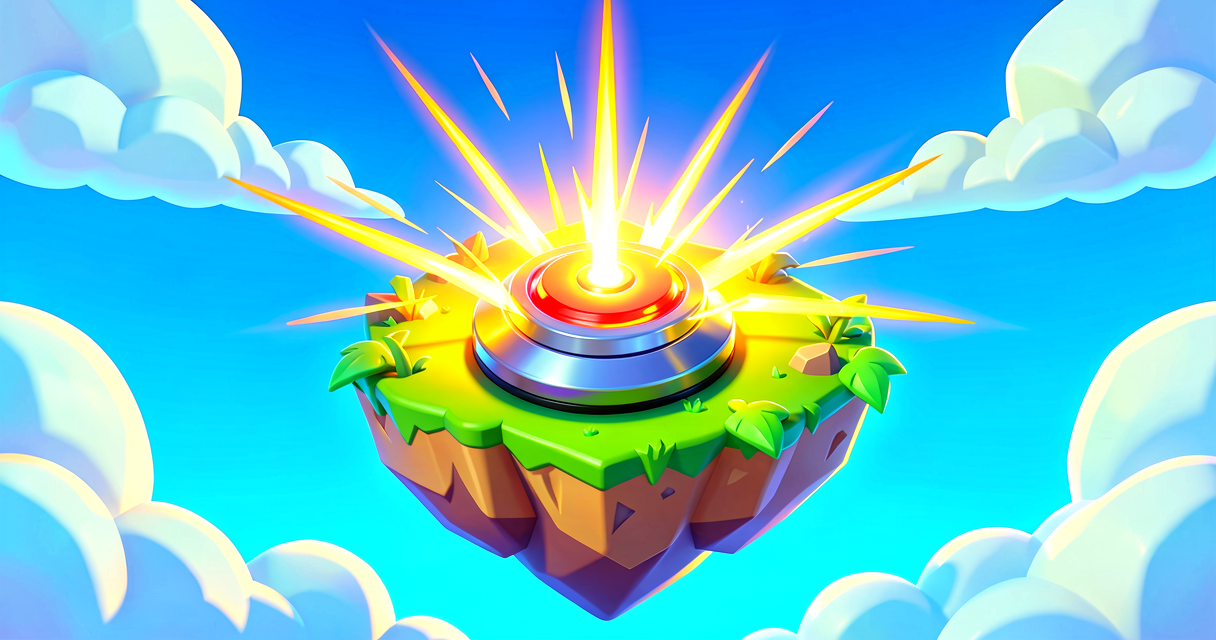
In this tutorial, we're going to build a simple "Revenge Trap." You'll place a button. When a player presses it, a prop-mover (the trap) will activate and launch them into the sky. We'll learn how to listen for that button press using Verse's event system, turning passive objects into active gameplay mechanics.
What You'll Learn
- What an Event is: The digital equivalent of a player clicking a button, stepping on a trigger, or getting an elimination.
- How to Subscribe: How to tell Verse, "Hey, watch this specific action, and when it happens, run my code."
- The
InteractedWithEventEvent: The most common event for buttons and interactable props. - Triggering Functions: Connecting that event to a device's function (like moving a prop).
How It Works
In UEFN (Unreal Editor for Fortnite), you might be used to connecting wires. You plug an output from a Button into the input of a Prop-Mover. It's visual, it's easy, and it works.
Verse is different. Instead of drawing a wire, you write code that listens for an action.
Think of an Event like the Battle Bus dropping you onto the island. The bus doesn't care what you do once you land; it just happens. The event is "Player Dropped." Once that event fires, you react to it.
In Verse, we don't just let things happen. We write a script that says: "When the InteractedWithEvent event occurs on this button, execute this specific block of code." This block of code is called an Event Handler.
Here is the golden rule of Verse events: You can only subscribe to events that a device actually has. Not every prop has an "Interacted With" event. Only things players can click, press, or step on usually do.
Let's Build It
We are building a Launch Pad Button.
- The Button: The trigger.
- The Prop-Mover: The trap that launches the player.
- The Verse Script: The brain that connects them.
Step 1: Set Up Your Island
- Place a Button device in the world. Name it
RevengeButton. - Place a Prop-Mover device above and slightly behind the button. This is where the player will go.
- Set the Prop-Mover to move to a high point (like a floating platform) over 0.5 seconds.
- Create a new Verse file in your project. Let's call it
LaunchPadScript.
Step 2: The Verse Code
Here is the complete script. Don't worry if it looks weird; we'll break it down line by line.
# This is a Verse script that listens for a button press
# and triggers a prop-mover to launch a player.

# 1. IMPORTS
# We need to import the 'Devices' library to access Button,
# Prop-Mover, and their built-in events.
using { /Fortnite.com/Devices }
using { /Verse.org/Simulation }

# 2. THE SCRIPT STRUCTURE
# This is the container for our logic.
# Think of it as the "Island" itself, but for this specific mechanic.
# In UEFN, you attach this creative_device to your Button device
# in the level, and wire the PropMover reference in the editor.
LaunchPadScript := class(creative_device):

    # 3. DECLARING OUR DEVICES
    # We need references to the actual devices in our level.
    # In the UEFN editor, drag your Prop-Mover device into the
    # 'PropMover' field that appears on this script component.
    @editable
    PropMover : prop_mover_device = prop_mover_device{}

    @editable
    RevengeButton : button_device = button_device{}

    # 4. OnBegin — the entry point
    # OnBegin runs automatically when the game session starts.
    # This is where we subscribe to events so our code starts listening.
    OnBegin<override>()<suspends> : void =
        # 5. SUBSCRIBING TO THE EVENT
        # 'InteractedWithEvent' fires whenever a player presses
        # this button. We pass our handler function to Subscribe
        # so Verse knows what code to run when it fires.
        # This is the code equivalent of drawing a wire in the editor.
        RevengeButton.InteractedWithEvent.Subscribe(HandleButtonPress)

    # 6. THE FUNCTION
    # This function runs ONLY when the event above fires.
    # It takes a 'player' as input (the person who pressed the button).
    HandleButtonPress(Agent : agent) : void =
        # 7. TRIGGERING THE DEVICE
        # We call Begin() on our Prop-Mover.
        # This is the function that does the work — springing the trap!
        PropMover.Begin()```

### Walkthrough: What Just Happened?

1.  **`RevengeButton.InteractedWithEvent`**: This is the real built-in event that lives on every `button_device`. The `<agent>` part tells Verse that when this event fires, it will pass information about *which* player interacted with the button. This is useful if you want to give that specific player a score or heal them.
2.  **`.Subscribe(HandleButtonPress)`**: This is the magic line. It's like plugging the wire in code. It tells Verse: "Watch the `InteractedWithEvent` event. When it happens, jump into the `HandleButtonPress` function."
3.  **`PropMover.Activate(Agent)`**: This is the result. The Prop-Mover has a function called `Activate`. When our event handler runs, it calls this function, and the trap springs!

### Why Not Just Use Wires?

You might be thinking, "Why write code when I can just wire it?"

Great question. Wires are great for simple, linear chains. But Verse gives you **control**. With Verse, you could add logic *inside* `HandleButtonPress` before you activate the mover. You could check if the player has enough health. You could play a sound. You could change the button's color. You could make it only work once. Events are the entry point for all that logic.

## Try It Yourself

**Challenge:** Modify the script so that the button only launches the player if they have **less than 50 health**. If they have 50 or more, do nothing.

**Hint:**
1.  Cast the `agent` to a `player`, then use `GetFortCharacter[]` to reach the character, and call `GetHealth()` on the resulting `fort_character`.
2.  Use an `if` statement (a basic programming concept that works like a conditional switch) to check if the health value is below 50.
3.  Only call `PropMover.Activate(Agent)` inside the `if` block.

**Example Logic Structure:**
```verse
HandleButtonPress(Agent : agent) : void =
    # Cast agent -> player -> fort_character to read health.
    # The [] brackets mean these calls can fail; the if-block
    # only runs when every step succeeds.
    if (Player := player[Agent],                       # agent must be a player
        Character := Player.GetFortCharacter[],        # player must have a character
        Character.GetHealth() < 50.0):                 # health check
        PropMover.Activate(Agent)
Recap
- Events are actions that happen in the game (like a button press).
- Event Handlers are the code that runs when an event occurs.
- Subscribe connects an event to a function, so your code knows when to act.
- Functions are the actions devices take (like moving a prop or spawning loot).
You've just taken your first step into reactive programming. Instead of passive devices, you now have a system that listens and reacts. That's the heart of game design.
References
- https://dev.epicgames.com/documentation/en-us/fortnite/event
- https://dev.epicgames.com/documentation/en-us/fortnite-creative/using-billboard-devices-in-fortnite-creative
- https://dev.epicgames.com/documentation/en-us/fortnite-creative/event
- https://dev.epicgames.com/documentation/en-us/fortnite-creative/using-placeable-ledge-devices-in-fortnite-creative
- https://dev.epicgames.com/documentation/en-us/fortnite/using-billboard-devices-in-fortnite-creative
Verse source files
- 01-device.verse · device
- 02-fragment.verse · fragment
Turn this into a guided course
Add Events to your free study plan — we'll suggest related pages and stitch the lot into one compile-checked, self-guided lesson with worked examples and quizzes.
Original tutorial generated by Verse Island from the Verse/UEFN knowledge base, with references to the Epic Games sources above. Code is validated against the knowledge base.