
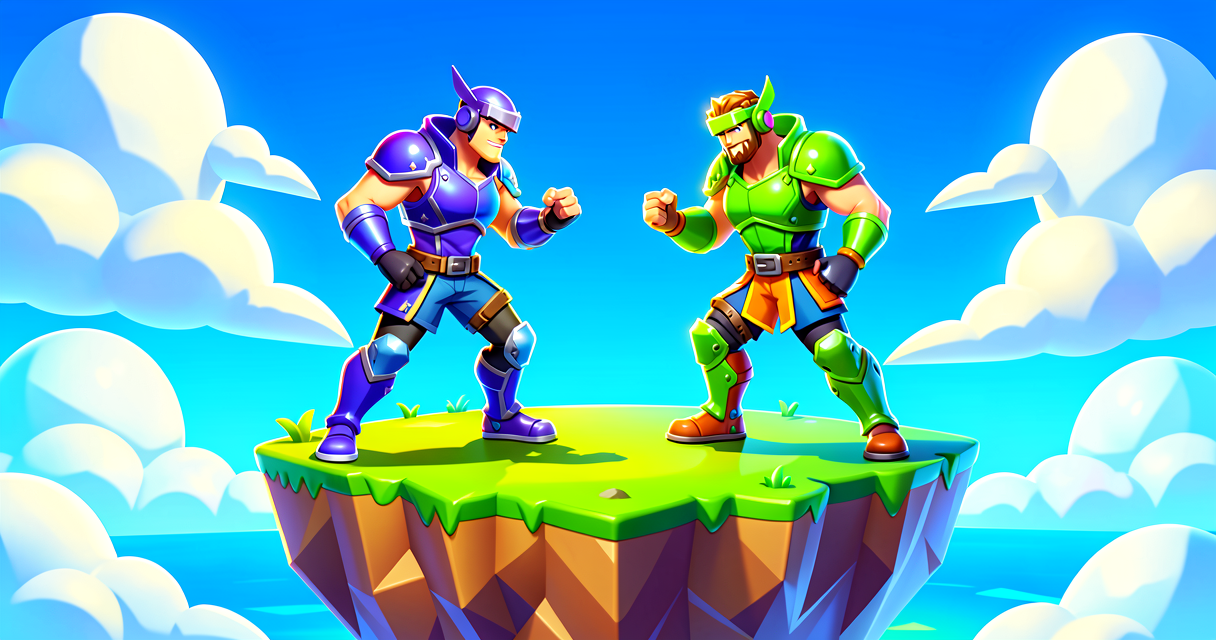
Tank Mode: Per-Player Max HP & Shield Manager
Tank Mode: Per-Player Max HP & Shield Manager
Ever played a Fortnite Creative map where one guy is a glass cannon and the other is a walking tank, and you wondered how they made it happen without breaking the game for everyone else? Most map makers use global settings, which means everyone shares the same health pool. That’s boring. We’re going to build a system that lets you change a specific player’s maximum Health and Shield individually, using Verse.
Think of this as building a "Class System" or a "Power-Up Station" where Player A can become a Zergling and Player B can become a Space Marine, and the game remembers their stats even if they respawn. No more "one size fits all" health bars.
What You'll Learn
- Variables: How to store data (like "My Max HP is 300") that changes from player to player.
- Events: How to trigger code when a player walks into a specific spot (like a Conditional Button).
- Scene Graph Basics: How Verse talks to the game world using Entities (things that exist) and Components (what they do).
- Per-Player State: The secret sauce that keeps Player A’s stats separate from Player B’s stats.
How It Works
In standard Fortnite Creative, if you go into My Island Settings and set Max Health to 300, everyone gets 300 Max Health. It’s a global setting. It’s like setting the storm timer for the whole island.
But Verse lets us go deeper. We can look at the Scene Graph. Imagine the Scene Graph as the list of every object in your island. There’s the floor, the walls, the NPCs, and the Players. Each Player is an Entity (an object in the world). Attached to that Player Entity are Components (properties or behaviors). One of those components is HealthComponent.
Normally, we can’t easily reach into a player’s component and tweak it from the outside without special tools. But we can use a Variable.
Variable (Think: A Loot Box Slot). A variable is a named container that holds a value. In programming, we create a variable to remember something. In Fortnite, think of a Variable like a specific slot in your inventory. You can put a "Shield Potion" in it, or a "Rifle," but only one thing at a time. We’ll use variables to store the target Max HP and Max Shield values we want to apply.
Here is the flow:
- Setup: We define two variables:
TargetMaxHealthandTargetMaxShield. - Trigger: We use a Conditional Button (a button that only works for specific players or conditions) or a Zone (a trigger volume). Let’s use a Zone for simplicity. When a player enters the Zone, it fires an Event.
- Event (Think: The Elimination Feed). An event is a signal that says "Something just happened!" When a player steps on the pad, the game shouts, "Player X entered the zone!"
- Action: Our Verse code catches that shout, looks at the player who entered, and updates their specific Health Component to use the new values stored in our variables.
Let's Build It
We are going to build a "Stat Station." When a player walks into this blue zone, they become a Tank (300 HP, 100 Shield). If they walk into the red zone, they become a Speedster (50 HP, 0 Shield, but we’ll just do HP for now to keep it simple).
The Verse Code
Copy this into a Verse file in your UEFN project. This code creates a simple manager that listens for players entering a zone and updates their max stats.
using { /Fortnite.com/Game }
using { /Fortnite.com/Devices }
using { /Fortnite.com/Characters }
using { /Verse.org/Simulation }
using { /UnrealEngine.com/Temporary/Diagnostics }

# This is our main script. It's like the Game Rules device.
# We attach it to a device in the world, like a Zone Trigger.
tank_mode_script := script()

# VARIABLES: These are our "Loot Slots."
# We store the values we want to apply.
var TargetMaxHealth := 300.0
var TargetMaxShield := 100.0

# FUNCTION: A reusable block of code.
# Think of this like a "Building Blueprint." You define it once, then use it whenever needed.
# This function takes a Player as an argument (the person we're buffing).
ApplyTankStats := func(player: Player): void =>
    # Get the Health Component from the player.
    # The Health Component is like the "Health Bar" UI and logic attached to the player.
    health_comp := player.GetHealthComponent()

    # If the component exists (player is alive/valid):
    if (health_comp != nil):
        # Set the Max Health.
        # Note: In some UE versions, you might need to set current health too,
        # but setting Max is the key for the "Tank" feel.
        health_comp.SetMaxHealth(TargetMaxHealth)

        # Get the Shield Component.
        shield_comp := player.GetShieldComponent()

        if (shield_comp != nil):
            # Set the Max Shield.
            shield_comp.SetMaxShield(TargetMaxShield)

            # Optional: Refill shields to the new max for that satisfying "power-up" feel.
            shield_comp.SetCurrentShield(TargetMaxShield)

# EVENT: The "Trigger."
# This function runs automatically when the device it's attached to is triggered.
# In UEFN, you attach this script to a Zone Trigger or a Button.
on_trigger := func(trigger: TriggerDevice): void =>
    # Get the players who triggered this.
    # A zone can trigger for multiple players at once.
    players := trigger.GetTriggeredPlayers()

    # LOOP: Like checking every player in a lobby one by one.
    for (player : players):
        # Call our function to apply the stats to THIS specific player.
        ApplyTankStats(player)

        # Tell the player (and everyone) what happened.
        # "Print" is like writing in the chat or debug log.
        Print("Player {player.GetPlayerName()} just went Tank Mode!")

# SETUP: This runs when the game starts.
on_begin := func(): void =>
    Print("Tank Mode Manager Loaded. Find the blue zone to become a tank!")
Walkthrough
usingstatements: These are like loading the right tools from the truck. We’re loading Fortnite devices, characters, and basic simulation tools.var TargetMaxHealth := 300.0: We created a variable. Imagine a sticky note on your desk that says "300." Whenever we need to know "How much health is a Tank?", we look at this note.ApplyTankStats: This is the Function. It’s a recipe. It says: "Take a player, find their health bar component, and change the numbers." It doesn’t run yet; it’s just waiting to be called.on_trigger: This is the Event. In UEFN, if you attach this script to a Zone Trigger device, this function runs the moment someone steps in the zone.trigger.GetTriggeredPlayers(): This grabs the list of players who just stepped in. It’s like the elimination feed listing who got the kill. Here, it lists who entered the zone.for (player : players): This is a Loop. It goes through the list of players one by one. If Player 1 and Player 2 both step in, it runs theApplyTankStatsrecipe for Player 1, then for Player 2.
How to Set This Up in UEFN
- Create the Zone: Place a Zone Trigger device in your map. Make it big enough to walk into.
- Attach the Script: In the device’s properties, find the "Verse Script" slot and select the script you created above.
- Configure the Zone: In the Zone Trigger properties, make sure "Trigger on Enter" is On.
- Test: Play your island. Walk into the zone. Your health bar should now show a max of 300 (and shields to 100). If you take damage, you’ll have more health than usual.
Try It Yourself
The current code makes everyone who walks in a "Tank." But what if you want a "Glass Cannon" mode?
Challenge:
- Create a second Zone Trigger (maybe a different color).
- Duplicate the script or modify it so that when a player enters the second zone, their Max Health drops to 50 and Max Shield drops to 0.
- Hint: You can create a second function called
ApplyGlassCannonStatsthat setsTargetMaxHealthto50.0andTargetMaxShieldto0.0, then calls the same logic to apply it.
Don't forget: You need to handle the case where a player might walk into both zones. What happens if they walk into the Tank zone, then the Glass Cannon zone? (Think about which variables get updated last!)
Recap
- Variables are like inventory slots that store values (like Max HP).
- Functions are like blueprints or recipes for doing something (like applying stats).
- Events are signals that say "Hey, something happened!" (like a player entering a zone).
- The Scene Graph is the hierarchy of the world. By targeting the
PlayerEntity and itsHealthComponent, we can change stats for that specific player without affecting everyone else.
Now go forth and break the health bars!
References
- https://dev.epicgames.com/community/snippets/yv7/fortnite-per-player-maximum-hp-shield-manager
- https://dev.epicgames.com/documentation/en-us/fortnite/create-a-free-for-all-game-in-fortnite-creative
- https://dev.epicgames.com/documentation/en-us/fortnite-creative/create-a-free-for-all-game-in-fortnite-creative
- https://dev.epicgames.com/documentation/en-us/fortnite-creative/using-healing-consumables-in-fortnite-creative
- https://dev.epicgames.com/documentation/en-us/fortnite/class-setup-in-an-arena-gameplay-example-in-fortnite-creative
Verse source files
- 01-fragment.verse · fragment
Turn this into a guided course
Add fortnite-per-player-maximum-hp-shield-manager to your free study plan — we'll suggest related pages and stitch the lot into one compile-checked, self-guided lesson with worked examples and quizzes.
References
Original tutorial generated by Verse Island from the Verse/UEFN knowledge base, with references to the Epic Games sources above. Code is validated against the knowledge base.