
Game XP Dashboard in Fortnite Creative
The Game XP dashboard displays calibrated information about the XP players receive from any Accolades devices you set up around your island.
How It Works
Data is gathered from the Accolades devices at the end of the match for each successful trigger. The graph shows the total number of activations from completed objectives, checkpoints, or conditions throughout your island.
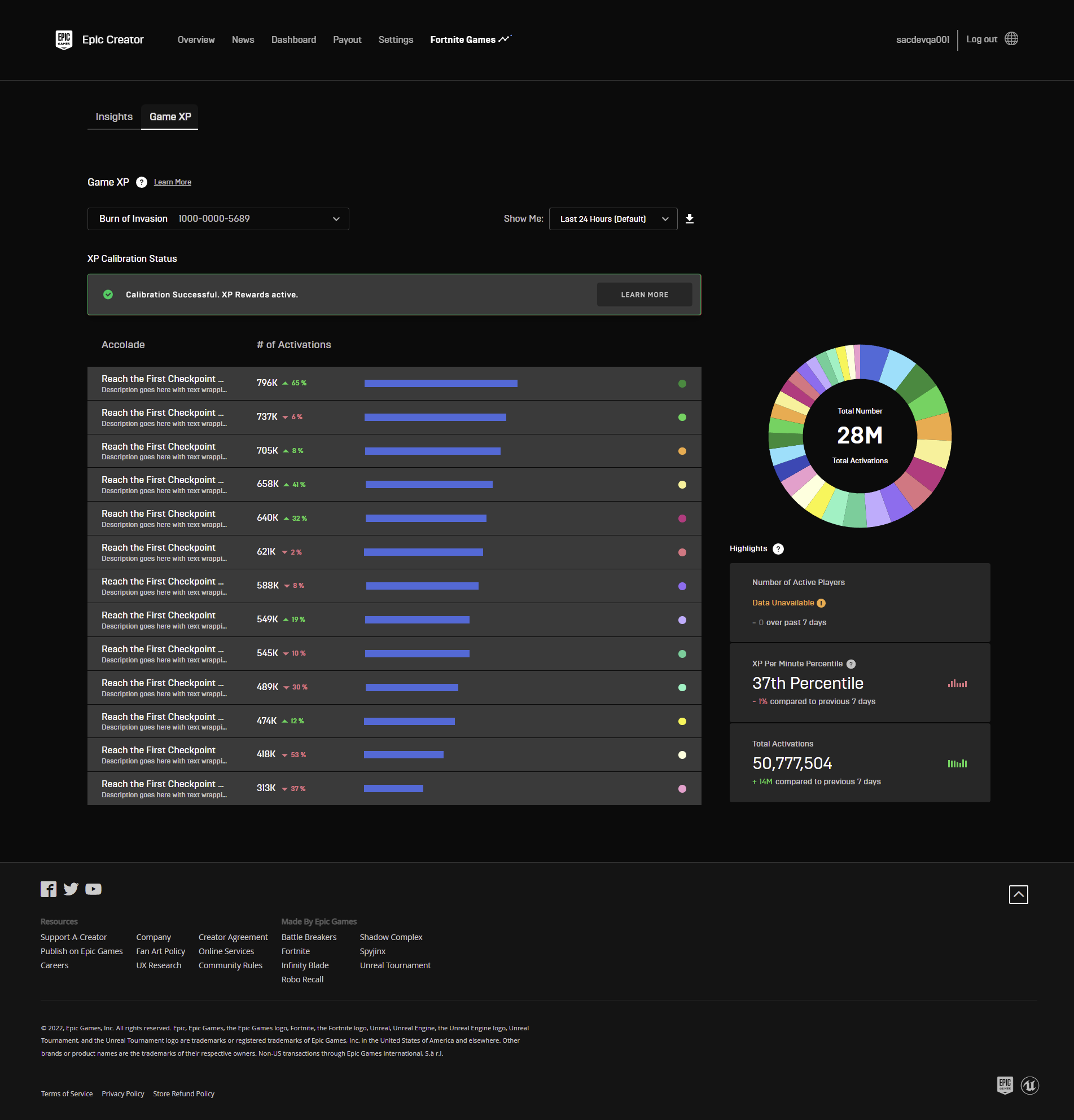
To see the Game XP screen, click Game XP in the Fortnite Games navbar. All events triggered by the Accolades device are reported from the devices then calibrated before generating a report directly to your Game XP analytics. Once the calibration of your data has taken place graphs will generate showing you the number of triggered events on each of your maps.
Game XP relies on the calibration of the Accolades device to accurately report data. Therefore, you will not have data until you publish your island and have enough players triggering devices to receive information.
You're reading a preview
The full reference is free for BrainDeadGuild Discord members — sign in to read it all, or open the original at the source.
Sign in with your BrainDead.TV / BrainDeadGuild Discord account for full access.