
Using Prefabs and Galleries
Want to create a western town? A medieval village? A futuristic techno-punk shopping mall? You can start building your theme island with prefabs and galleries.
Find what you need to outfit your island in the Creative Content Prefabs and Galleries categories!
Access Prefabs and Galleries
- Creative: From the Content Menu > Galleriescategory.
- UEFN: From the Content Browser > All > Fortnite > Galleries folder.
-
From your Creative island, activate your Phone tool, then press the Tab key.
-
Select Content.
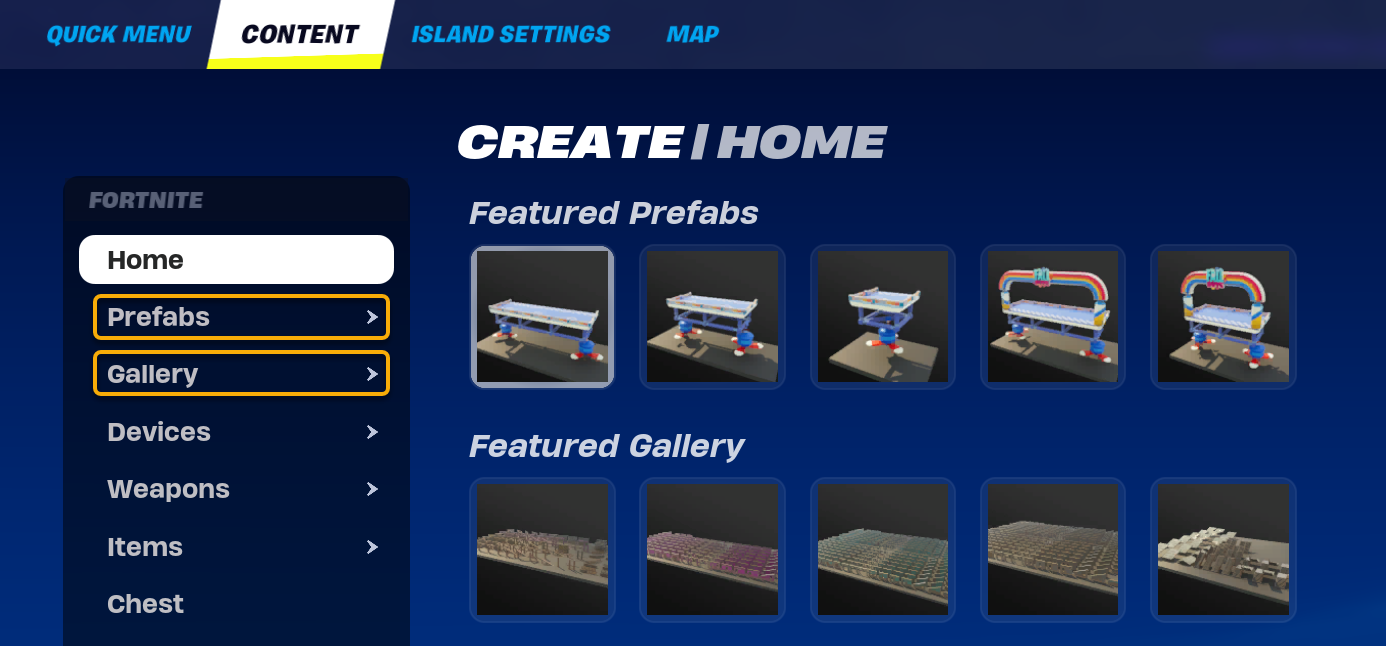
-
From here, you can go to the Prefabs or Galleries categories to explore the wide range of assets available.
Check out the Building Basics section, which shows how to use prefab and gallery pieces to build structures like arenas and pre-game lobbies.
Prefabs
A prefab is a prefabricated structure. It could be a piece of furniture, like a chair or a table, a fully-furnished building, or anything in between.
You're reading a preview
The full reference is free for BrainDeadGuild Discord members — sign in to read it all, or open the original at the source.
Sign in with your BrainDead.TV / BrainDeadGuild Discord account for full access.