VerseIsland
Feed Learn Leaderboard Guides Reference Explore Search Docs Verse Library
Sign in
Feed Learn 📖 Codex Leaderboard Guides Reference Explore Search Docs Verse Library
Fortnite › Devices · Up to Fortnite · Devices · 5 of 1369 in Devices
Browse Fortnite

Barrier Device Design Examples

You can use Barrier devices to construct an impenetrable zone that blocks both player movement and weapon fire. Keep going to find a few novel ways to apply this device to your own gameplay!

Make a Map Border

The Barrier device is often used to create an outer boundary around a play area. In this example, we’ll use the Hollow Box shape of the barrier to create an invisible wall to keep players contained.

Devices Used

  • 1 x Barrier device
  • 1 x Player Spawner device

Set Up the Devices

  1. Place the Barn prefab. (You can find all prefabs from the Creative Menu).

  2. Place a Player Spawner device on the ground.

  3. Place a Barrier device in the middle of the barn.

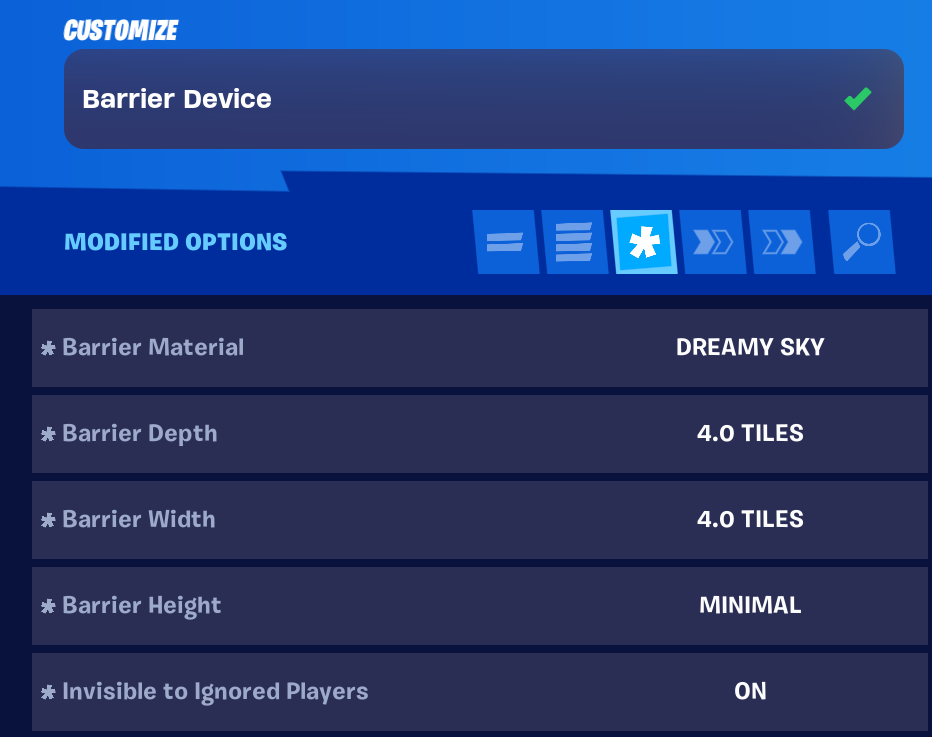
  4. Customize the barrier as follows:

    Option Value Description
    Barrier Material Invisible The player will not see the boundaries of the barrier.
    Zone Shape Hollow Box This sets the boundaries at the perimeter of the box.
    Barrier Depth 10.0 TIles The depth of the barrier.
    Barrier Width 10.0 Tiles The width of the barrier.
    Barrier Height 5.0 Tiles The height of the barrier.

You're reading a preview

The full reference is free for BrainDeadGuild Discord members — sign in to read it all, or open the original at the source.

Sign in with Discord — free for members Read the original at Epic Games

Sign in with your BrainDead.TV / BrainDeadGuild Discord account for full access.

Comments

    Sign in to vote, comment, or suggest an edit. Sign in
    📄
    Source
    Epic Games

    © Epic Games. Official Epic developer documentation, shown here as a reference with a link to the original. All rights remain with Epic Games. Terms ↗

    View original Sources & licensing
    Request removal
    Last updated Mar 15, 2026
    Keep exploring
    More in Devices · 5 of 1369
    Prev
    ascender device design examples in fortnite creative
    Next
    big rig device design example in fortnite creative
    Browse all files in this folder (A–Z)
    Next up
    • ### Devices Used
    • 1. Place the **Barn** prefab. (You can find all prefabs from the [Creative Menu
    • [Direct event binding
    Related topics
    • Using Barrier Devices In Fortnite Creative Devices
    • Using Barrier Devices In Fortnite Creative Devices
    • Shooting Academy In Fortnite Creative General
    • Barrier Device Devices
    • Shooting Gallery In Fortnite Creative Building & Props

    Related

    Open in graph →

    Related topics

    • Using Barrier Devices In Fortnite Creative
    • Using Barrier Devices In Fortnite Creative
    • Shooting Academy In Fortnite Creative
    • Barrier Device
    • Shooting Gallery In Fortnite Creative
    VerseIsland · an archipelago of Verse & UEFN knowledge
    🗺️ Island atlas Learn Guides History About & Press Sources & Licensing Status

    Not affiliated with Epic Games. Fortnite, UEFN, Unreal Engine, and Verse are trademarks of Epic Games, Inc. Content is attributed to its source — see Sources & Licensing.

    🦜

    Scout · your island guide

    The Isle of Verse