VerseIsland
Feed Learn Leaderboard Guides Reference Explore Search Docs Verse Library
Sign in
Feed Learn 📖 Codex Leaderboard Guides Reference Explore Search Docs Verse Library
Fortnite › Tutorials · Up to Fortnite · Tutorials · 5 of 107 in Tutorials
Browse Fortnite

Set Up Flag Mechanics

Devices used:

  • 2 x Capture Item Spawner
  • 2 x Capture Area
  • 1 x HUD Message
  • 1 x HUD Controller

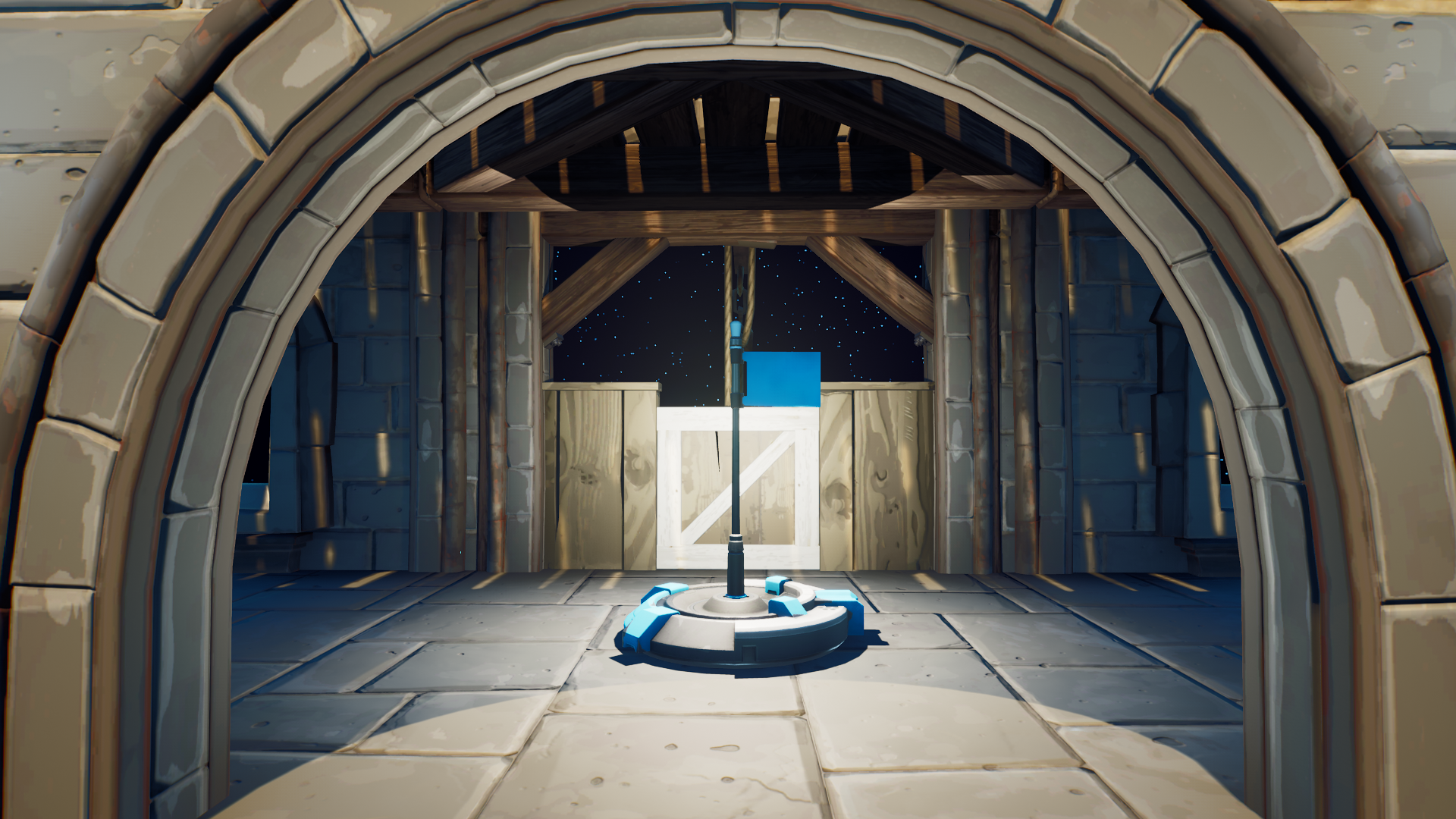
Flag Capture Area

The Capture the Flag-specific game mechanics used on this island include:

  • One flag and one capture area for each team.
  • Flags for each team are on the top floor of the two identical bases.
  • The capture area is in the center of each base and can be seen very easily from the courtyard.
  • When a team takes the enemy flag, they need to return it to the capture area in their base to get a point.
  • The team that gets three points first wins the match.
  • If Team 1 has the Team 2 flag, the capture point in the Team 2 base turns off until their flag is recovered. If both team flags are taken, then nobody can get a point for capturing a flag until one of the flags is returned.

You're reading a preview

The full reference is free for BrainDeadGuild Discord members — sign in to read it all, or open the original at the source.

Sign in with Discord — free for members Read the original at Epic Games

Sign in with your BrainDead.TV / BrainDeadGuild Discord account for full access.

Comments

    Sign in to vote, comment, or suggest an edit. Sign in
    📄
    Source
    Epic Games

    © Epic Games. Official Epic developer documentation, shown here as a reference with a link to the original. All rights remain with Epic Games. Terms ↗

    View original Sources & licensing
    Request removal
    Last updated Feb 11, 2026
    Keep exploring
    More in Tutorials · 5 of 107
    Prev
    capture the flag 2 create the island in unreal editor for fortnite
    Next
    capture the flag 6 make the pregame lobby in unreal editor for fortnite
    Browse all files in this folder (A–Z)
    Next up
    • Using Capture Item Spawner Devices In Fortnite Creative
    • Using Capture Area Devices In Fortnite Creative
    • Using Hud Message Devices In Fortnite Creative
    • Using Hud Controller Devices In Fortnite Creative
    • | **Blue Capture Area** [capture area device
    • | --- | --- | --- | --- | --- |
    Related topics
    • Capture The Flag 5 Flag Mechanics In Unreal Editor For Fortnite Tutorials
    • Capture The Flag 4 Set Up Spawn Rooms In Unreal Editor For Fortnite Spawning
    • Fortnite Creating A Capture The Flag Game Mode In Uefn Tutorials
    • Build A Capture The Flag In Unreal Editor For Fortnite Building & Props
    • Capture The Flag 1 Set Up The Game In Unreal Editor For Fortnite Tutorials

    Related

    Open in graph →

    Related topics

    • Capture The Flag 5 Flag Mechanics In Unreal Editor For Fortnite
    • Capture The Flag 4 Set Up Spawn Rooms In Unreal Editor For Fortnite
    • Fortnite Creating A Capture The Flag Game Mode In Uefn
    • Build A Capture The Flag In Unreal Editor For Fortnite
    • Capture The Flag 1 Set Up The Game In Unreal Editor For Fortnite
    VerseIsland · an archipelago of Verse & UEFN knowledge
    🗺️ Island atlas Learn Guides History About & Press Sources & Licensing Status

    Not affiliated with Epic Games. Fortnite, UEFN, Unreal Engine, and Verse are trademarks of Epic Games, Inc. Content is attributed to its source — see Sources & Licensing.

    🦜

    Scout · your island guide

    The Isle of Verse