VerseIsland
Feed Learn Leaderboard Guides Reference Explore Search Docs Verse Library
Sign in
Feed Learn 📖 Codex Leaderboard Guides Reference Explore Search Docs Verse Library
Fortnite › Materials/VFX · Up to Fortnite · Materials/VFX · 9 of 211 in Materials/VFX
Browse Fortnite

Create Custom UI with Materials

Create custom UI with the base M_UI_Shape_Rectangle material by making material instances from the base material to be used in UMG widgets. The shape material also provides a way for you to make flat shapes that can be used to create unique UI designs. The M_UI_Shape_Rectangle material is located in the Content Browser under the Fortnite folder in UI > Materials.

Material instances can be used to fill a widget like paint. Materials are preferable to adding textures to widgets because materials use less memory than imported textures. Materials are also a better way to design UI in UEFN and UE, especially for a flat UI design because it's easier to render, not to mention you can get fancy with 3D and dynamic materials.
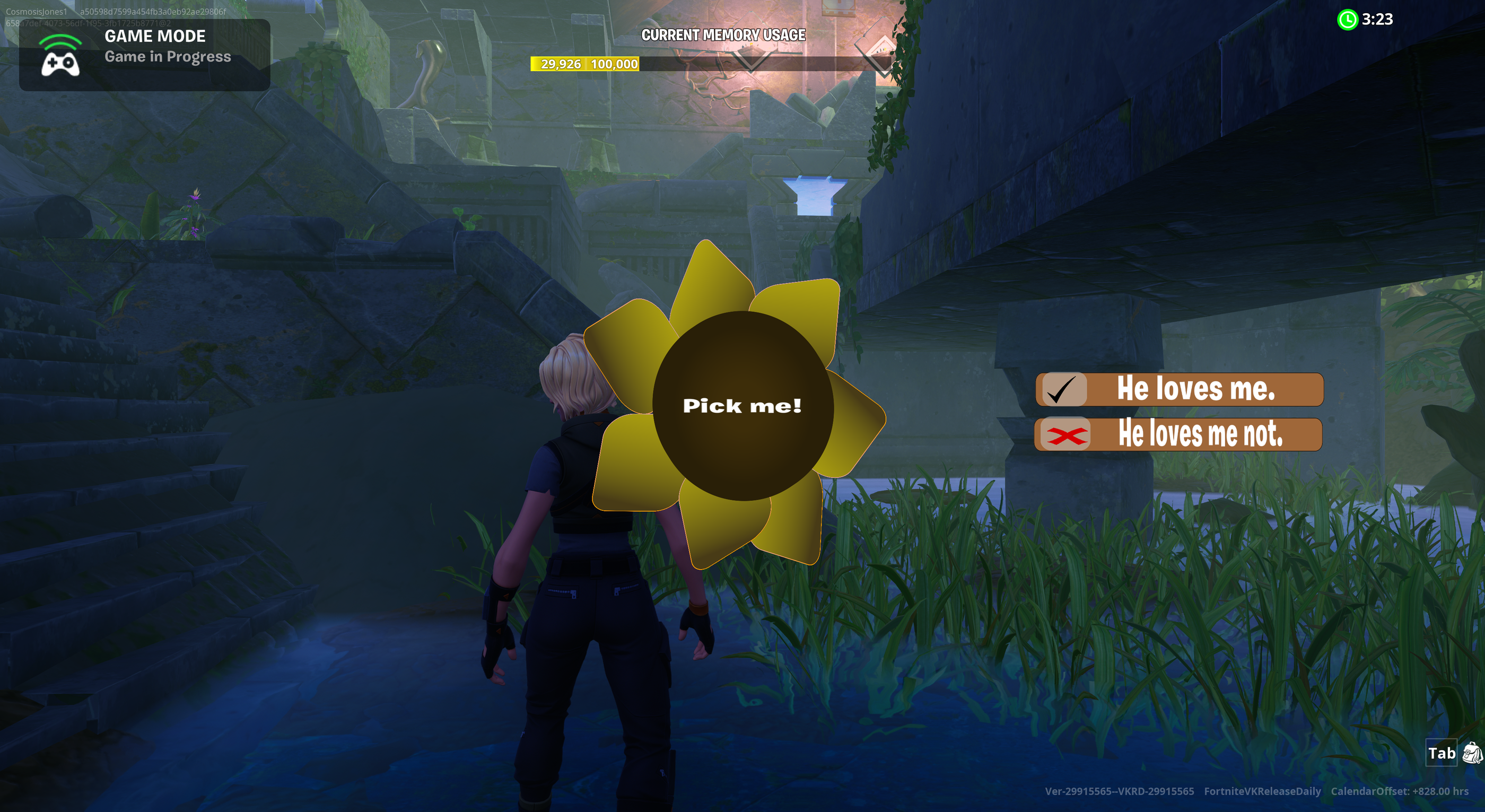
UMG widgets are referenced in special UI settings on a few devices in Unreal Editor for Fortnite (UEFN). The UMG widgets replace the default Fortnite UI in the heads-up display (HUD).

For more tutorials on using materials to create UI, refer to the following:

  • Setting Material Parameters in UMG
  • Making Custom Backplates
  • Making Custom Health and Shields Bars

You're reading a preview

The full reference is free for BrainDeadGuild Discord members — sign in to read it all, or open the original at the source.

Sign in with Discord — free for members Read the original at Epic Games

Sign in with your BrainDead.TV / BrainDeadGuild Discord account for full access.

Comments

    Sign in to vote, comment, or suggest an edit. Sign in
    📄
    Source
    Epic Games

    © Epic Games. Official Epic developer documentation, shown here as a reference with a link to the original. All rights remain with Epic Games. Terms ↗

    View original Sources & licensing
    Request removal
    Last updated Feb 10, 2026
    Keep exploring
    More in Materials/VFX · 9 of 211
    Prev
    create twosided materials in unreal editor for fortnite
    Next
    creating fireworks 1 create the firework material and niagara emitter in unreal editor for fortnite
    Browse all files in this folder (A–Z)
    Next up
    • For more tutorials on using materials to create UI, refer to the following:
    • For more tutorials on using materials to create UI, refer to the following:
    • For more tutorials on using materials to create UI, refer to the following:
    • To create shapes, you must first create a **[material instance
    • Custom Widget
    • al-editor-for-fortnit/4606f490-4aa0-4ec0-87c2-5100e6ca485e.png)
    Related topics
    • Creating Custom Ui With Material Instances In Unreal Editor For Fortnite Materials/Vfx
    • Creating Custom Ui From Materials In Unreal Editor For Fortnite Materials/Vfx
    • Ui Materials In Unreal Editor For Fortnite Materials/Vfx
    • Material Assets In Unreal Editor For Fortnite Materials/Vfx
    • Materials In Unreal Editor For Fortnite Materials/Vfx

    Related

    Open in graph →

    Related topics

    • Creating Custom Ui With Material Instances In Unreal Editor For Fortnite
    • Creating Custom Ui From Materials In Unreal Editor For Fortnite
    • Ui Materials In Unreal Editor For Fortnite
    • Material Assets In Unreal Editor For Fortnite
    • Materials In Unreal Editor For Fortnite
    VerseIsland · an archipelago of Verse & UEFN knowledge
    🗺️ Island atlas Learn Guides History About & Press Sources & Licensing Status

    Not affiliated with Epic Games. Fortnite, UEFN, Unreal Engine, and Verse are trademarks of Epic Games, Inc. Content is attributed to its source — see Sources & Licensing.

    🦜

    Scout · your island guide

    The Isle of Verse