VerseIsland
FeedLearnLeaderboardGuidesReferenceExploreSearchDocsVerse Library
Sign in
Feed Learn 📖 Codex Leaderboard Guides Reference Explore Search Docs Verse Library
Browse Fortnite›Tutorials·Up to Fortnite · Tutorials·21 of 107 in Tutorials

Escape Room Setup in Unreal Editor for Fortnite

Devices used:

  • 1 x Island Settings
  • 1 x Player Spawn Pad

To get started,

  1. Open UEFN, select the Blank template, choose your Project Location and Project Name, and click Create.
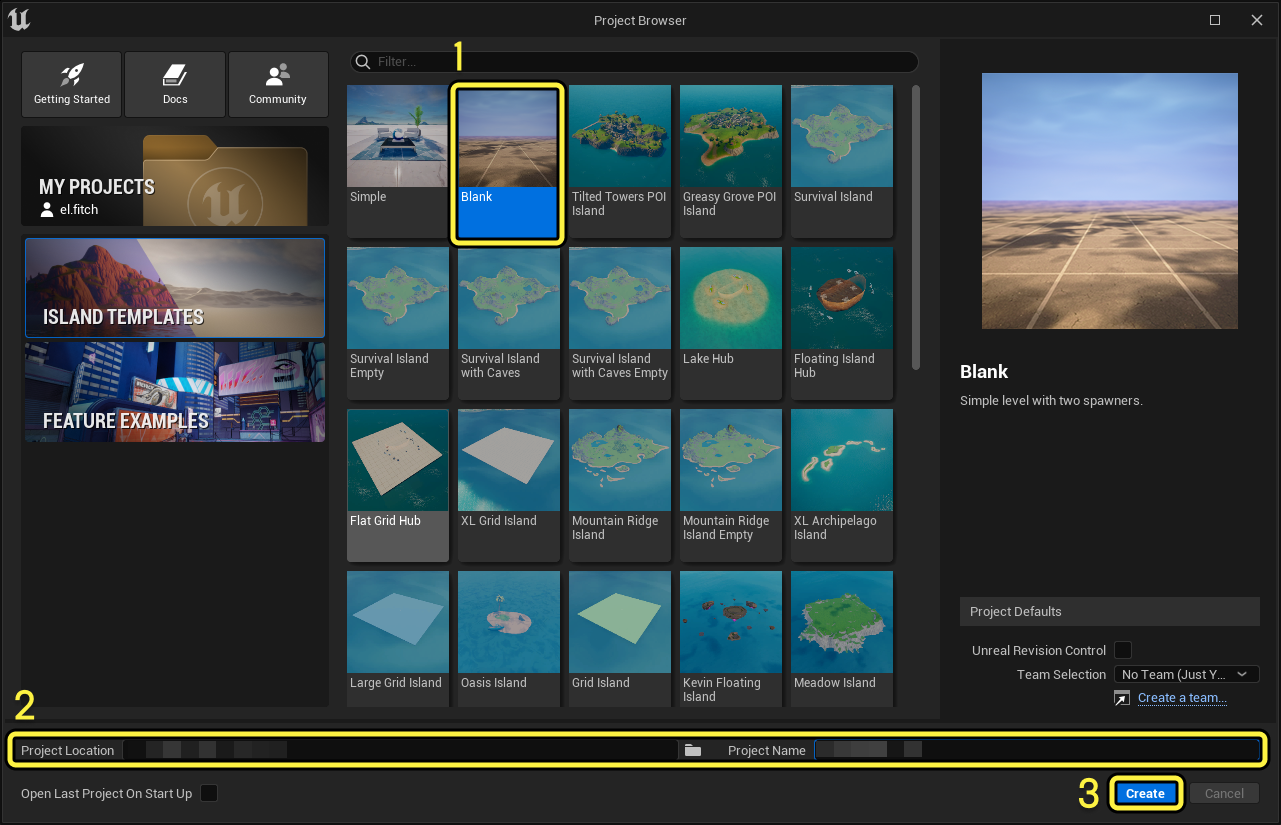
    Empty Project

    Click image to enlarge.

  2. This opens the Blank template in the Editor window.
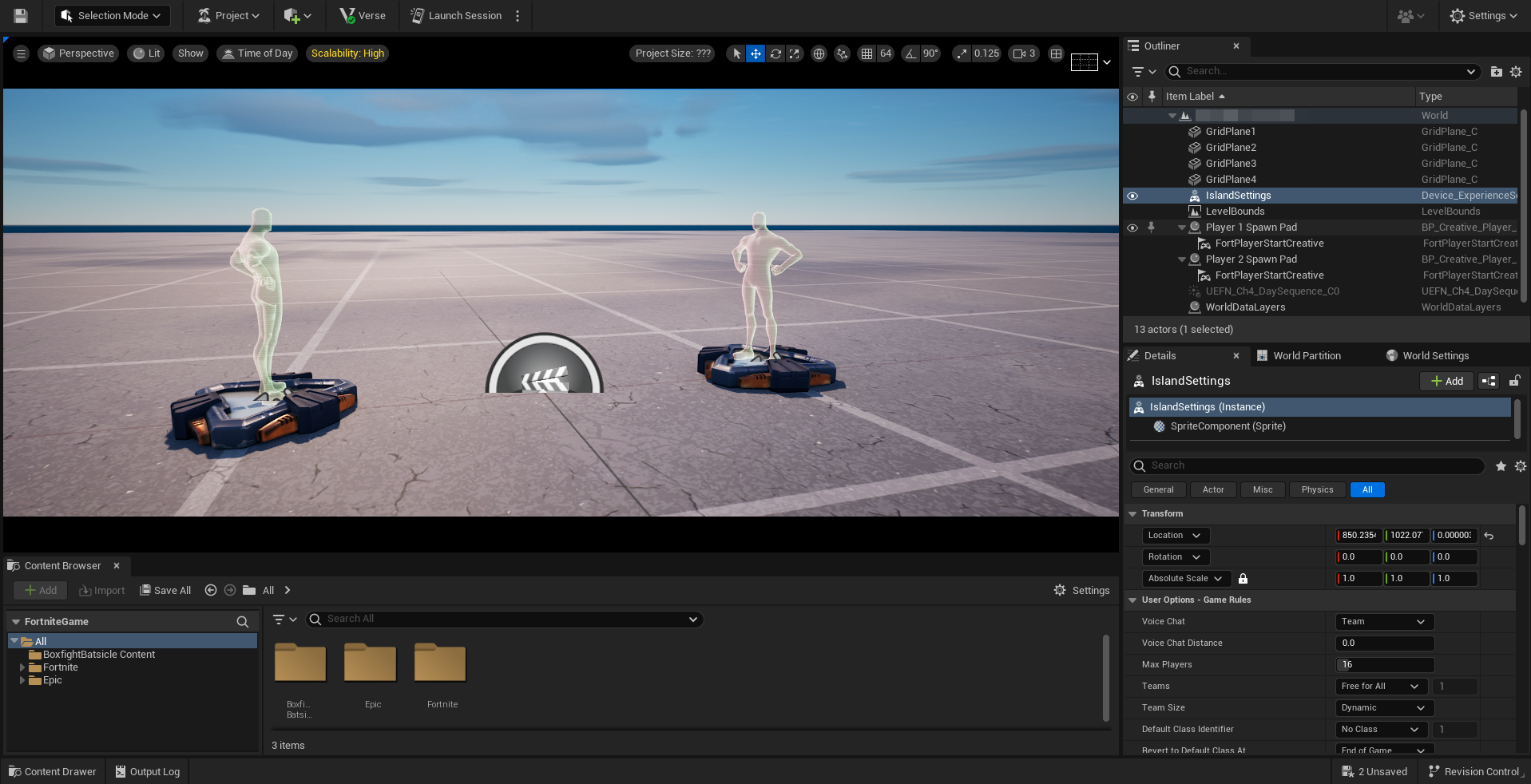
    blank level

    Click image to enlarge.

  3. Select IslandSettings in the Outliner.
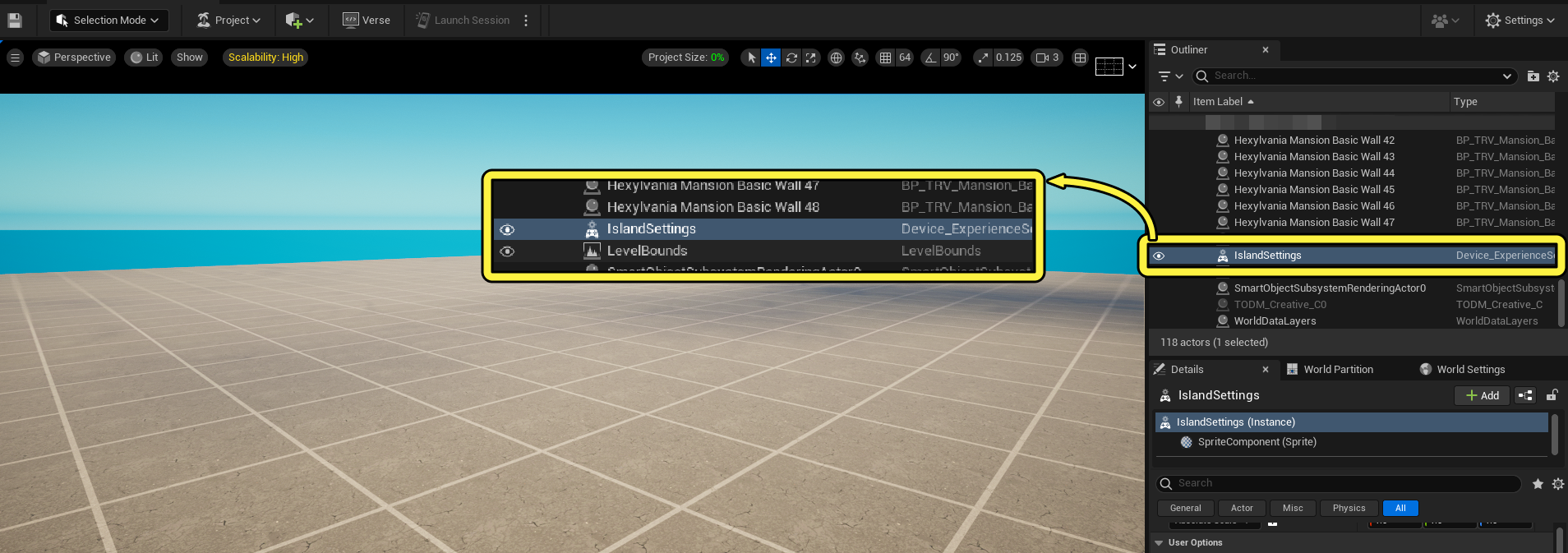
    IslandSettingsZoom

    Click image to enlarge.

    Any settings that are not listed in the following sections should stay at the default value.

  4. Locate the User Options - Game Rules.

You're reading a preview

The full reference is free for BrainDeadGuild Discord members — sign in to read it all, or open the original at the source.

Sign in with Discord — free for members Read the original at Epic Games documentation

Sign in with your BrainDead.TV / BrainDeadGuild Discord account for full access.

Guided course

Add this to your free study plan — we’ll suggest related material and stitch it into one compile-checked lesson.

Keep exploring
More in Tutorials · 21 of 107
Prev
dust tutorial 2 modify the emitter in unreal editor for fortnite
Next
escape room 02 landscaping in unreal editor for fortnite
Browse all files in this folder (A–Z)

Source

Epic Games documentation

View original

Last updated 2026-02-11T09:04:17.814067+00:00

VerseIsland· an archipelago of Verse & UEFN knowledge
🗺️ Island atlasLearnGuidesHistoryAbout & PressSources & LicensingPrivacy PolicyTermsStatus

Not affiliated with Epic Games. Fortnite, UEFN, Unreal Engine, and Verse are trademarks of Epic Games, Inc. Content is attributed to its source — see Sources & Licensing.

🦜

Scout · your island guide

The Isle of Verse