VerseIsland
Feed Learn Leaderboard Guides Reference Explore Search Docs Verse Library
Sign in
Feed Learn 📖 Codex Leaderboard Guides Reference Explore Search Docs Verse Library
Fortnite › General · Up to Fortnite · General · 33 of 123 in General
Browse Fortnite

Event Browser in Fortnite Creative

The Event Browser is a window that shows devices you've placed on your island, and their relationships with events and functions based on direct event binding.

While the Event Browser isn't directly available from the Island Settings tab, it plays an important role in island design, allowing you to review game mechanics you've already set up and improve on them.

The Event Browser can also be accessed from any Island Settings category by clicking the Event Browser button at the bottom of the screen.

Event Browser button at bottom of screen.

If the buttons at the bottom don't display, click anywhere on the screen to open the button bar.

You can also access the Event Browser from any device Customize options window.
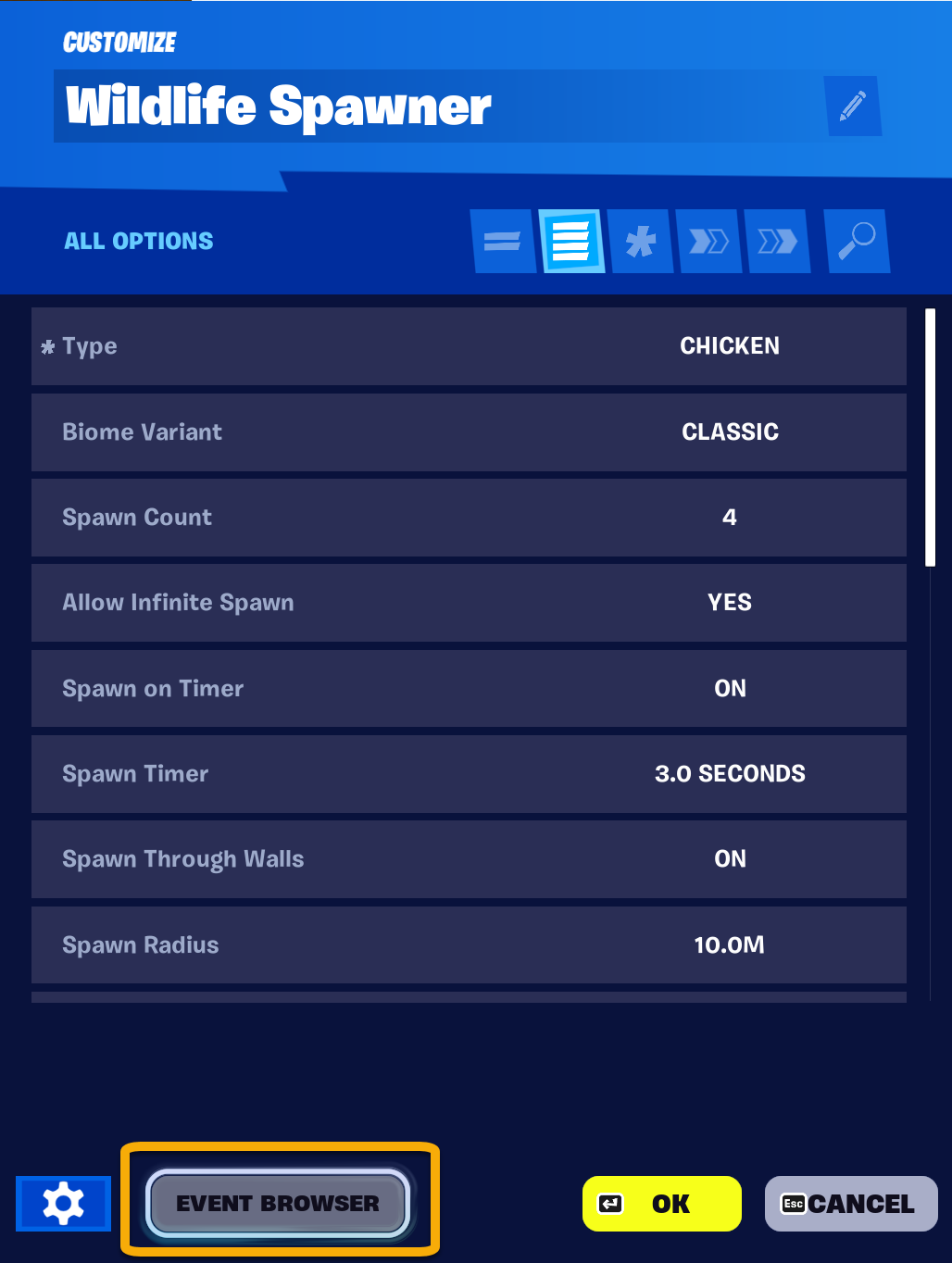
Event Browser button at bottom of screen.

You're reading a preview

The full reference is free for BrainDeadGuild Discord members — sign in to read it all, or open the original at the source.

Sign in with Discord — free for members Read the original at Epic Games

Sign in with your BrainDead.TV / BrainDeadGuild Discord account for full access.

Comments

    Sign in to vote, comment, or suggest an edit. Sign in
    📄
    Source
    Epic Games

    © Epic Games. Official Epic developer documentation, shown here as a reference with a link to the original. All rights remain with Epic Games. Terms ↗

    View original Sources & licensing
    Request removal
    Last updated Mar 29, 2026
    Keep exploring
    More in General · 33 of 123
    Prev
    education in fortnite creative
    Next
    event
    Browse all files in this folder (A–Z)
    Next up
    • The **Event Browser** is a window that shows devices you've placed on your island, and their relationships with [events
    Related topics
    • Exploring The Content Browser Menu In Fortnite Creative Ui
    • Event Browser In Fortnite Creative General
    • Using Creature Placer Devices In Fortnite Creative Npcs & Ai
    • Using Creature Placer Devices In Fortnite Creative Npcs & Ai
    • Using Explosive Devices In Fortnite Creative Devices

    Related

    Open in graph →

    Linked docs

    • Fortnite Creative Glossary

    Related topics

    • Exploring The Content Browser Menu In Fortnite Creative
    • Event Browser In Fortnite Creative
    • Using Creature Placer Devices In Fortnite Creative
    • Using Creature Placer Devices In Fortnite Creative
    VerseIsland · an archipelago of Verse & UEFN knowledge
    🗺️ Island atlas Learn Guides History About & Press Sources & Licensing Status

    Not affiliated with Epic Games. Fortnite, UEFN, Unreal Engine, and Verse are trademarks of Epic Games, Inc. Content is attributed to its source — see Sources & Licensing.

    🦜

    Scout · your island guide

    The Isle of Verse