VerseIsland
Feed Learn Leaderboard Guides Reference Explore Search Docs Verse Library
Sign in
Feed Learn 📖 Codex Leaderboard Guides Reference Explore Search Docs Verse Library
Fortnite › Tutorials · Up to Fortnite · Tutorials · 42 of 107 in Tutorials
Browse Fortnite

Lava Bounce Gameplay Example In Fortnite Creative

The player's goal in Lava Bounce is to avoid the lava by jumping across the gaps between Pinball Bumper devices and landing safely on the final platform to collect their prize! After creating this example, you will know how to use the Player Spawn Pad device, the Pinball Bumper device, the Hover Platform device, and the Collectibles Gallery.
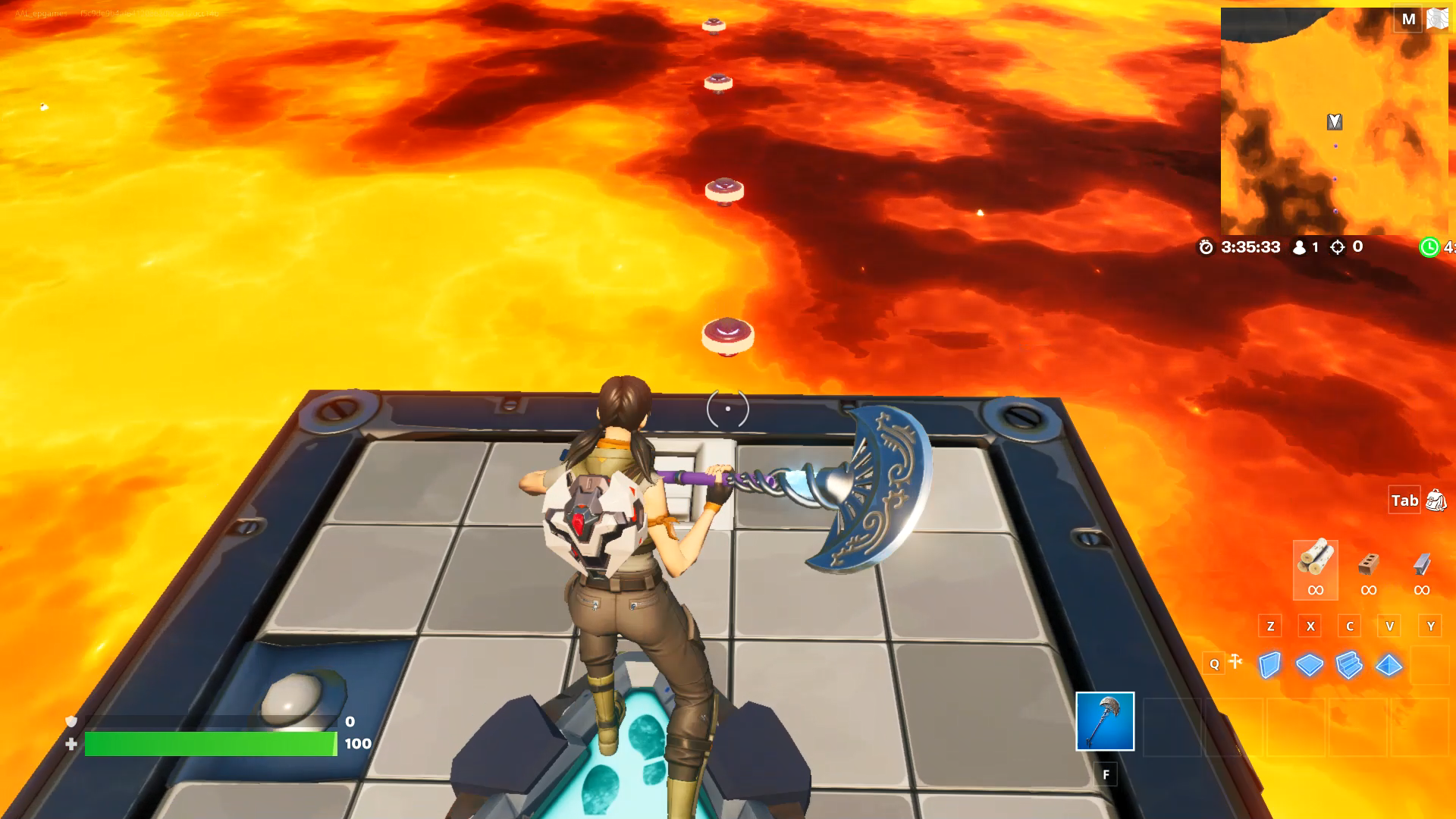
A player begins the lava bounce gameplay on the Hover Platform.

Devices Used

  • 1 x Player Spawn Pad device
  • 3 x Hover Platform device
  • 10 x Pinball Bumper device
  • 1 x Collectibles Gallery object

You're reading a preview

The full reference is free for BrainDeadGuild Discord members — sign in to read it all, or open the original at the source.

Sign in with Discord — free for members Read the original at Epic Games

Sign in with your BrainDead.TV / BrainDeadGuild Discord account for full access.

Comments

    Sign in to vote, comment, or suggest an edit. Sign in
    📄
    Source
    Epic Games

    © Epic Games. Official Epic developer documentation, shown here as a reference with a link to the original. All rights remain with Epic Games. Terms ↗

    View original Sources & licensing
    Request removal
    Last updated Feb 11, 2026
    Keep exploring
    More in Tutorials · 42 of 107
    Prev
    knock knock gameplay example in fortnite creative
    Next
    learn game mechanics in unreal editor for fortnite
    Browse all files in this folder (A–Z)
    Next up
    • Using Player Spawn Pad Devices In Fortnite Creative
    • Using Pinball Bumper Devices In Fortnite Creative
    • Using Hover Platform Devices In Fortnite Creative
    • Using Collectible Object Devices In Fortnite Creative
    • To create this Lava Bounce gameplay, start with the Caldera Island as your [starter island
    • 1. In the Creative hub, approach the [console next to the Golden Rift
    Related topics
    • Lava Bounce In Fortnite Creative Tutorials
    • Exploring Gameplay In Fortnite Creative General
    • Squid Game Carry Items Through Obstacles In Unreal Editor For Fortnite Vehicles
    • Gameplay Examples In Fortnite Creative Tutorials
    • Vfx Lava Cave In Unreal Editor For Fortnite Materials/Vfx

    Related

    Open in graph →

    Related topics

    • Lava Bounce In Fortnite Creative
    • Exploring Gameplay In Fortnite Creative
    • Squid Game Carry Items Through Obstacles In Unreal Editor For Fortnite
    • Gameplay Examples In Fortnite Creative
    • Vfx Lava Cave In Unreal Editor For Fortnite
    VerseIsland · an archipelago of Verse & UEFN knowledge
    🗺️ Island atlas Learn Guides History About & Press Sources & Licensing Status

    Not affiliated with Epic Games. Fortnite, UEFN, Unreal Engine, and Verse are trademarks of Epic Games, Inc. Content is attributed to its source — see Sources & Licensing.

    🦜

    Scout · your island guide

    The Isle of Verse