
Make a Soccer Game
Follow the steps below to create your very own physics-enabled soccer game, where players use their pickaxe to get the ball into their opponents' goal:
Set Up the Project
-
Create a new project from any island template.
The Blank template is recommended if you want to ensure a flat area to work with.
If you start with the Blank template, apply the M_FortniteLandscape_Customizable material to the GridPlanes to give the ground a grassy look.
-
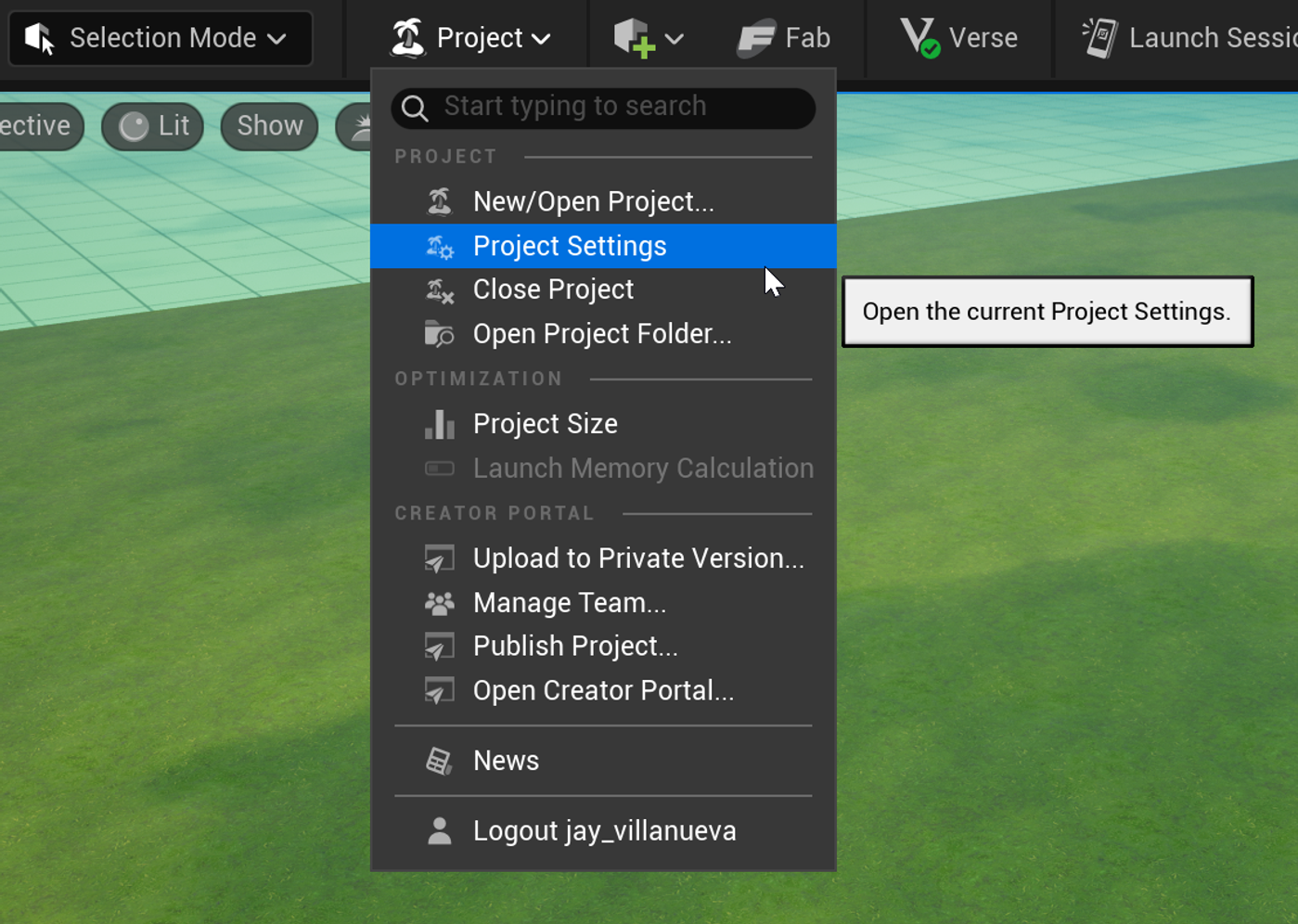
From the Project dropdown in the menu bar, select Project Settings.
-
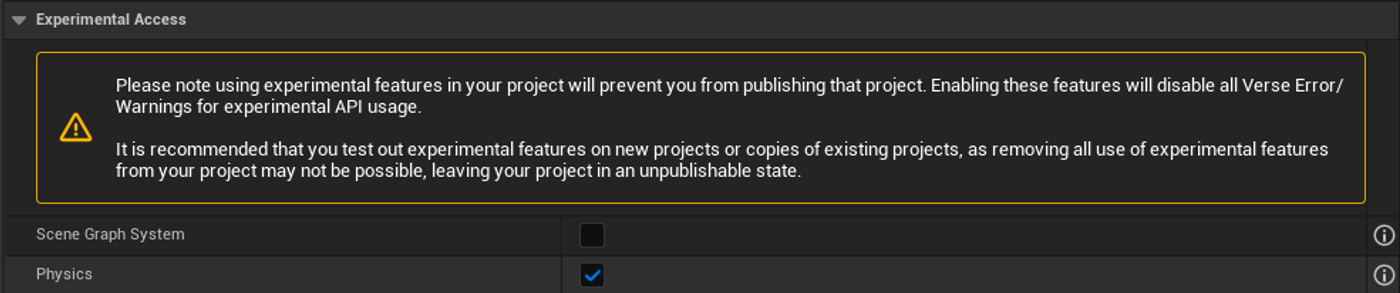
Scroll to the bottom, under Experimental Access, to find and enable the Physicscheckbox.
Import the Soccer Ball
-
Download a soccer ball asset from your preferred asset marketplace. In this example, a .glb asset is used. It contains a static mesh, texture and material instance.

You're reading a preview
The full reference is free for BrainDeadGuild Discord members — sign in to read it all, or open the original at the source.
Sign in with your BrainDead.TV / BrainDeadGuild Discord account for full access.