
Making a Custom Squad View in Unreal Editor for Fortnite
Creating a custom squad view builds on the single player nameplate widget design to create a squad view. The Stack Box widget transforms the player view from single player to squad by reproducing the single player info widget using the Viewmodel.
The Stack Box is a container that arranges the single player widget copies in a linear way, either left-to-right or top-to-bottom.This creates a consistent look for the squad.
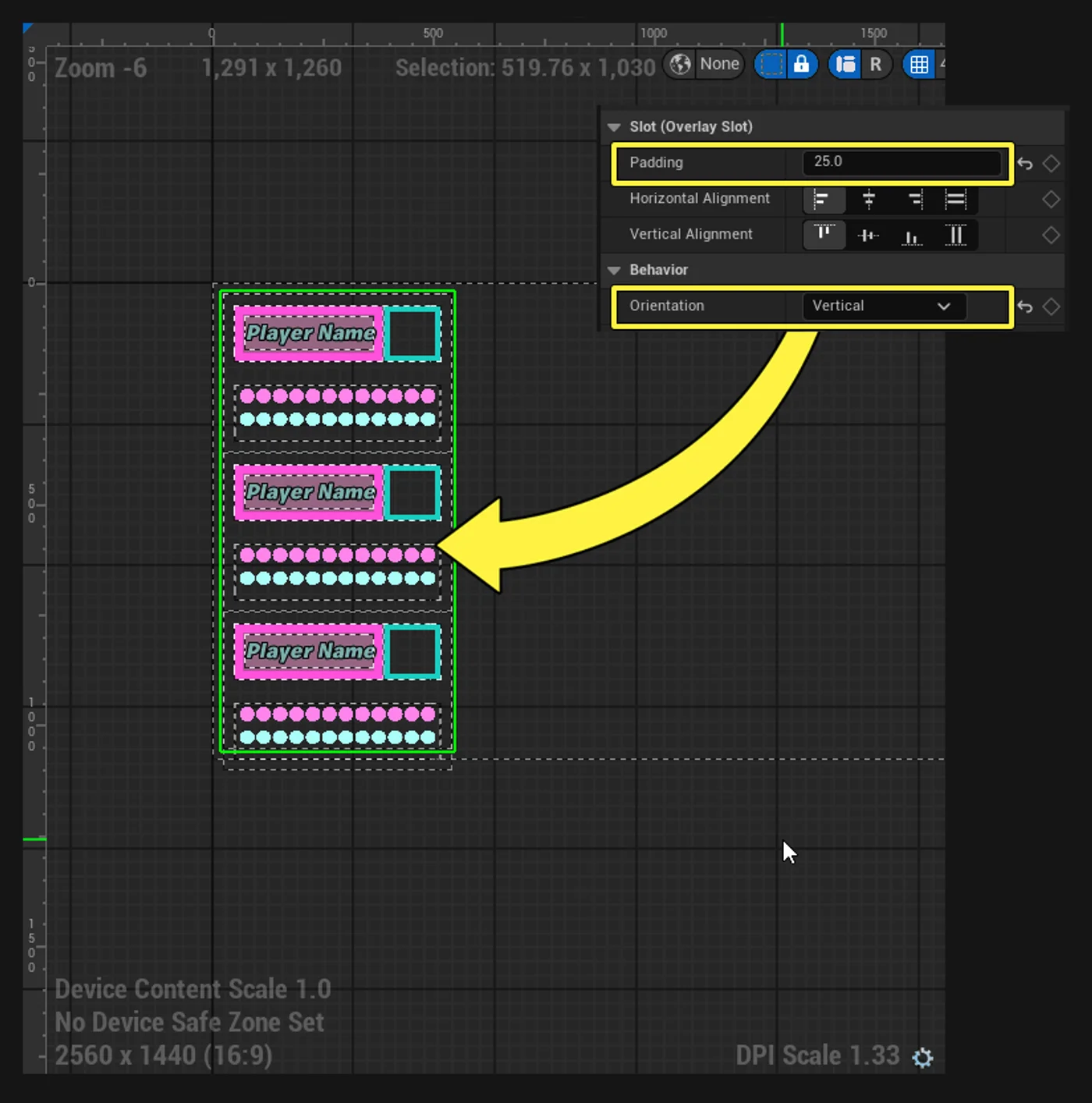
For this example, the squad view is stacked up and down.
To see an example of stacking a squad left to right, see Custom UI: Player Info in the Teenage Mutant Ninja Turtles documentation.
Player Information Widget
To use the player information from team members during a game, the Player_Info widget must be set using the Device - HUD Controller Player Info Viewmodel. This setting creates separate widgets for the Controlling Player and their Squad/Team, using properties in Device - HUD Controller Player Info Viewmodel for each widget.
You're reading a preview
The full reference is free for BrainDeadGuild Discord members — sign in to read it all, or open the original at the source.
Sign in with your BrainDead.TV / BrainDeadGuild Discord account for full access.