
MetaSounds in UEFN
MetaSounds, the powerful audio system that provides node-based procedural sound design in Unreal Engine, is now available in UEFN as read-only. It replaces traditional static wave files with a flexible, modular approach, offering greater creativity and efficiency in sound design.
UEFN now has two exposed MetaSound source files, allowing you to make MetaSound presets. Currently, you cannot add your own MetaSound nodes in the MetaSound editor or edit the exposed MetaSounds graph. This is a first step in the process of fully exposing MetaSounds to UEFN creators.
Creating MetaSound Presets
Open a UEFN project, then in the Content Browser, navigate to Epic > Audio > MetaSounds > Sources.
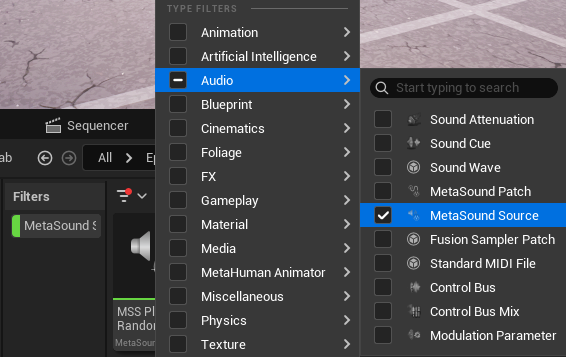
You can also set the search filter to Audio > MetaSound Source.
Right-click one of the MetaSound Sources and select Create MetaSound Source Preset.
You're reading a preview
The full reference is free for BrainDeadGuild Discord members — sign in to read it all, or open the original at the source.
Sign in with your BrainDead.TV / BrainDeadGuild Discord account for full access.