
Setting Up A Prop Hunt Project
This section shows you how to modify your island settings to get your project ready to recreate Prop Hunt.
Create your Island
Follow the steps below to create your island.
- Open UEFN and create a new empty project.
- Select the IslandSettings device in the Outliner and locate User Options - Game Rules.
- Modify the User Options as shown below.
Use the Search bar to locate each setting faster.
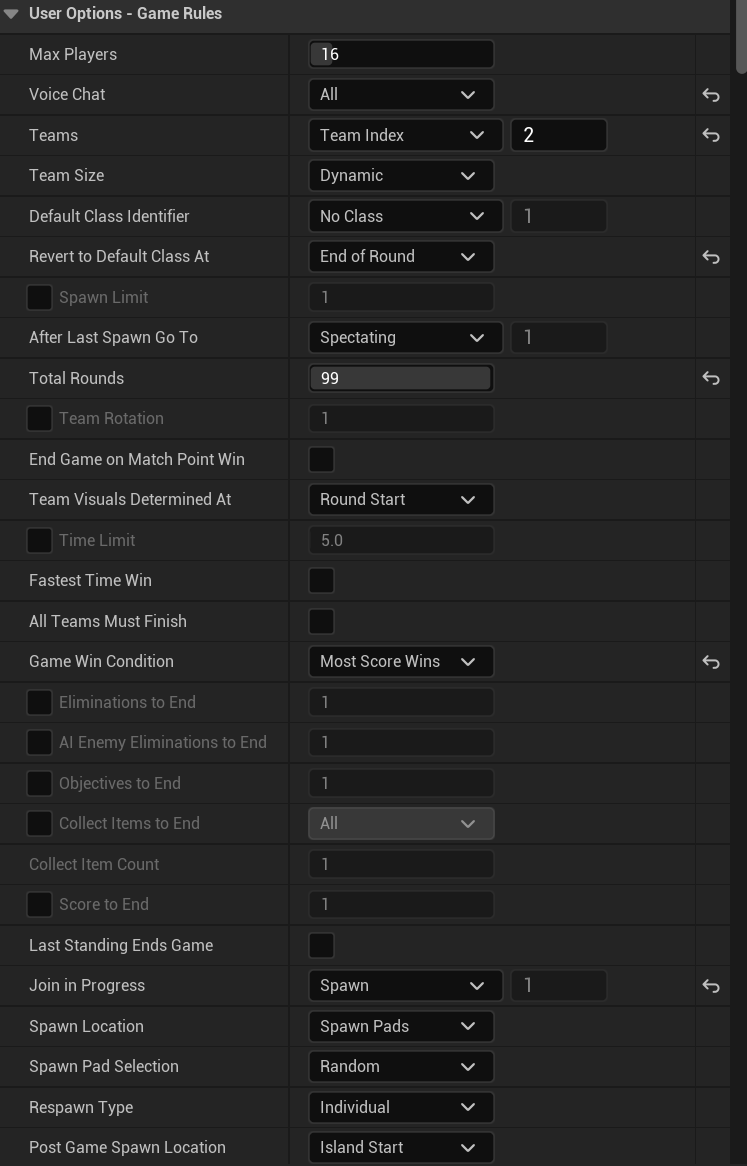
| Option | Value | Explanation |
|---|---|---|
| Max Players | 16 | Sets the maximum number of players allowed into the game. |
| Voice Chat | All | Determines whether voice chat should be allowed between teams. |
| Teams | Team Index: 2 | Determines how many teams players will be divided into. |
| Revert to Default Class At | End of Round | Determines when a player’s class should be reset to their default. |
| Total Rounds | 99 | Determines the number of rounds to play before the game ends. Change this number to suit your gameplay. |
| Game Win Condition | Most Score Wins | Determines the overall win condition for the game. Most Score Wins mean the victory is achieved by having the highest score across all rounds. |
| Join in Progress | Spawn | Specifies what to do when a player joins while a game is in progress. Set to Spawn if you want players to join in progress. |
| Infinite Ammo | True | Determines whether players have infinite ammunition during the game. |
| Allow Building | None | Building and trap placement will be disabled if set to None. |
| Environment Damage | Off | Determines whether players can damage the environment during the game. |
| Structure Damage | None | Sets which structures players can damage based on who built them during the game. |
| Pickaxe Destruction | None | Modifies pickaxe damage dealt to the environment and buildings. |
| Start With Pickaxe | False | Determines if players start the game with a pickaxe. |
| Down But Not Out | Off | This gameplay does not use the Down But Not Out State. |
| Eliminated Player’s Items | Delete | Determines what happens to a player’s items when they are eliminated. Delete removes items from the game. |
| Allow Item Drop | False | Determines whether players can drop items from their inventory during the game. |
| Allow Item Pickup | False | Determines whether players can pick up items during the game. |
| Allow Mantling | True | Determines if Mantle is available or not. Mantle allows players to grab onto ledges and pull themselves up when jumping. |
| Allow Sprinting | True | Determines if Sprint is available or not. When players activate Sprint, they move quickly. |
| Allow Manual Respawning | False | Determines whether players can use the Respawn menu option during the game. |
| Slow Motion on End of Round | False | Enable or disable the slow-motion effect when the round ends. |
| Edit Mode - Enable Pickaxe | False | Determines whether players have a pickaxe when editing this island. |
| Round Score Display Time | 5.0 | Determines how long the scoreboard will be shown at the end of each round. |
| Hud Info Type | Tracker (Unranked) | Determines which type of information is displayed from the Tracker device. |
| UI Team Colors | Team Color | Teams will be represented by its specific color. |
| Round Win Condition | Score | Determines the winner of the round. |
| Tiebreaker 1 | Eliminations | Determines the tiebreaker for the win condition. |
| Display Overview Map | False | Determines if the overview map is available on the Map key menu. |
| Show Cumulative Scoreboard | True | Determines whether the scoreboard should show information just for the current round or cumulative across all rounds. |
| Show Individual Scores | True | Toggles the scoreboard between displaying individual player stats or team-based stats in team-based games. |
| Always Show Name Plates | Always Hide | Determines whether player names and locations can be seen by other players. |
You're reading a preview
The full reference is free for BrainDeadGuild Discord members — sign in to read it all, or open the original at the source.
Sign in with your BrainDead.TV / BrainDeadGuild Discord account for full access.