VerseIsland
Feed Learn Leaderboard Guides Reference Explore Search Docs Verse Library
Sign in
Feed Learn 📖 Codex Leaderboard Guides Reference Explore Search Docs Verse Library
Fortnite › Building & Props · Up to Fortnite · Building & Props · 69 of 104 in Building & Props
Browse Fortnite

Adding Heartbeat Visual Effects To Players

This section will show you how to add custom heartbeat VFX (visual effect) to your gameplay that gives away an unmoving prop’s location.

When players of the prop team are idle for too long, a heartbeat visual effect plays on that player, notifying the hunter team. This visual effect is registered to each player of the prop team as they spawn into the game.

You’ll use VFX Spawner devices along with Verse to implement the heartbeat functionality. This includes:

  • Activating the visual effects.
  • Teleporting the VFX Spawner to the players.
  • Creating a UI showing members of the prop team how long they have left to move before the heartbeat goes off.

This tutorial includes Verse snippets that show how to execute gameplay mechanics needed in this game. Follow the steps below and copy the full script on step 6 of this tutorial.

Before You Begin
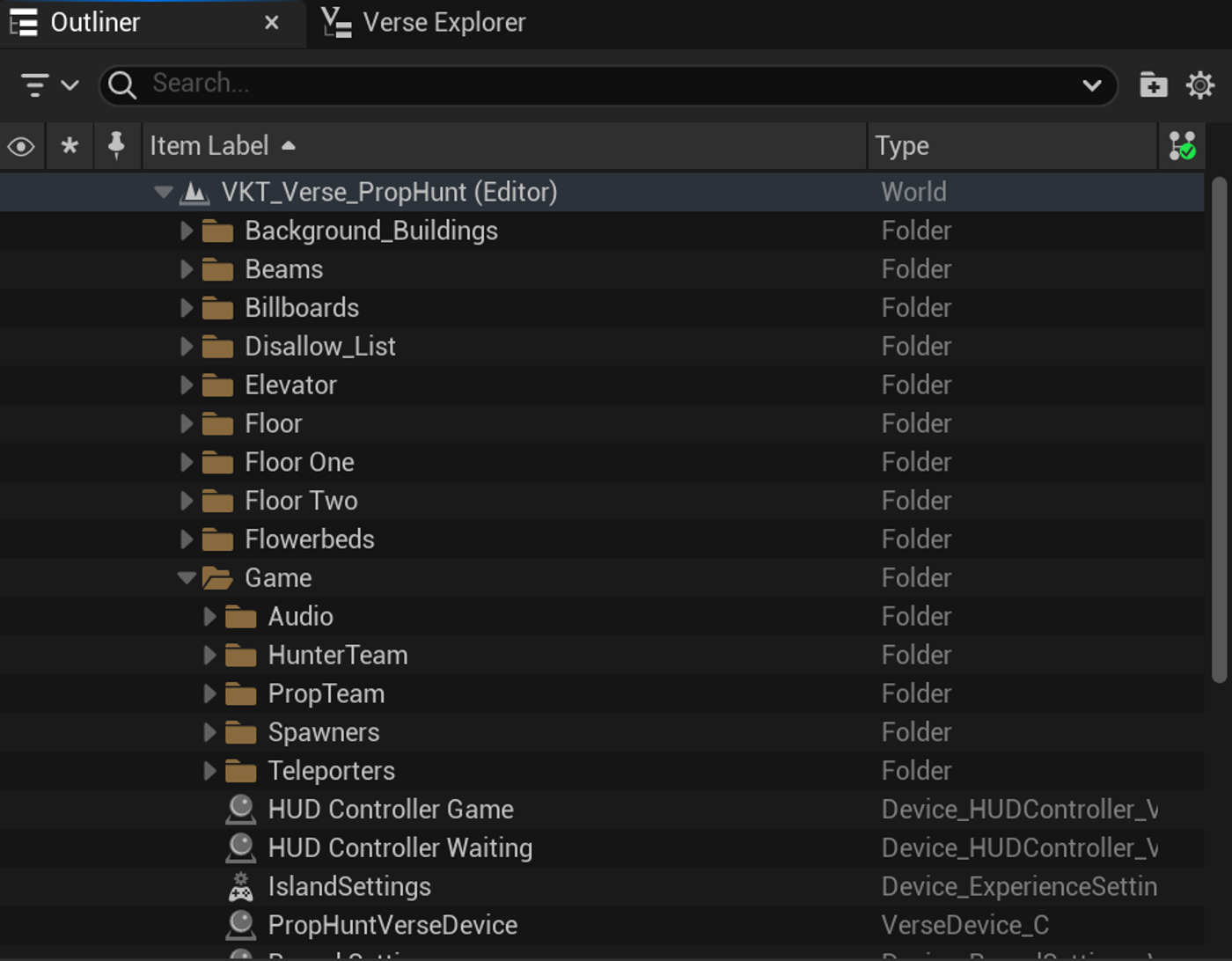
Asset Folders

You're reading a preview

The full reference is free for BrainDeadGuild Discord members — sign in to read it all, or open the original at the source.

Sign in with Discord — free for members Read the original at Epic Games

Sign in with your BrainDead.TV / BrainDeadGuild Discord account for full access.

Comments

    Sign in to vote, comment, or suggest an edit. Sign in
    📄
    Source
    Epic Games

    © Epic Games. Official Epic developer documentation, shown here as a reference with a link to the original. All rights remain with Epic Games. Terms ↗

    View original Sources & licensing
    Request removal
    Last updated May 12, 2026
    Keep exploring
    More in Building & Props · 69 of 104
    Prev
    prop hunt 01 creating a new project in unreal editor for fortnite
    Next
    prop hunt 03 playing effects on idle players in unreal editor for fortnite
    Browse all files in this folder (A–Z)
    Next up
    • This section will show you how to add custom heartbeat VFX [(visual effect)
    • t the heartbeat functionality. This includes:
    • devices by purpose, location, type, or however else you would like.
    • 1. [Create a new Verse file
    • 2. Start by double-clicking the Verse file you created to add the following [Verse paths to import
    • Display Heartbeat Warning to a Player
    Related topics
    • Verse Prop Hunt Template 2 Playing Visual Effects In Unreal Editor For Fortnite Building & Props
    • Verse Prop Hunt Template In Unreal Editor For Fortnite Building & Props
    • Prop Hunt Template In Unreal Editor For Fortnite Building & Props
    • Verse Prop Hunt Template 10 Customizing The Gameplay In Unreal Editor For Fortnite Building & Props
    • Unreal Editor For Fortnite Starter Templates Tutorials

    Related

    Open in graph →

    Related topics

    • Verse Prop Hunt Template 2 Playing Visual Effects In Unreal Editor For Fortnite
    • Verse Prop Hunt Template In Unreal Editor For Fortnite
    • Prop Hunt Template In Unreal Editor For Fortnite
    • Verse Prop Hunt Template 10 Customizing The Gameplay In Unreal Editor For Fortnite
    • Unreal Editor For Fortnite Starter Templates
    VerseIsland · an archipelago of Verse & UEFN knowledge
    🗺️ Island atlas Learn Guides History About & Press Sources & Licensing Status

    Not affiliated with Epic Games. Fortnite, UEFN, Unreal Engine, and Verse are trademarks of Epic Games, Inc. Content is attributed to its source — see Sources & Licensing.

    🦜

    Scout · your island guide

    The Isle of Verse