
Reports in Fortnite
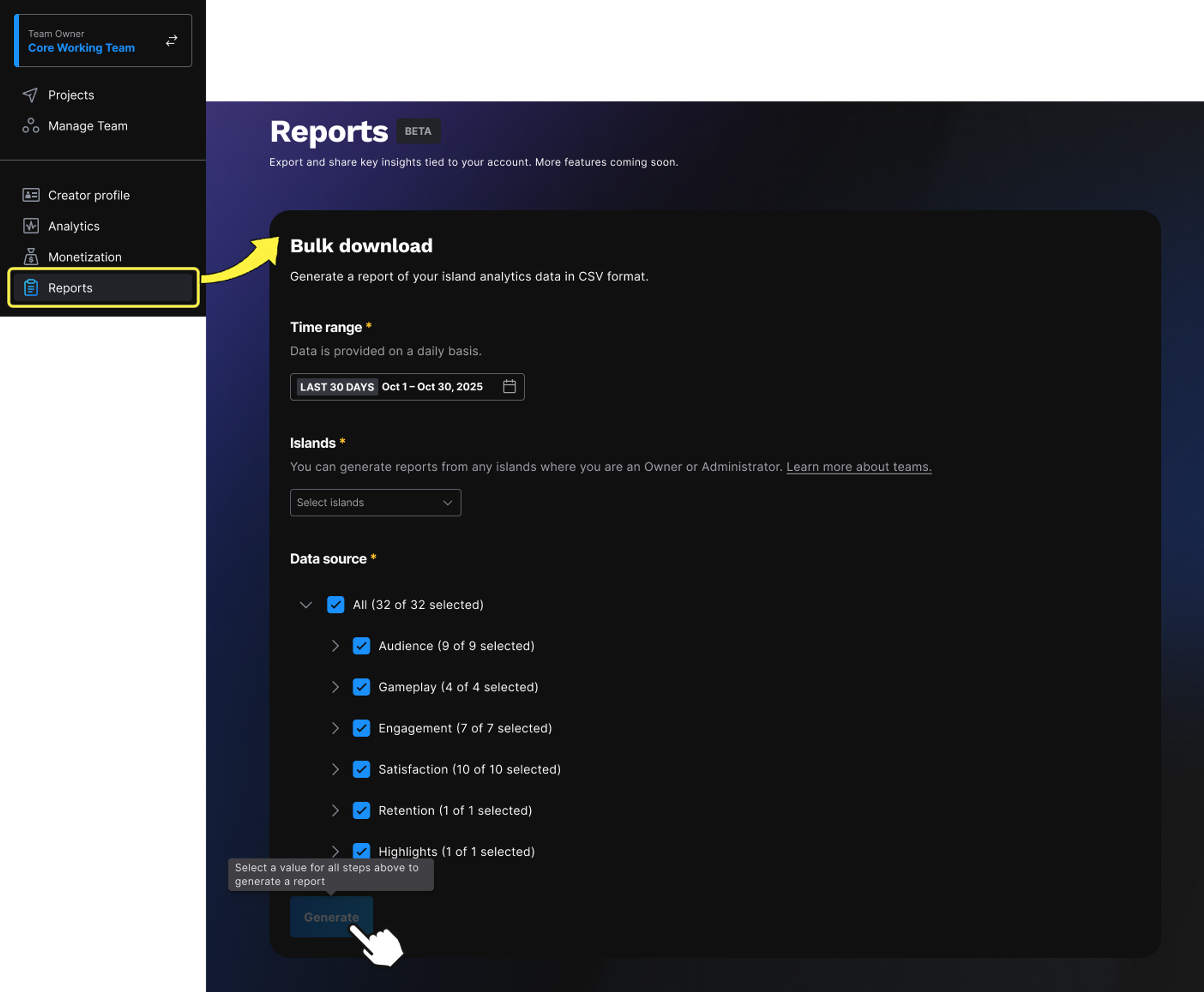
Export and analyze island insights at scale. Use the Reports tab to download analytics data across all your islands at once in CSV format.
The Reports tab provides a centralized way to export analytics data for any islands where you are an Owner or Administrator. Instead of opening each island’s analytics individually, you can download data from multiple islands in one place.
Reports are exported as a ZIP file with folders for each island you select. Inside each folder is a CSV for each metric you selected under Data Source. You can use these CSVs for deeper analysis, external reporting, or visualization in the tools of your choice.
The Reports feature is currently in BETA and more functionality will be added over time.
You must have the Owner or Admin role to use this feature.
Bulk Download
Select Reports from the project navigation menu.
You're reading a preview
The full reference is free for BrainDeadGuild Discord members — sign in to read it all, or open the original at the source.
Sign in with your BrainDead.TV / BrainDeadGuild Discord account for full access.