VerseIsland
Feed Learn Leaderboard Guides Reference Explore Search Docs Verse Library
Sign in
Feed Learn 📖 Codex Leaderboard Guides Reference Explore Search Docs Verse Library
Fortnite › Cinematics · Up to Fortnite · Cinematics · 33 of 115 in Cinematics
Browse Fortnite

Walking Dead Universe Camera Setup

The Walker NPC template for The Walking Dead Universe (TWDU) has switches for first and third-person cameras labeled FPS (first person shooter). As you try out the different level designs, toggle the FPS switch to examine the different experiences the views create.

The camera viewpoint should complement your level design. The camera's viewpoint is a player's perspective of your island. The viewpoints can change how assets appear, the feel of movement mechanics, and combat. All of which affects how players navigate your levels.
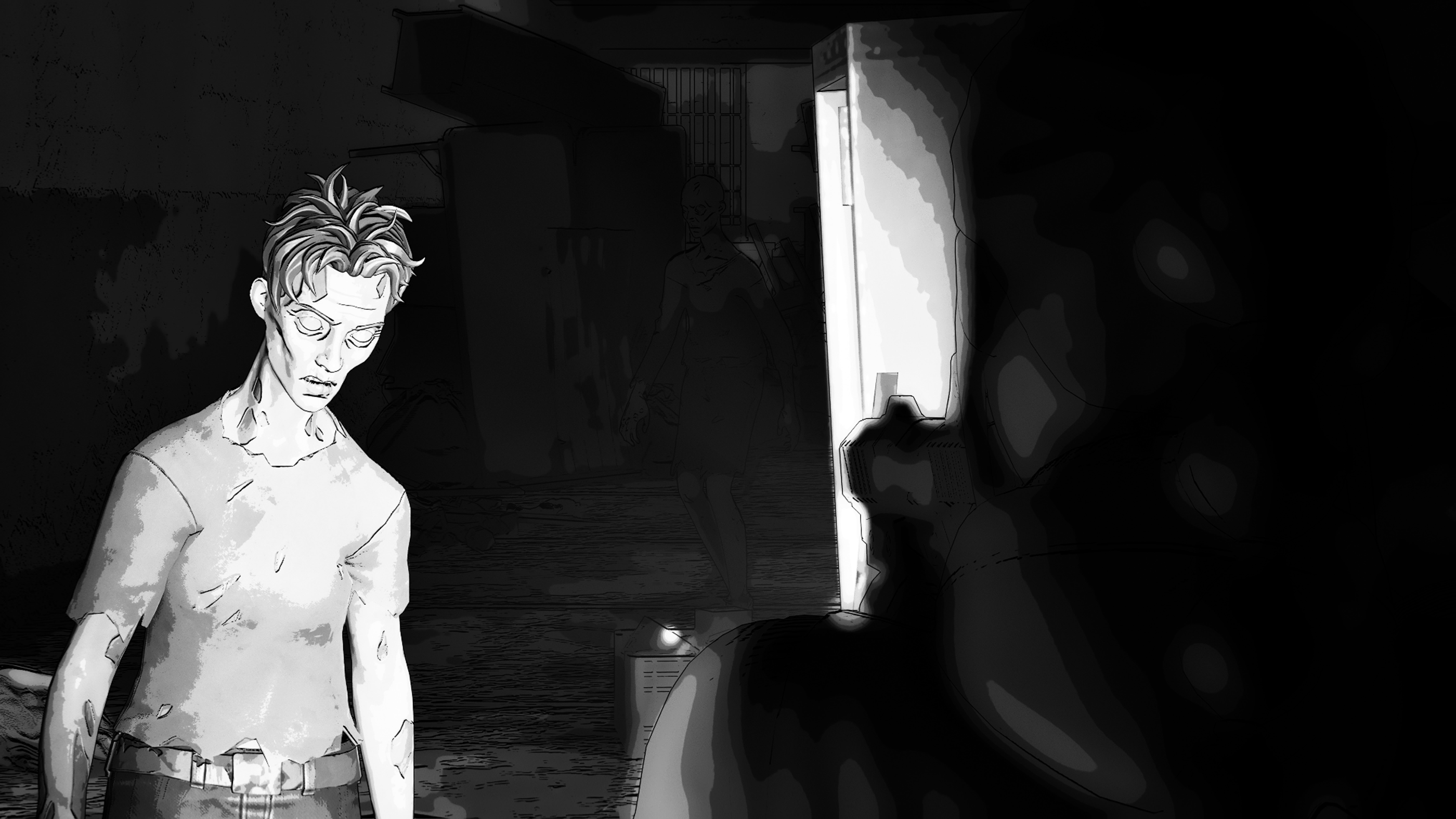
First vs Third-Person Camera

Play through the template twice, once in first-person and once in third-person mode. Think of the different feelings interacting with Walkers and the rest of the environment can create.

As you start the template, you are put in a first-person mode to get an up-close experience with Walkers. First-person cameras can create a cinematic feel and a deeper immersive experience, as players navigate through your island like they were seeing things with their own eyes.

You're reading a preview

The full reference is free for BrainDeadGuild Discord members — sign in to read it all, or open the original at the source.

Sign in with Discord — free for members Read the original at Epic Games

Sign in with your BrainDead.TV / BrainDeadGuild Discord account for full access.

Comments

    Sign in to vote, comment, or suggest an edit. Sign in
    📄
    Source
    Epic Games

    © Epic Games. Official Epic developer documentation, shown here as a reference with a link to the original. All rights remain with Epic Games. Terms ↗

    View original Sources & licensing
    Request removal
    Last updated Feb 11, 2026
    Keep exploring
    More in Cinematics · 33 of 115
    Prev
    sequencer
    Next
    title sequence 1 coding the verse device in unreal editor for fortnite
    Browse all files in this folder (A–Z)
    Next up
    • The [Walker NPC template
    • To learn more about the various camera viewpoints and how to set them up, see [Designing with Cameras and Controls
    • TWDU Custom HUD: Vitals and Selected Item
    Related topics
    • The Walking Dead Universe Level Design In Unreal Editor For Fortnite General
    • The Walking Dead Universe Islands In Unreal Editor For Fortnite General
    • Working With Twdu Islands In Unreal Editor For Fortnite Tutorials
    • The Walking Dead Universe Weapons In Unreal Editor For Fortnite Weapons
    • Twdu Configuring Walker Npcs In Unreal Editor For Fortnite Npcs & Ai

    Related

    Open in graph →

    Linked docs

    • Twdu Walker Npc Template In Unreal Editor For Fortnite

    Related topics

    • The Walking Dead Universe Level Design In Unreal Editor For Fortnite
    • The Walking Dead Universe Islands In Unreal Editor For Fortnite
    • Working With Twdu Islands In Unreal Editor For Fortnite
    • The Walking Dead Universe Weapons In Unreal Editor For Fortnite
    VerseIsland · an archipelago of Verse & UEFN knowledge
    🗺️ Island atlas Learn Guides History About & Press Sources & Licensing Status

    Not affiliated with Epic Games. Fortnite, UEFN, Unreal Engine, and Verse are trademarks of Epic Games, Inc. Content is attributed to its source — see Sources & Licensing.

    🦜

    Scout · your island guide

    The Isle of Verse