
Using Ammo Items in Fortnite Creative
Offer Ammo items for players to restock weapons during gameplay. These ammo variations can supply bullets, shells, rockets, and arrows that projectile weapons consume.
When selecting ammo, you should also offer players a corresponding weapon. The required ammo for each weapon is indicated by an icon, which is shown in the Using Ammo Items section below.
For your gameplay, you may want to either automatically grant ammo through the Item Granter or spawn them onto the map for players to find with the Item Spawner.
Finding and Placing Items
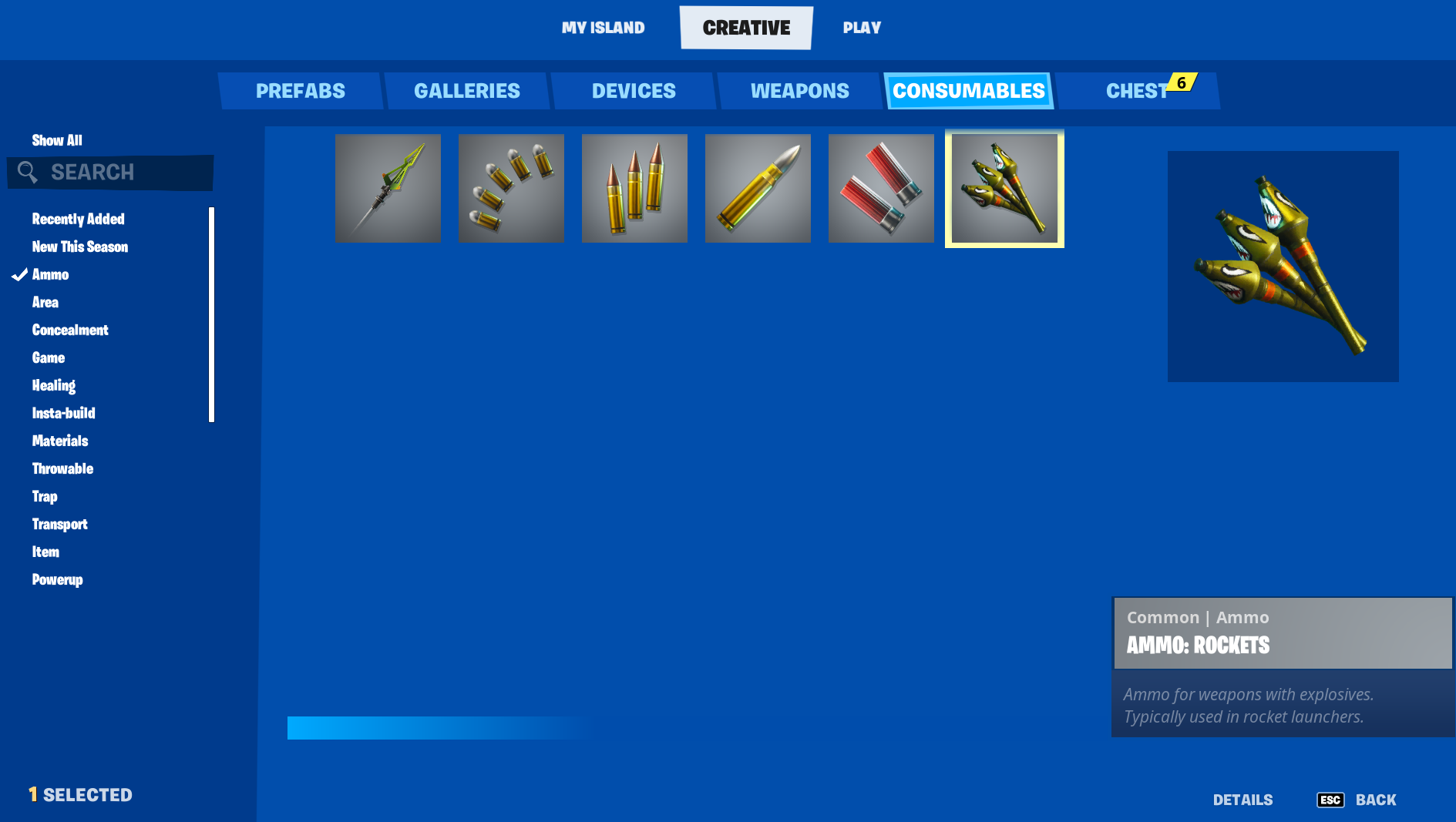
Click image to enlarge.
- From Create mode, press the Tab key and click CREATIVE on the top navigation bar to select the CREATIVE inventory screen if not already displayed.
- Click the CONSUMABLES tab.
- On this screen, scroll to find and select the item, use the Search box to look up the item by name, or check the list of relevant Categories specific to the item you’re looking for to filter the view.
- Click the item, then click either EQUIP or ADD TO CHEST.
You're reading a preview
The full reference is free for BrainDeadGuild Discord members — sign in to read it all, or open the original at the source.
Sign in with your BrainDead.TV / BrainDeadGuild Discord account for full access.