
Patchwork Speaker Device
The Patchwork Speaker (SPK) device outputs audio generated from other Patchwork devices. The Patchwork Speaker is the end of the chain that results in audio.
Ther Patchwork Speaker is meant to work with other Patchwork devices only. This speaker will not play sound cues.
The Patchwork Speaker accepts audio input, then plays the sound that players can hear.
You can set up multiple speakers on an island and have each play different sounds. This will let you mix your audio by adjusting the relative volume of each speaker, without he need to travel back to the source audio devices.
Device Options
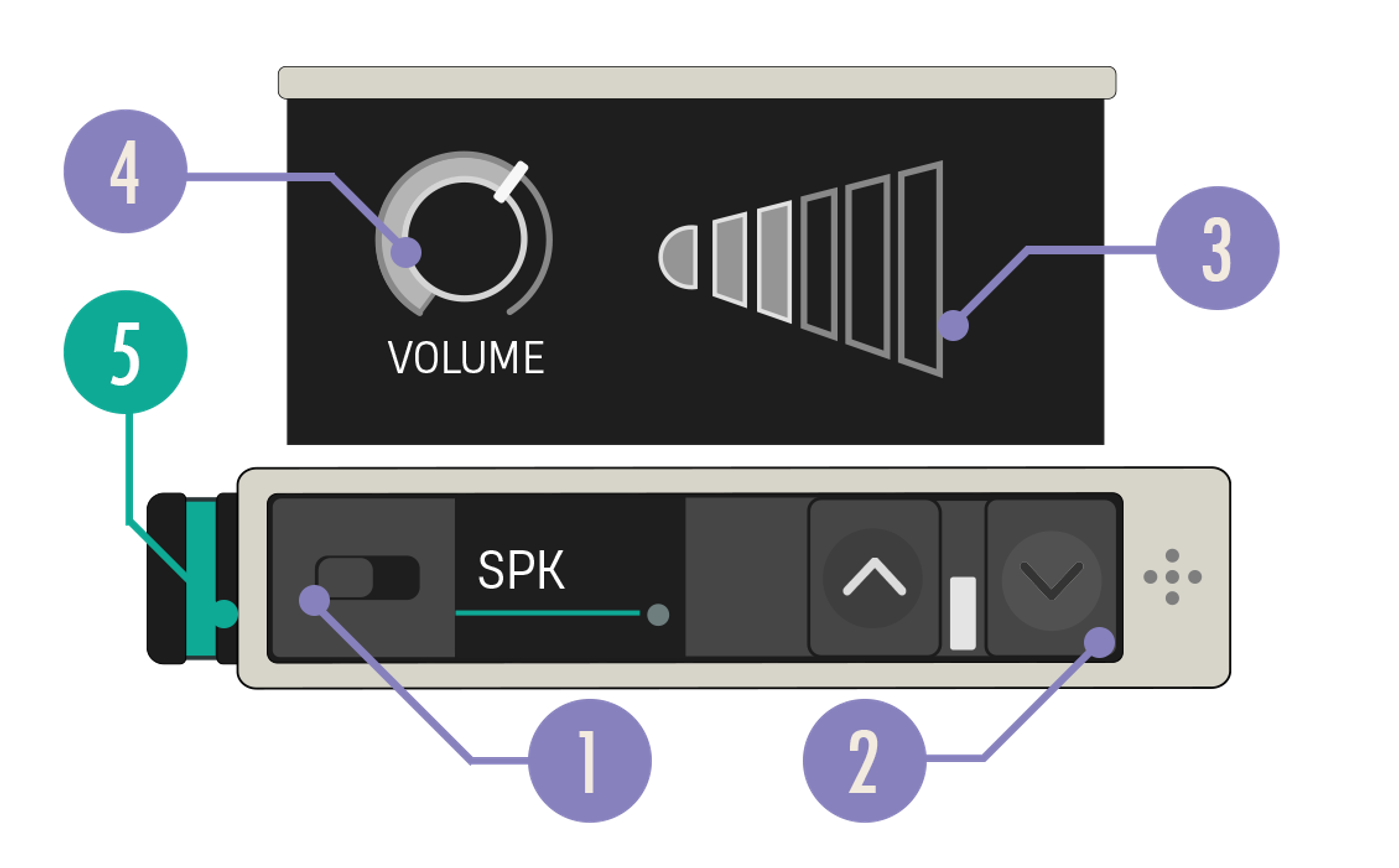
| Option | Values | Description |
|---|---|---|
| 1. Enabled Switch | On, Off | When set to Off, no sound is produced. |
| 2. Expand Buttons | Closed, Open | Expand the device to reveal more customization options. |
| 3. Volume Bars | N/A | Simple visualization of the volume level. Useful for comparing the relative volume of multiple speakers at a glance. |
| 4. Volume Knob | 0.0 - 2.0, default 1.0 | Sets the volume of the speaker. |
| 5. Audio In Port | N/A | Can only receive a teal Audio Out cable. |
You're reading a preview
The full reference is free for BrainDeadGuild Discord members — sign in to read it all, or open the original at the source.
Sign in with your BrainDead.TV / BrainDeadGuild Discord account for full access.