
Prop-O-Matic Manager Device
The Prop-O-Matic Manager affects how the Prop-o-Matic weapon functions, and how the game reacts to players that are using it. It has no effects of its own within the game, but only affects how a Prop-o-Matic weapon works.
Only one Prop-O-Matic Manager can be used on an island at a time.
Finding and Placing the Device
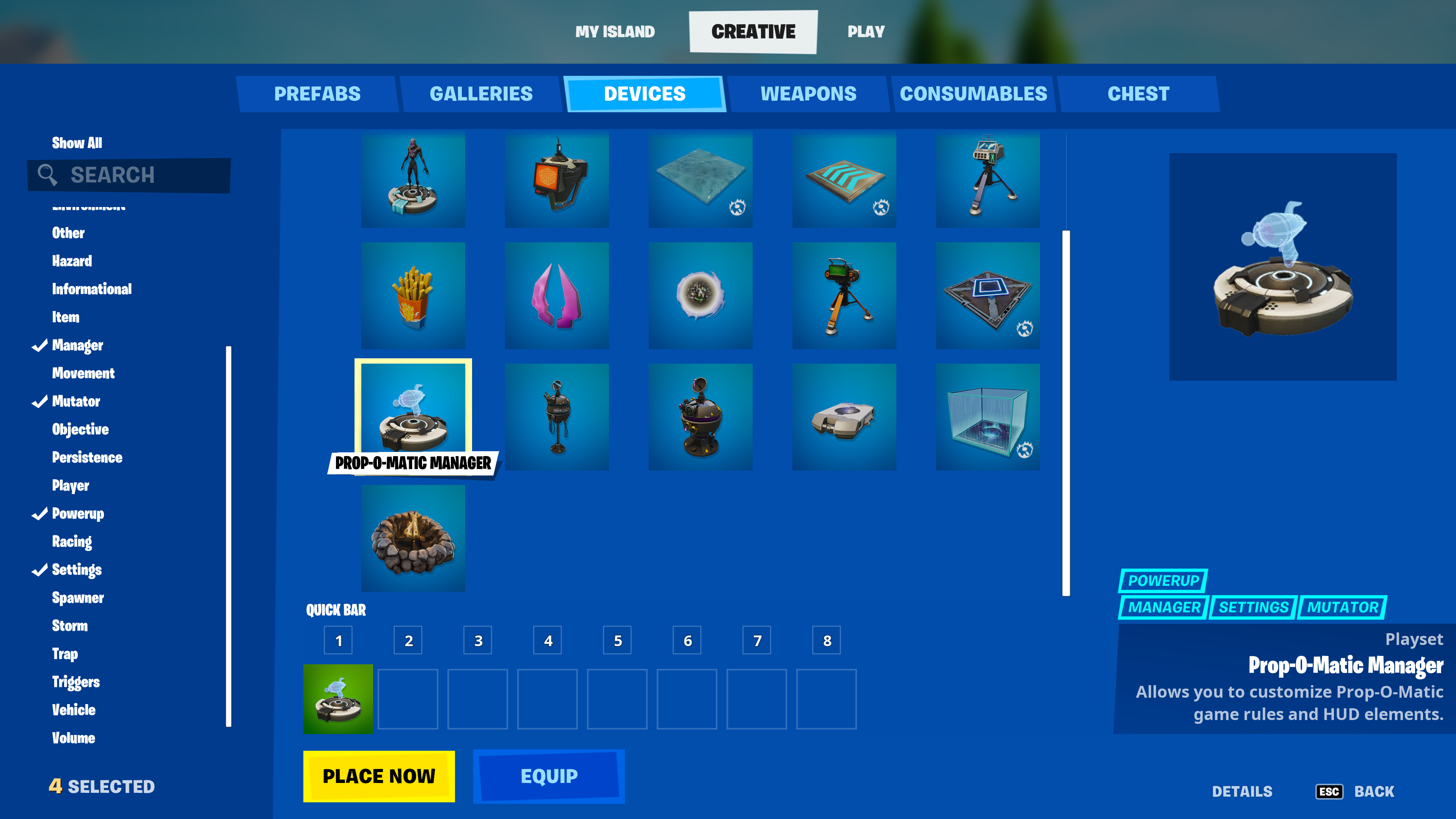
Click image to enlarge.
- From Create mode, press the Tab key to open the CREATIVE inventory screen.
- Click the DEVICES tab and scroll to select the device. You can also use the Search box or the Categories panel on the left to find your device.
- Click PLACE NOW to place immediately, or put the device in the QUICK BAR to place later.
- Press Esc to return to your island in Create mode. Use your phone tool to position the device, then left-click to place it. Press Esc to detach the device from your phone.
- Point at the device with your phone. If the CUSTOMIZE popup doesn't open immediately, move closer until it does, then press E to open the CUSTOMIZE panel.
You're reading a preview
The full reference is free for BrainDeadGuild Discord members — sign in to read it all, or open the original at the source.
Sign in with your BrainDead.TV / BrainDeadGuild Discord account for full access.