
Adding Audio to Your Project in Unreal Editor for Fortnite
Adding Audio to Your Project
Audio is a key element for giving players feedback on their actions in game, and providing players with important cues during gameplay.
Audio is a key element for giving players feedback on their actions in game, and providing players with important cues during gameplay.
To do this, Unreal Editor for Fortnite (UEFN) uses sound wave and sound cue files.
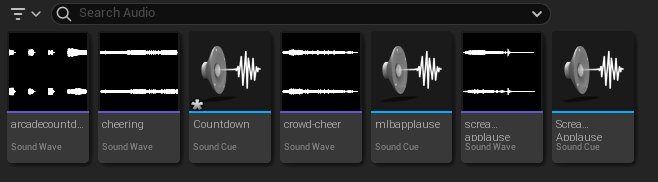
A sound wave is the format of an audio file after it has been imported into UEFN.
A sound cue is an audio asset that runs complex sound design tasks set up inside a node graph. Sound cues provide freedom to dynamically change parts of a sound effect design by arranging and modifying sound nodes.
You're reading a preview
The full reference is free for BrainDeadGuild Discord members — sign in to read it all, or open the original at the source.
Sign in with your BrainDead.TV / BrainDeadGuild Discord account for full access.