
Debug Draw in Verse
To help with debugging your game, you can display certain game data for testing purposes while hiding that information from the player. One way to do this is logging, but you can show some game data in a more visual way with the Debug Draw API.
Using the Debug Draw API, you can draw basic shapes and set their location, size, color, and the length of time they appear on screen. For example, you might want to visualize the visibility range of an NPC or the distance from which audio can be heard from its point of origin. With the box debug shape, you could draw a box with dimensions and a location that match any volume, even if that volume is invisible in your game. This can help with figuring out the placement of volumes with certain effects.
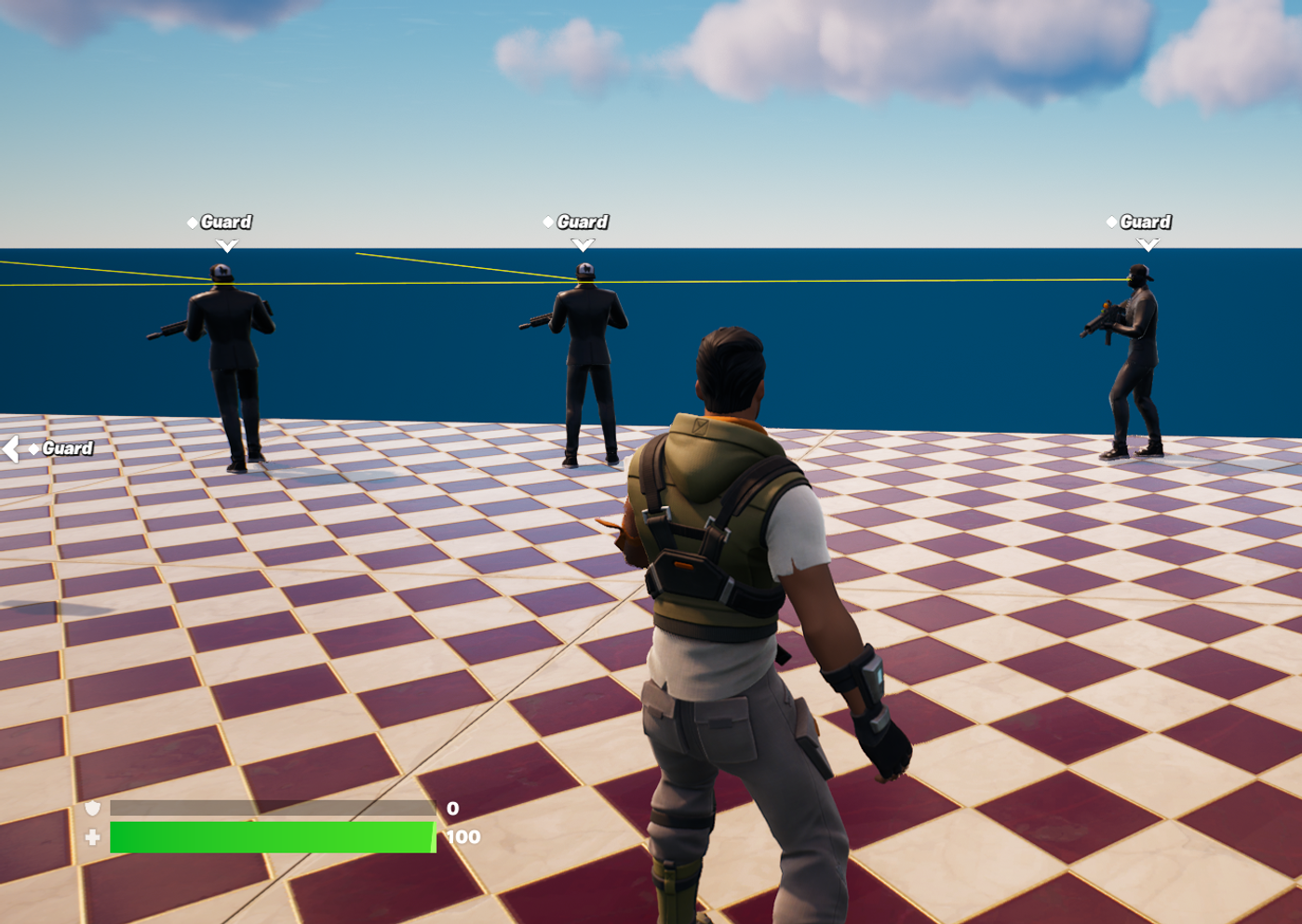
The arrow debug shape drawn from an NPC’s face to the limit of their visibility range can be used to help design the perfect placement for guards.
Enable Verse Debug Draw
The first step is to make sure you can see the shapes you draw.
You're reading a preview
The full reference is free for BrainDeadGuild Discord members — sign in to read it all, or open the original at the source.
Sign in with your BrainDead.TV / BrainDeadGuild Discord account for full access.