
Create the Portal Center
4. Create the Portal Center
Model a disc Static Mesh that uses the swirl material to create the center of the portal where the material effect will make the portal appear active.
Model a disc Static Mesh that uses the swirl material to create the center of the portal where the material effect will make the portal appear active.
Modeling a Disc
Create a disc that you’ll place inside the existing portal you created with the Niagara System.
-
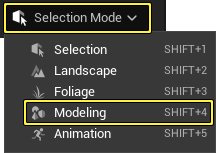
On the toolbar, open the Select Mode menu and select Modeling. Modeling mode options appear next to the viewport window.
-
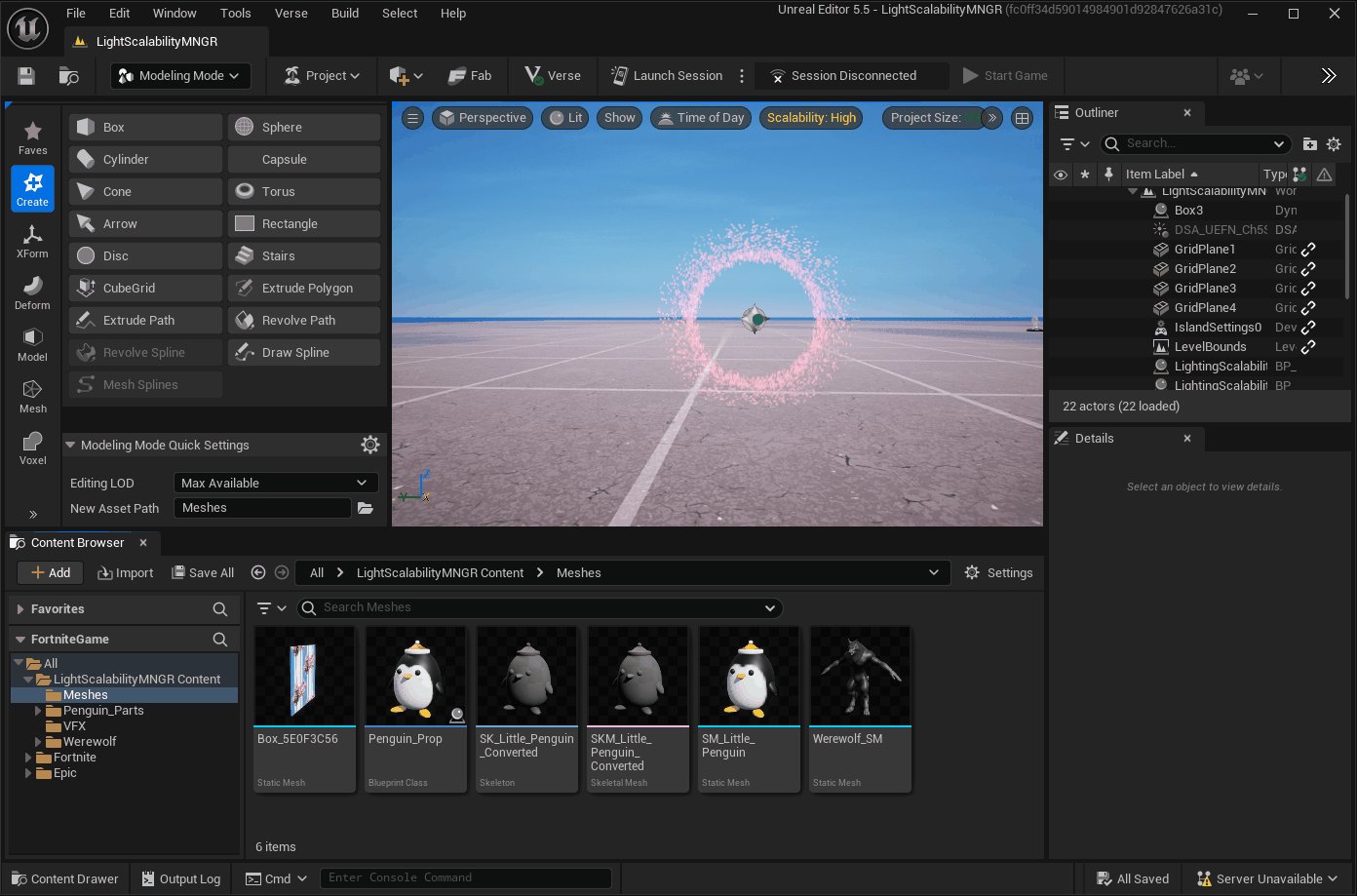
Select Disc from the Create options. The shape options appear in the window.
-
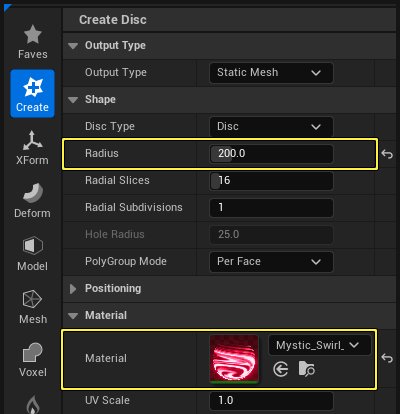
In the Create Disc tools, set the following options:
- Radius = 200.0
- Material = Mystic_Swirl_Mat_Inst
-
In the viewport, click to set the disc down, then set the Y-axis to -90.0 so the disc stands on the Z-axis, then click Accept to create the Static Mesh.
You're reading a preview
The full reference is free for BrainDeadGuild Discord members — sign in to read it all, or open the original at the source.
Sign in with your BrainDead.TV / BrainDeadGuild Discord account for full access.