
Sequencer and Control Rig in UEFN
In Sequencer, you can animate almost anything. It’s even possible to do a full cinematic with camera animations! For more information, check out Sequencer Basics in Unreal Engine.
Do not confuse Sequencer with the Cinematic Sequence device! Once you record a level sequence, you then attach it to a Cinematic Sequence Device. For more information, see Set Up the Cinematic Sequence Device
Creating a Level Sequence
To create a level sequence and add a skeletal mesh to the sequence, do the following:
-
In the project folder, create a new folder called "Cinematics".
-
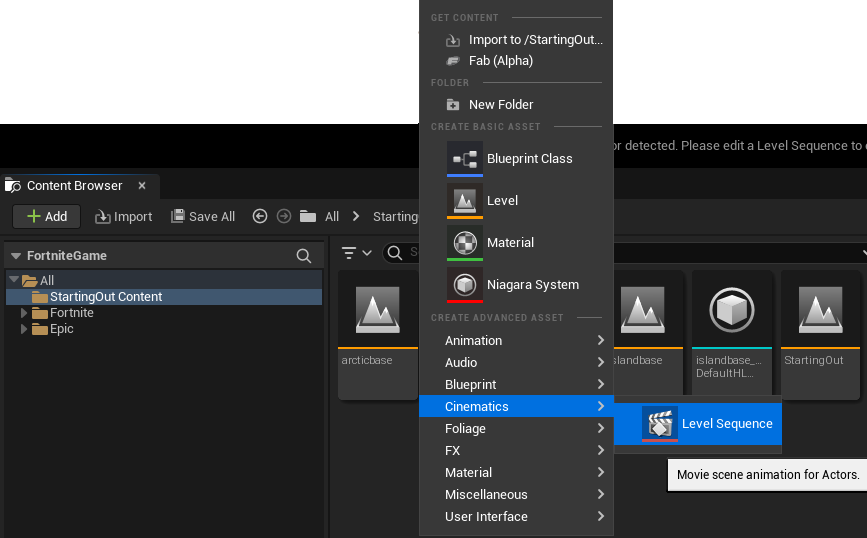
In the Cinematics folder, right-click and select Cinematics > Level Sequence.
You're reading a preview
The full reference is free for BrainDeadGuild Discord members — sign in to read it all, or open the original at the source.
Sign in with your BrainDead.TV / BrainDeadGuild Discord account for full access.