Overview
The cinematic_sequence_device is your Verse handle to any Level Sequence you've built in UEFN's Sequencer. It can animate props, cameras, audio, and skeletal meshes in perfect sync — and from Verse you can start, stop, pause, reverse, or jump to the end of that sequence on demand.
When to reach for it:
- A player walks onto a clifftop and a dramatic camera sweep plays.
- A pirate ship's anchor chain animates down when a crew collects all treasure chests.
- A boss arena's gate slams shut behind the last player to enter.
- You want to play a sequence in reverse to "undo" an animation (e.g., a drawbridge rising back up).
The device works hand-in-hand with trigger_device, which detects player contact and fires TriggeredEvent. Together they form the backbone of almost every cinematic moment in UEFN.
API Reference
trigger_device
Used to relay events to other linked devices.
Full public surface, resolved verbatim from the live Epic digest (Fortnite.digest.verse). Inherited members are merged from trigger_base_device.
trigger_device<public> := class<concrete><final>(trigger_base_device):
Events (subscribe a handler to react):
| Event | Signature | Description |
|---|---|---|
TriggeredEvent |
TriggeredEvent<public>:listenable(?agent) |
Signaled when an agent triggers this device. Sends the agent that used this device. Returns false if no agent triggered the action (ex: it was triggered through code). |
Methods (call these to make the device act):
| Method | Signature | Description |
|---|---|---|
Trigger |
Trigger<public>(Agent:agent):void |
Triggers this device with Agent being passed as the agent that triggered the action. Use an agent reference when this device is setup to require one (for instance, you want to trigger the device only with a particular agent. |
Trigger |
Trigger<public>():void |
Triggers this device, causing it to activate its TriggeredEvent event. |
Enable |
Enable<public>():void |
Enables this device. |
Disable |
Disable<public>():void |
Disables this device. |
SetMaxTriggerCount |
SetMaxTriggerCount<public>(MaxCount:int):void |
Sets the maximum amount of times this device can trigger. * 0 can be used to indicate no limit on trigger count. * MaxCount is clamped between [0,20]. |
GetMaxTriggerCount |
GetMaxTriggerCount<public>()<transacts>:int |
Gets the maximum amount of times this device can trigger. * 0 indicates no limit on trigger count. |
GetTriggerCountRemaining |
GetTriggerCountRemaining<public>()<transacts>:int |
Returns the number of times that this device can still be triggered before hitting GetMaxTriggerCount. Returns 0 if GetMaxTriggerCount is unlimited. |
SetResetDelay |
SetResetDelay<public>(Time:float):void |
Sets the time (in seconds) after triggering, before the device can be triggered again (if MaxTrigger count allows). |
GetResetDelay |
GetResetDelay<public>()<transacts>:float |
Gets the time (in seconds) before the device can be triggered again (if MaxTrigger count allows). |
SetTransmitDelay |
SetTransmitDelay<public>(Time:float):void |
Sets the time (in seconds) which must pass after triggering, before this device informs other external devices that it has been triggered. |
GetTransmitDelay |
GetTransmitDelay<public>()<transacts>:float |
Gets the time (in seconds) which must pass after triggering, before this device informs other external devices that it has been triggered. |
vector3
3-dimensional vector with
floatcomponents.
Full public surface, resolved verbatim from the live Epic digest (Verse.digest.verse).
vector3<native><public> := struct<concrete><computes><persistable><uht_comparable>:
player
Full public surface, resolved verbatim from the live Epic digest (Verse.digest.verse). Inherited members are merged from agent.
player<native><public> := class<unique><persistent><module_scoped_var_weak_map_key><epic_internal>(agent):
Walkthrough
Scenario: Sunrise Cutscene at the Lagoon Dock
Your 2D cel-shaded pirate island has a wooden dock jutting into a turquoise lagoon. When a player steps onto the dock's pressure plate, a Sequencer sunrise animation plays — seagulls wheel overhead, the cel-shaded sun crests the clifftop, and the ship's sails billow. If the player steps off before it finishes, the sequence reverses back to night. After the full sunrise plays, the trigger is disabled so it only fires once per match.
UEFN Setup:
- Place a
trigger_deviceat the dock entrance (the pressure plate). - Place a
cinematic_sequence_deviceand assign your sunrise Level Sequence to it. - Place a second
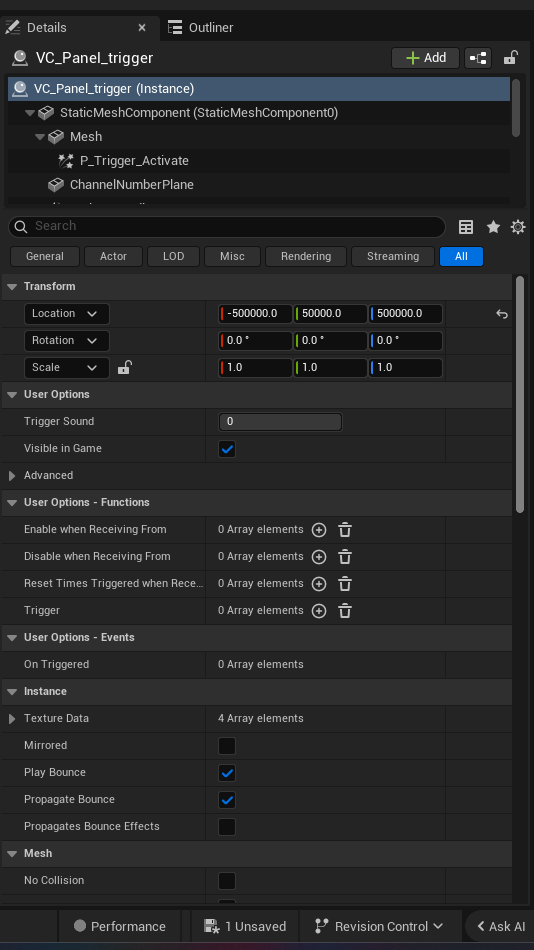
trigger_deviceat the dock exit. - Create a Verse device, assign all three in the Details panel.
using { /Fortnite.com/Devices }
using { /Verse.org/Simulation }

# dock_sunrise_manager — plays a cel-shaded sunrise sequence when a
# player steps onto the lagoon dock, reverses it if they leave early,
# and locks the trigger after one full sunrise.
dock_sunrise_manager := class(creative_device):

    # The pressure-plate trigger at the dock entrance
    @editable
    DockEnterTrigger : trigger_device = trigger_device{}

    # A second trigger at the dock exit (further down the pier)
    @editable
    DockExitTrigger : trigger_device = trigger_device{}

    # The cinematic_sequence_device holding the sunrise Level Sequence
    @editable
    SunriseSequence : cinematic_sequence_device = cinematic_sequence_device{}

    # Track whether the sunrise has fully played
    var SunriseComplete : logic = false

    OnBegin<override>()<suspends> : void =
        # Allow the entrance trigger to fire only once (the sunrise is a
        # one-time event per match). Clamp is 1..20; 1 = fires once.
        DockEnterTrigger.SetMaxTriggerCount(1)

        # Give the exit trigger an unlimited reset so players can walk
        # back and forth freely after the sunrise.
        DockExitTrigger.SetMaxTriggerCount(0)

        # Wire up both triggers
        DockEnterTrigger.TriggeredEvent.Subscribe(OnPlayerEntersDock)
        DockExitTrigger.TriggeredEvent.Subscribe(OnPlayerExitsDock)

    # Called when a player steps onto the dock pressure plate.
    # Agent is ?agent — unwrap before use.
    OnPlayerEntersDock(Agent : ?agent) : void =
        set SunriseComplete = false
        # Play the sunrise sequence for everyone on the island
        SunriseSequence.Play()
        # Disable the exit trigger while the cutscene runs so
        # accidental brushes don't interrupt it mid-way
        DockExitTrigger.Disable()
        # Spawn an async watcher that marks completion and
        # re-enables the exit trigger after the sequence ends
        spawn { WaitForSunriseEnd() }

    # Async helper — waits for the StoppedEvent that fires when the
    # sequence reaches its natural end, then locks things down.
    WaitForSunriseEnd()<suspends> : void =
        # Await the sequence's own StoppedEvent (fires on natural end OR Stop())
        SunriseSequence.StoppedEvent.Await()
        set SunriseComplete = true
        # Sunrise done — disable the entrance trigger (already at max
        # count = 1, but belt-and-suspenders)
        DockEnterTrigger.Disable()
        # Re-enable exit so the player can walk off normally
        DockExitTrigger.Enable()

    # Called when a player steps off the dock before sunrise completes.
    OnPlayerExitsDock(Agent : ?agent) : void =
        if (SunriseComplete?):
            # already complete, ignore exit
        else:
            # Player left early — run the sunrise backwards (night returns)
            SunriseSequence.PlayReverse()
            # Re-arm the entrance trigger so they can try again
            DockEnterTrigger.Enable()
            DockEnterTrigger.SetMaxTriggerCount(1)```

### Line-by-line explanation

| Lines | What's happening |
|---|---|
| `@editable` fields | Lets you drag real placed devices from the Outliner into the Details panel. Without `@editable` the Verse class has no reference to the actual scene objects. |
| `SetMaxTriggerCount(1)` | Caps the entrance trigger at one fire. After it fires once, it won't fire again unless you call `Enable()` + `SetMaxTriggerCount(1)` again. |
| `SetMaxTriggerCount(0)` | `0` means **unlimited** — the exit trigger can fire as many times as needed. |
| `TriggeredEvent.Subscribe(...)` | Hooks a class-scope method as the callback. The handler signature must be `(Agent : ?agent) : void` because `TriggeredEvent` is `listenable(?agent)`. |
| `SunriseSequence.Play()` | Starts the Level Sequence from its current position (beginning on first call). |
| `spawn { WaitForSunriseEnd() }` | Launches the async watcher as a concurrent task so `OnPlayerEntersDock` returns immediately. |
| `StoppedEvent.Await()` | Suspends until the sequence stops — either naturally at the end, or via `Stop()`. |
| `SunriseSequence.PlayReverse()` | Plays the sequence backwards from its current position — the sun dips back below the horizon. |

## Common patterns

### Pattern 1 — Pause and Resume with a single trigger

A player presses a button on the ship's helm to freeze the anchor-drop animation mid-frame, then presses it again to resume. `TogglePause()` handles both states.

```verse
using { /Fortnite.com/Devices }
using { /Verse.org/Simulation }

# helm_pause_controller — one trigger toggles pause/resume on a
# cinematic anchor-drop sequence.
helm_pause_controller := class(creative_device):

    @editable
    HelmTrigger : trigger_device = trigger_device{}

    @editable
    AnchorDropSequence : cinematic_sequence_device = cinematic_sequence_device{}

    OnBegin<override>()<suspends> : void =
        # No trigger limit — player can pause/resume as many times as they like
        HelmTrigger.SetMaxTriggerCount(0)
        # Half-second cooldown so rapid taps don't desync the state
        HelmTrigger.SetResetDelay(0.5)
        HelmTrigger.TriggeredEvent.Subscribe(OnHelmPressed)

    OnHelmPressed(Agent : ?agent) : void =
        # TogglePause flips between Play and Pause automatically
        AnchorDropSequence.TogglePause()
Pattern 2 — Jump to end and lock (treasure-chest reward)
When all three treasure chests on the cove are collected, skip straight to the end of the "vault opens" cinematic so latecomers don't watch the full animation.
using { /Fortnite.com/Devices }
using { /Verse.org/Simulation }

# treasure_vault_finisher — fires when the last chest trigger is hit,
# jumps the vault sequence to its end frame, then disables all triggers.
treasure_vault_finisher := class(creative_device):

    @editable
    Chest1Trigger : trigger_device = trigger_device{}
    @editable
    Chest2Trigger : trigger_device = trigger_device{}
    @editable
    Chest3Trigger : trigger_device = trigger_device{}

    @editable
    VaultOpenSequence : cinematic_sequence_device = cinematic_sequence_device{}

    var ChestsCollected : int = 0

    OnBegin<override>()<suspends> : void =
        # Each chest trigger fires exactly once
        Chest1Trigger.SetMaxTriggerCount(1)
        Chest2Trigger.SetMaxTriggerCount(1)
        Chest3Trigger.SetMaxTriggerCount(1)

        Chest1Trigger.TriggeredEvent.Subscribe(OnChestCollected)
        Chest2Trigger.TriggeredEvent.Subscribe(OnChestCollected)
        Chest3Trigger.TriggeredEvent.Subscribe(OnChestCollected)

    OnChestCollected(Agent : ?agent) : void =
        set ChestsCollected = ChestsCollected + 1
        if (ChestsCollected >= 3):
            # All chests found — snap the vault sequence to its final frame
            VaultOpenSequence.GoToEndAndStop()
            # Lock all triggers so nothing can re-fire
            Chest1Trigger.Disable()
            Chest2Trigger.Disable()
            Chest3Trigger.Disable()
Pattern 3 — Delayed transmit + query remaining triggers
A lookout tower trigger fires a seagull-flock cinematic. We add a transmit delay so linked devices (e.g., a score manager) don't react until the birds are actually on screen, and we log how many times the cinematic can still be triggered.
using { /Fortnite.com/Devices }
using { /Verse.org/Simulation }

# lookout_seagull_controller — demonstrates SetTransmitDelay and
# GetTriggerCountRemaining on a cinematic trigger.
lookout_seagull_controller := class(creative_device):

    @editable
    LookoutTrigger : trigger_device = trigger_device{}

    @editable
    SeagullFlockSequence : cinematic_sequence_device = cinematic_sequence_device{}

    OnBegin<override>()<suspends> : void =
        # Allow this cinematic to play up to 3 times per match
        LookoutTrigger.SetMaxTriggerCount(3)

        # Wait 2 seconds after the trigger fires before notifying
        # any linked devices (score manager, etc.)
        LookoutTrigger.SetTransmitDelay(2.0)

        LookoutTrigger.TriggeredEvent.Subscribe(OnLookoutTriggered)

    OnLookoutTriggered(Agent : ?agent) : void =
        # Play the seagull flock cinematic
        SeagullFlockSequence.Play()

        # Check how many plays remain (returns 0 when MaxTriggerCount is unlimited)
        Remaining := LookoutTrigger.GetTriggerCountRemaining()
        # If only one play left, add a longer reset delay as a "cooldown"
        if (Remaining = 1):
            LookoutTrigger.SetResetDelay(10.0)
Gotchas
1. TriggeredEvent sends ?agent, not agent
TriggeredEvent is typed listenable(?agent). Your handler must accept (Agent : ?agent). If you need the actual agent (e.g., to call Play(Agent:agent)), unwrap it first:
OnTriggered(MaybeAgent : ?agent) : void =
    if (A := MaybeAgent?):
        SunriseSequence.Play(A)  # agent-specific overload
    else:
        SunriseSequence.Play()   # no agent — plays for everyone
Skipping the unwrap is a compile error.
2. StoppedEvent fires on Stop() and natural end
StoppedEvent fires whenever the sequence stops — whether it played to the end naturally, you called Stop(), or GoToEndAndStop() was used. If you only want to react to a natural completion, track state yourself (e.g., a var FinishedNaturally : logic flag set just before you expect the stop).
3. SetMaxTriggerCount clamps to [0, 20]
Values above 20 are silently clamped to 20. Use 0 for unlimited. Passing a negative number is also clamped to 0 (unlimited), which may surprise you.
4. SetResetDelay vs SetTransmitDelay — they're different
SetResetDelay— how long before the trigger itself can fire again.SetTransmitDelay— how long before the trigger notifies linked external devices after it fires. The trigger fires immediately in both cases; only the outbound notification is delayed bySetTransmitDelay.
5. Every device must be @editable and assigned in the Details panel
A bare cinematic_sequence_device{} in Verse creates a default, unplaced instance — it has no Level Sequence attached and calling Play() on it does nothing visible. Always declare your device as @editable and drag the real placed device from the Outliner into the Details panel slot.
6. Play() vs Play(Agent:agent) — check your device's Visible To setting
If your cinematic_sequence_device is configured for Everyone in its properties, use Play(). If it's set to a specific player or instigator, you must use Play(Agent:agent) — the no-arg overload will silently do nothing in that mode.