VerseIsland
Feed Learn Leaderboard Guides Reference Explore Search Docs Verse Library
Sign in
Feed Learn 📖 Codex Leaderboard Guides Reference Explore Search Docs Verse Library
Fortnite Creative › Input & Controls · Up to Fortnite Creative · Input & Controls · 3 of 3 in Input & Controls
Browse Fortnite Creative

Hotkeys and Keybinding Shortcuts

A hotkey is a key or key combination that provides quick access to a specific function. These are also called shortcut keys or keybindings.

This page is about the hotkeys available when you're in Create mode on a Fortnite Creative island.

The hotkeys for Create mode may be different from the hotkeys used when playing a Fortnite game.

Active hotkeys are shown on the left side of the screen. The hotkey menu changes based on what you're doing.
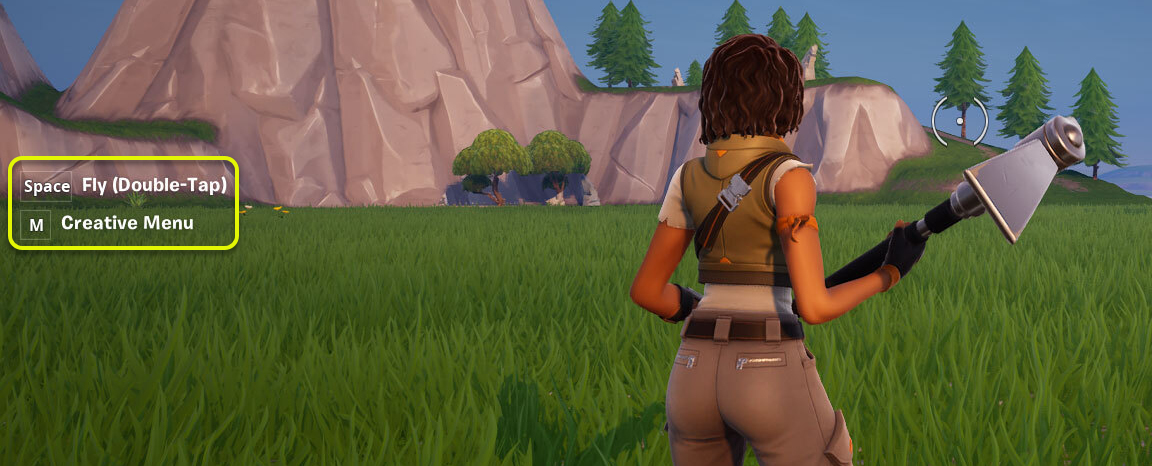
Hotkeys are on the left side of the screen.

Use Pickaxe Hotkeys

There are two basic sets of hotkeys when you have your pickaxe equipped.

You can toggle between the pickaxe and the phone tool by pressing the ` (backtick) key above the Tab key on your keyboard.

Pickaxe (Default)

If you're holding your pickaxe, you will see:
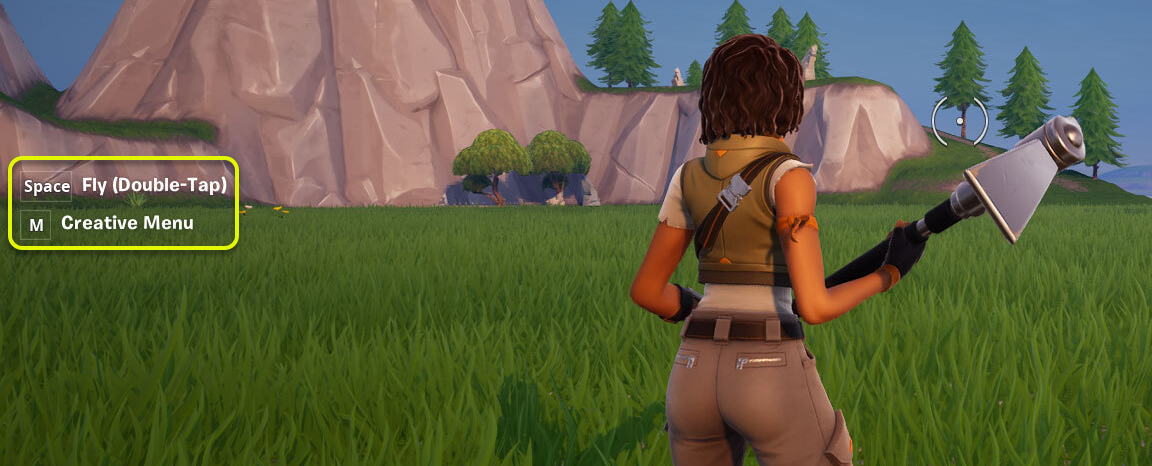
Pickaxe hotkey menu when you're on the ground.

Pickaxe While Flying

If you double-tap the spacebar, the menu expands because you're now flying with your pickaxe.

You're reading a preview

The full reference is free for BrainDeadGuild Discord members — sign in to read it all, or open the original at the source.

Sign in with Discord — free for members Read the original at Epic Games

Sign in with your BrainDead.TV / BrainDeadGuild Discord account for full access.

Comments

    Sign in to vote, comment, or suggest an edit. Sign in
    📄
    Source
    Epic Games

    © Epic Games. Official Epic developer documentation, shown here as a reference with a link to the original. All rights remain with Epic Games. Terms ↗

    View original Sources & licensing
    Request removal
    Last updated Dec 7, 2024
    Keep exploring
    More in Input & Controls · 3 of 3
    Prev
    hotkey and keybinding shortcuts in fortnite creative
    Browse all files in this folder (A–Z)
    Next up
    • This page is about the hotkeys available when you're in [**Create mode**
    • #### T - Heatmap
    • #### User Defined
    • Press the **M** key to access the Creative menu tabs, then select **Quick Menu**.
    • To set up custom keybinds, go to the [**game menu**
    • What You Can't Use Hotkeys With
    Related topics
    • Hotkey And Keybinding Shortcuts In Fortnite Creative Input & Controls
    • Starting Out In Fortnite Creative General
    • Fortnite Creative Glossary Verse Language
    • Fortnite Glossary Verse Language
    • Fortnite Creative Glossary Verse Language

    Related

    Open in graph →

    Related topics

    • Hotkey And Keybinding Shortcuts In Fortnite Creative
    • Starting Out In Fortnite Creative
    • Fortnite Creative Glossary
    • Fortnite Glossary
    • Fortnite Creative Glossary
    VerseIsland · an archipelago of Verse & UEFN knowledge
    🗺️ Island atlas Learn Guides History About & Press Sources & Licensing Status

    Not affiliated with Epic Games. Fortnite, UEFN, Unreal Engine, and Verse are trademarks of Epic Games, Inc. Content is attributed to its source — see Sources & Licensing.

    🦜

    Scout · your island guide

    The Isle of Verse