
Navigation Mesh in Fortnite Creative
The navigation mesh (or NavMesh for short) is a grid that AIs use to navigate your game world. AIs don't see the game world the same way players do, and can't tell where they can and can't go just by looking. To decide where to go and how to get there, they need a grid that tells them where they can navigate to, and what kind of surface they're walking on. The way in which an AI chooses how to get to a destination is called pathfinding, and the navigation mesh is what AIs use to make pathfinding choices. You can use the navigation mesh to create complex AI patrol routes, pathfinding puzzles, tower defense waves, and much more.
Enabling the Navigation Mesh
To enable the navigation mesh in Creative, navigate to My Island, then Debug. Make sure Debug is set to On, then enable Navigation. NOTE: Even if navigation is on, the NavMesh will only be generated if you've placed at least one AI spawner in your island.
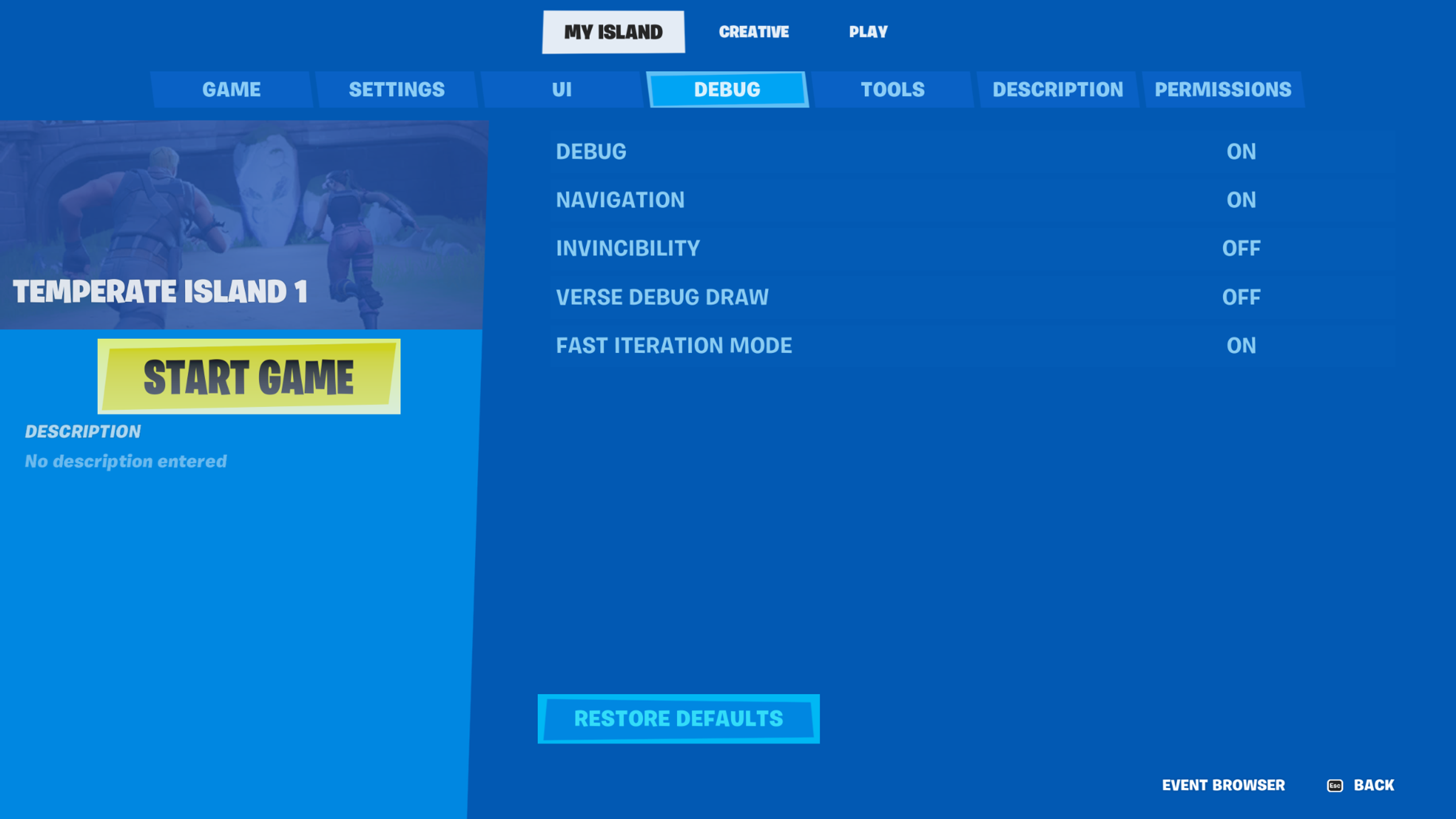
Reminder: You need at least one AI spawner for a NavMesh to be generated. This can be any of Creature Spawner/Place, Wildlife Spawner, or Guard Spawner, but your island requires at least one of these for the NavMesh to generate.
You're reading a preview
The full reference is free for BrainDeadGuild Discord members — sign in to read it all, or open the original at the source.
Sign in with your BrainDead.TV / BrainDeadGuild Discord account for full access.