VerseIsland
Feed Learn Leaderboard Guides Reference Explore Search Docs Verse Library
Sign in
Feed Learn 📖 Codex Leaderboard Guides Reference Explore Search Docs Verse Library
Fortnite Creative › General · Up to Fortnite Creative · General · 22 of 40 in General
Browse Fortnite Creative

Overview and Tools Settings

In Island Settings, the Overview category provides access to tools that you can use to describe and publish an island. You can also make backups and restore from those backups if needed, and reset the island to its original settings.

Click the Overview category, then click an option in the Tools subcategory to access the settings for that tool.
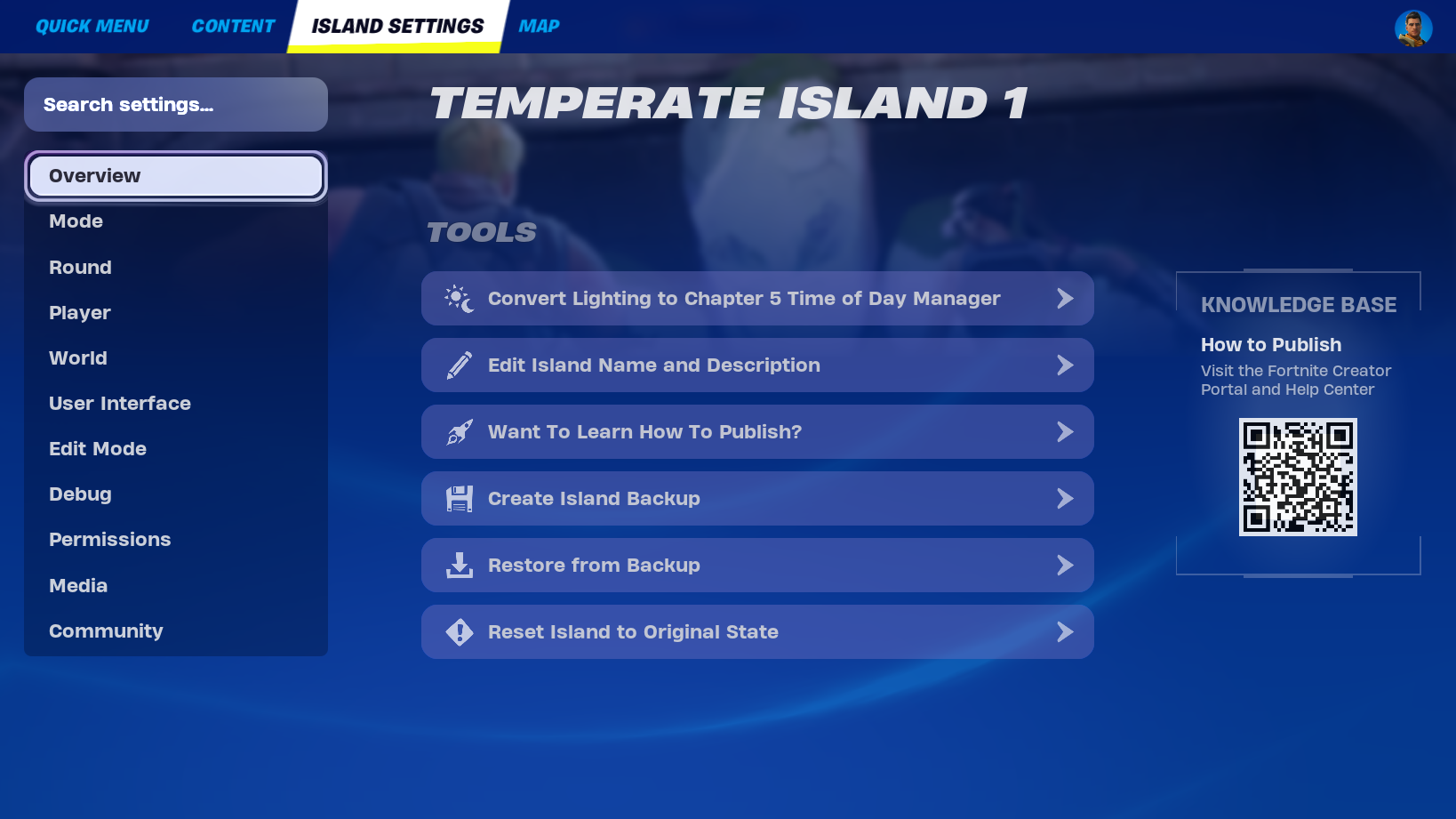
The Overview category shows tools.

Convert Lighting to Chapter 5 Time of Day Manager

This option opens a dialog asking if you want to convert your island to the Chapter 5 Time of Day Manager. Converting your island to this Time of Day Manager gives you the same high-quality lighting available in UEFN, and gives you access to the Day Sequence device in Creative.

Conversion to the Chapter 5 Time of Day Manager is permanent and cannot be reversed! Keep in mind the following:

  • Before converting, duplicate your island to preserve its existing lighting settings.
  • Any Skydome devices on your island will be replaced by Day Sequence devices.
  • Not all options set in Skydome devices will be migrated.

You're reading a preview

The full reference is free for BrainDeadGuild Discord members — sign in to read it all, or open the original at the source.

Sign in with Discord — free for members Read the original at Epic Games

Sign in with your BrainDead.TV / BrainDeadGuild Discord account for full access.

Comments

    Sign in to vote, comment, or suggest an edit. Sign in
    📄
    Source
    Epic Games

    © Epic Games. Official Epic developer documentation, shown here as a reference with a link to the original. All rights remain with Epic Games. Terms ↗

    View original Sources & licensing
    Request removal
    Last updated Dec 7, 2024
    Keep exploring
    More in General · 22 of 40
    Prev
    mode settings in fortnite creative
    Next
    pinball wizard in fortnite creative
    Browse all files in this folder (A–Z)
    Next up
    • Name and describe your island here.
    • n be up to 40 characters.
    • 1. is the island name. 2. is the island description.
    • Learn How to Publish
    Related topics
    • Overview And Tools Settings In Fortnite Creative General
    • Island Settings In Uefn And Fortnite Creative General
    • 32 00 Fortnite Ecosystem Updates And Release Notes In Creative And Unreal Editor For Fortnite Release Notes
    • Island Settings In Unreal Editor For Fortnite General
    • Understanding Island Settings In Fortnite Creative General

    Related

    Open in graph →

    Related topics

    • Overview And Tools Settings In Fortnite Creative
    • Island Settings In Uefn And Fortnite Creative
    • 32 00 Fortnite Ecosystem Updates And Release Notes In Creative And Unreal Editor For Fortnite
    • Island Settings In Unreal Editor For Fortnite
    • Understanding Island Settings In Fortnite Creative
    VerseIsland · an archipelago of Verse & UEFN knowledge
    🗺️ Island atlas Learn Guides History About & Press Sources & Licensing Status

    Not affiliated with Epic Games. Fortnite, UEFN, Unreal Engine, and Verse are trademarks of Epic Games, Inc. Content is attributed to its source — see Sources & Licensing.

    🦜

    Scout · your island guide

    The Isle of Verse