
Patchwork Devices Overview
Patchwork is a suite of devices for Fortnite Creative and UEFN that allow you to create and manipulate music and visuals.
You can directly control these devices, or set them up to sync with gameplay states and events.
Finding Patchwork Devices
From the Devices tab in the Creative inventory, you can find the Patchwork devices in several ways. You can search for them directly by using the term Patchwork, or browse for the devices under Audio.
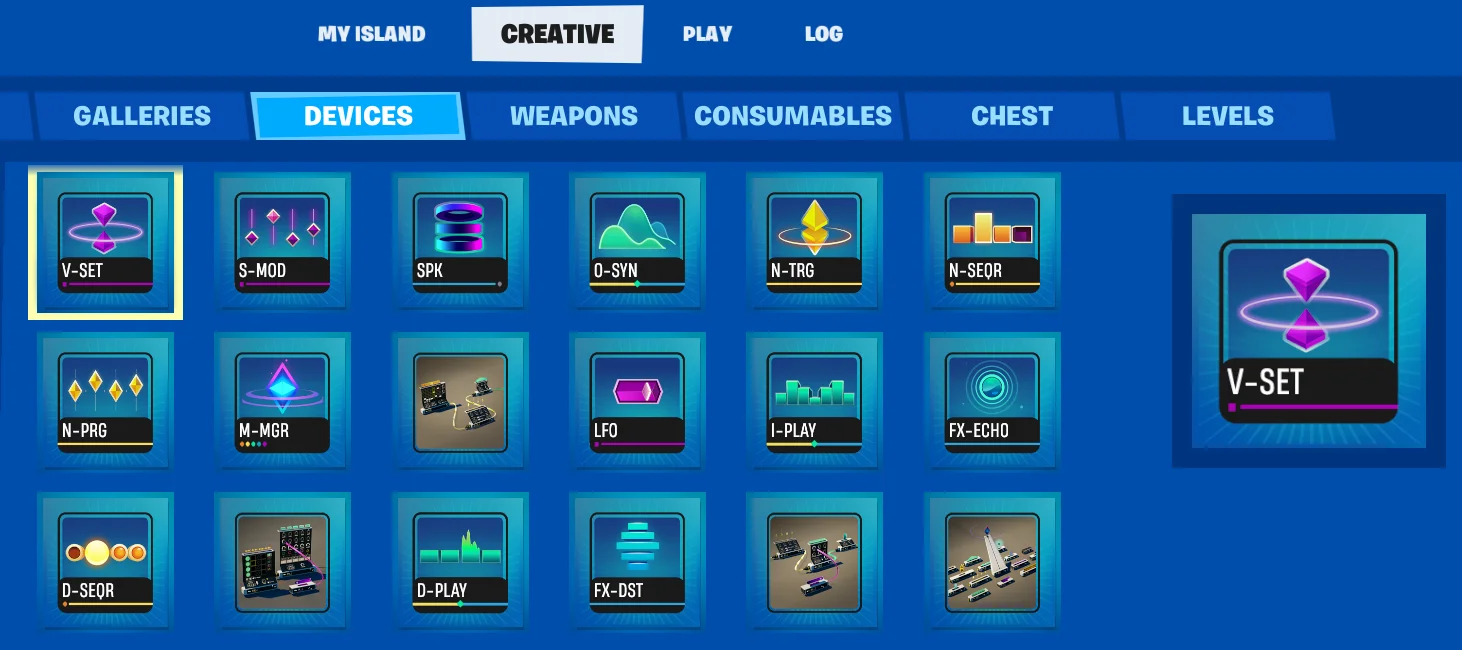
Patchwork devices are also grouped into a Device Gallery and three Device prefabs. The Device Gallery contains all the Patchwork devices unconnected. The three prefabs have devices already connected: Drums, Bass, and Melody. If you search or select the Patchwork tab, all individual devices, the gallery, and the prefabs will show.
[Cable Splitter
See how to send audio data to multiple devices!](/docs/documentation/en-us/fortnite-creative/using-patchwork-cable-splitter-devices-in-fortnite-creative.md) [Distortion Effect
Use this audio-shaping tool that results in sounds typical of genres like electronic, rock, and metal.](/docs/documentation/en-us/fortnite-creative/using-patchwork-distortion-effect-devices-in-fortnite-creative.md) [Drum Player
You're reading a preview
The full reference is free for BrainDeadGuild Discord members — sign in to read it all, or open the original at the source.
Sign in with your BrainDead.TV / BrainDeadGuild Discord account for full access.