VerseIsland
Feed Learn Leaderboard Guides Reference Explore Search Docs Verse Library
Sign in
Feed Learn 📖 Codex Leaderboard Guides Reference Explore Search Docs Verse Library
Fortnite › Building & Props · Up to Fortnite · Building & Props · 32 of 104 in Building & Props
Browse Fortnite

Configuring Static Mesh Collision

Collision is what prevents objects in your world from intersecting. Without collision, the player would be able to walk through the mesh. The collision box is also the first step to creating a hitbox around an asset you want to enable players to gather resources from.

Existing Collision

Double-click your mesh in the Content Browser to open the Edit window.

If your mesh already has collision, you can view it by toggling Simple Collision in the Show menu of the static mesh editor.
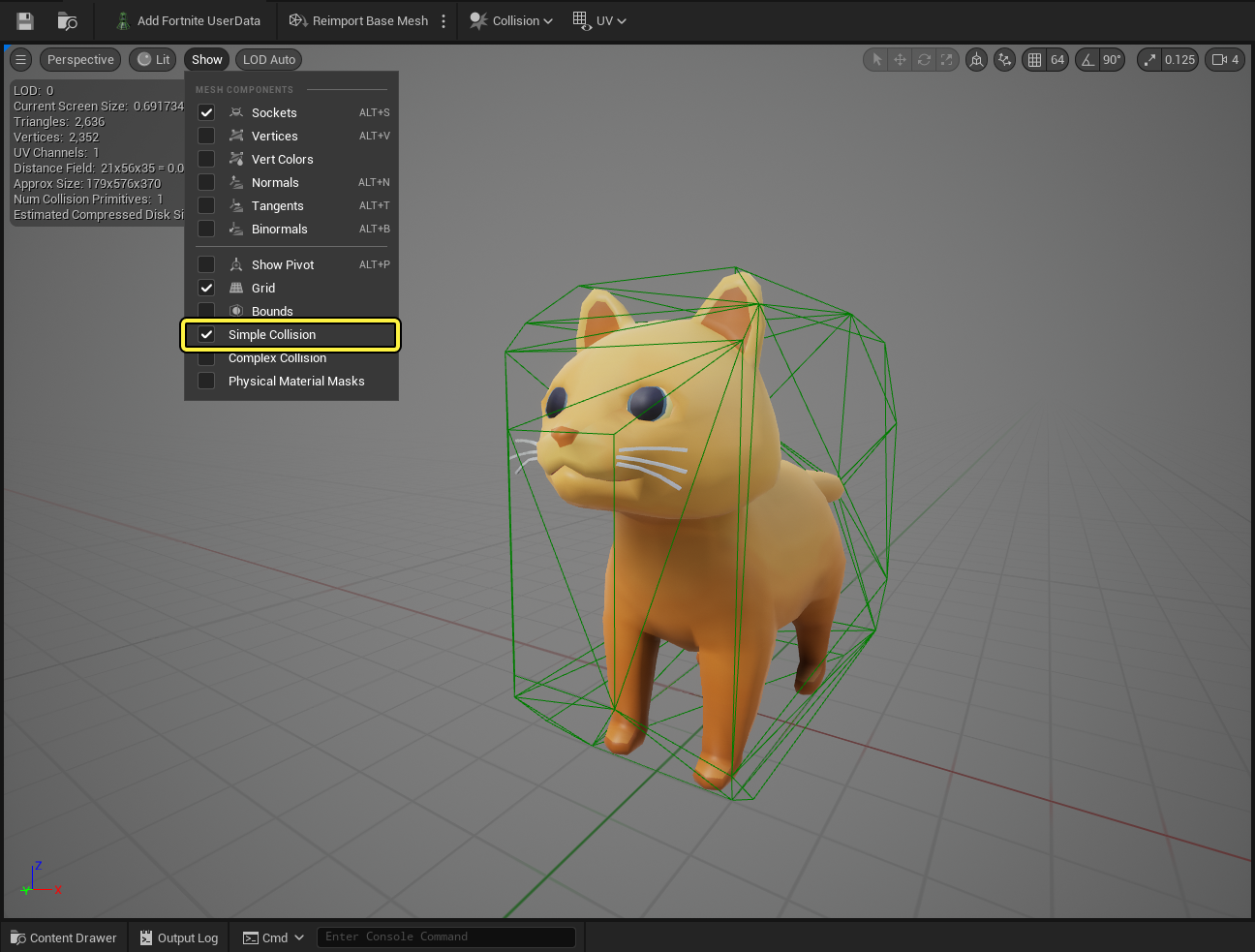
show collision

If you want to delete the current collision, you can do this by going to Collision > Remove Collision.
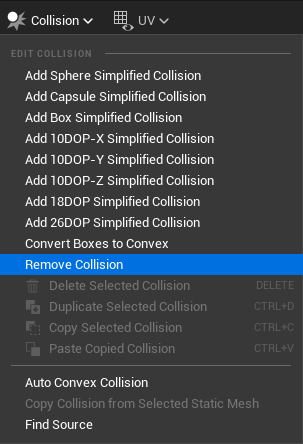
remove collision

Static Mesh Set Up

You're reading a preview

The full reference is free for BrainDeadGuild Discord members — sign in to read it all, or open the original at the source.

Sign in with Discord — free for members Read the original at Epic Games

Sign in with your BrainDead.TV / BrainDeadGuild Discord account for full access.

Comments

    Sign in to vote, comment, or suggest an edit. Sign in
    📄
    Source
    Epic Games

    © Epic Games. Official Epic developer documentation, shown here as a reference with a link to the original. All rights remain with Epic Games. Terms ↗

    View original Sources & licensing
    Request removal
    Last updated Feb 10, 2026
    Keep exploring
    More in Building & Props · 32 of 104
    Prev
    community building in fortnite
    Next
    configuring lego prop placement in unreal editor for fortnite
    Browse all files in this folder (A–Z)
    Next up
    • [**Collision**
    • remove collision
    • [Toon Cat FREE
    • Shapes
    • y using multiple simple shape collision meshes to create the collision for your mesh.
    Related topics
    • Unreal Editor For Fortnite Glossary Verse Language
    • Configuring Collision For A Static Mesh In Unreal Editor For Fortnite Building & Props
    • Unreal Editor For Fortnite Glossary Verse Language
    • Creating Fortniteready Assets In Unreal Editor For Fortnite Assets
    • Mystic Portal 4 Create The Portal Center In Unreal Editor For Fortnite General

    Related

    Open in graph →

    Linked docs

    • Unreal Editor For Fortnite Glossary

    Related topics

    • Configuring Collision For A Static Mesh In Unreal Editor For Fortnite
    • Unreal Editor For Fortnite Glossary
    • Creating Fortniteready Assets In Unreal Editor For Fortnite
    • Mystic Portal 4 Create The Portal Center In Unreal Editor For Fortnite
    VerseIsland · an archipelago of Verse & UEFN knowledge
    🗺️ Island atlas Learn Guides History About & Press Sources & Licensing Status

    Not affiliated with Epic Games. Fortnite, UEFN, Unreal Engine, and Verse are trademarks of Epic Games, Inc. Content is attributed to its source — see Sources & Licensing.

    🦜

    Scout · your island guide

    The Isle of Verse