
Creating and Editing Campaigns in Fortnite
Sponsored Row Campaigns help developers drive visibility for their islands in Discover. Sponsoring an island can help you reach a wider audience, grow your player base, and potentially increase your revenue.
Campaigns are bid on in an auction based on the campaigns island owners create and manage through the Creator Portal.
To create a campaign:
- You must be enrolled in the Fortnite Developer Program.
- You must be the island owner with “Owner” permission to create a campaign.
- You must be 18+ years old to create campaigns.
- Your island must be published and listed.
Set Up Your First Campaign
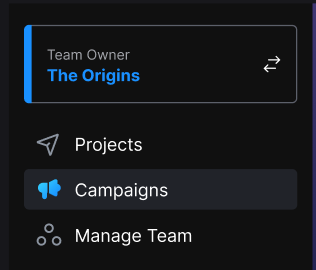
To create a campaign for a published island, click Campaigns in the Creator Portal main menu to open the Campaigns page. The Promote your islands in Fortnite screen opens.
You're reading a preview
The full reference is free for BrainDeadGuild Discord members — sign in to read it all, or open the original at the source.
Sign in with your BrainDead.TV / BrainDeadGuild Discord account for full access.