VerseIsland
Feed Learn Leaderboard Guides Reference Explore Search Docs Verse Library
Sign in
Feed Learn 📖 Codex Leaderboard Guides Reference Explore Search Docs Verse Library
Fortnite › Cinematics · Up to Fortnite · Cinematics · 16 of 115 in Cinematics
Browse Fortnite

First Person Camera Design Examples

The First Person Camera device can transform your Fortnite island into exciting gameplay with a traditional first-person way of looking at things!

Ready to take a look at what this device can do?

Example 1: Basic Setup

The First Person Camera device provides a perspective for the player as though they were looking through their avatar's eyes. In this camera mode, the player usually can't see their avatar's body, but can see their hands or weapons.

Devices Used

  • 1 x First Person Camera device
  • 1 x Player Spawner device
  • 1 x Item Granter device

Add the First Person Camera Device

  1. Place the camera on your island.

  2. Customize it with the following settings.
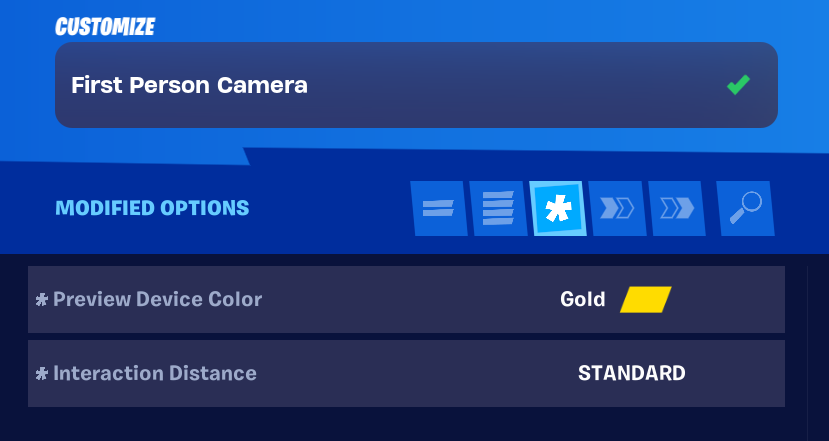
    Option Value Description
    Preview Device Color Gold Select this or another color you like.
    Interaction Distance Standard Sets how close the player needs to be to interact with the camera.

You're reading a preview

The full reference is free for BrainDeadGuild Discord members — sign in to read it all, or open the original at the source.

Sign in with Discord — free for members Read the original at Epic Games

Sign in with your BrainDead.TV / BrainDeadGuild Discord account for full access.

Comments

    Sign in to vote, comment, or suggest an edit. Sign in
    📄
    Source
    Epic Games

    © Epic Games. Official Epic developer documentation, shown here as a reference with a link to the original. All rights remain with Epic Games. Terms ↗

    View original Sources & licensing
    Request removal
    Last updated Mar 15, 2026
    Keep exploring
    More in Cinematics · 16 of 115
    Prev
    escape room 11 teleporting players after a cutscene in unreal editor for fortnite
    Next
    fixed angle camera
    Browse all files in this folder (A–Z)
    Next up
    • ### Devices Used
    • ### Devices Used
    • ### Devices Used
    • ### Additional Devices Used
    • ### Additional Devices Used
    • 2. To register a weapon to a spawner, stand next to the spawner, then go to the [Creative Menu
    Related topics
    • Using First Person Mode Devices In Fortnite Creative Devices
    • Designing With Cameras And Controls In Fortnite Creative Cinematics
    • Designing With Cameras And Controls In Fortnite Creative Cinematics
    • Gameplay Camera And Control Devices In Unreal Editor For Fortnite Cinematics
    • Gameplay Camera And Control Devices In Unreal Editor For Fortnite Cinematics

    Related

    Open in graph →

    Related topics

    • Using First Person Camera Devices In Fortnite Creative
    • Using First Person Mode Devices In Fortnite Creative
    • Designing With Cameras And Controls In Fortnite Creative
    • Designing With Cameras And Controls In Fortnite Creative
    • Gameplay Camera And Control Devices In Unreal Editor For Fortnite
    VerseIsland · an archipelago of Verse & UEFN knowledge
    🗺️ Island atlas Learn Guides History About & Press Sources & Licensing Status

    Not affiliated with Epic Games. Fortnite, UEFN, Unreal Engine, and Verse are trademarks of Epic Games, Inc. Content is attributed to its source — see Sources & Licensing.

    🦜

    Scout · your island guide

    The Isle of Verse