
Manage Your Creator Page
One of the options on the Creator Portal is the Profile Page, where you can introduce yourself to your players. Information you enter here shows up on your personal in-game Profile Page, and on the Fortnite.com developer page.
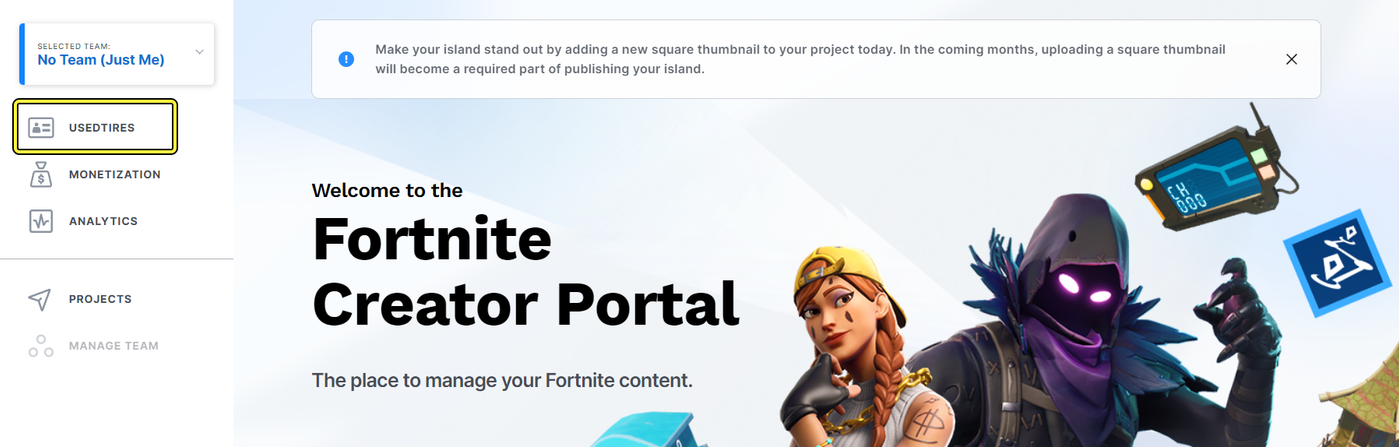
You can use this profile to establish your personal brand, control which of your published games features on your personal Profile Page, and other information about you and your islands. You can even choose whether to share your personal play history.
Remember that any of the info you add here will be publically available!
Editing Your Bio
To begin editing your biographical details, follow the steps below.
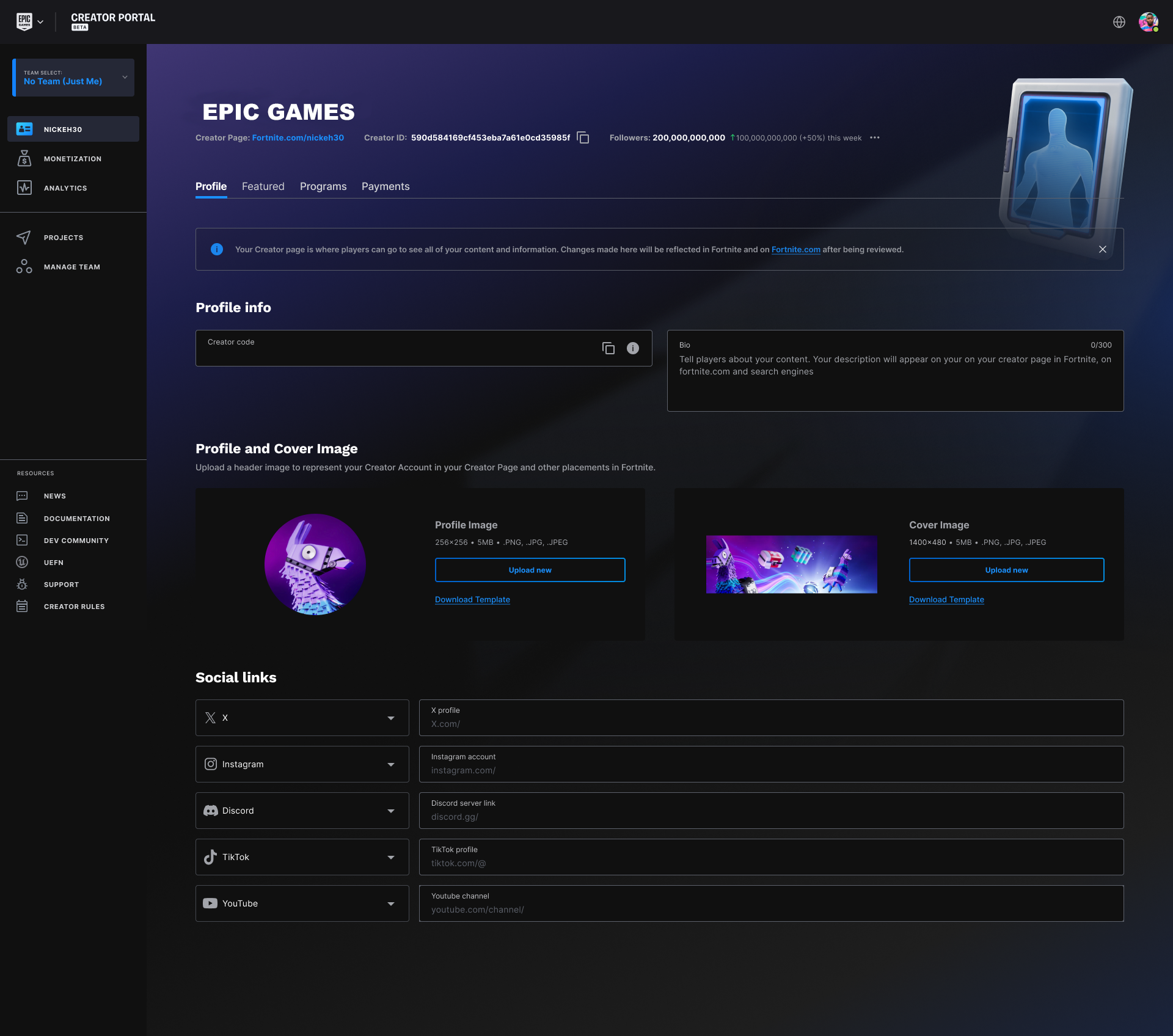
Click image to enlarge.
The steps below are for an individual developer account, as represented by a creator code.
- Select Profile Page from the menu.
- Write a brief bio (up to 300 words) about yourself and/or your games. This is your pitch, so make it count!
- Upload a Profile Image. This is the image that displays in the top right corner of your page. Dimensions for this image are 192x192.
- Upload a Cover image. This image displays at the top of your Fortnite page. Dimensions for this image are 1400x480.
You're reading a preview
The full reference is free for BrainDeadGuild Discord members — sign in to read it all, or open the original at the source.
Sign in with your BrainDead.TV / BrainDeadGuild Discord account for full access.