VerseIsland
Feed Learn Leaderboard Guides Reference Explore Search Docs Verse Library
Sign in
Feed Learn 📖 Codex Leaderboard Guides Reference Explore Search Docs Verse Library
Fortnite › Spawning · Up to Fortnite · Spawning · 5 of 138 in Spawning
Browse Fortnite

Customizing Player Spawns in Prop Hunt

This section will show you how to set the devices needed to spawn players into different teams with VFX (visual effects) attached to players. You will also set the teleporters which will move players from the lobby to the game area.

Devices used:

  • ~16 x Player Spawn Pads
  • 9 x Teleporters

Player Spawn Pad Devices
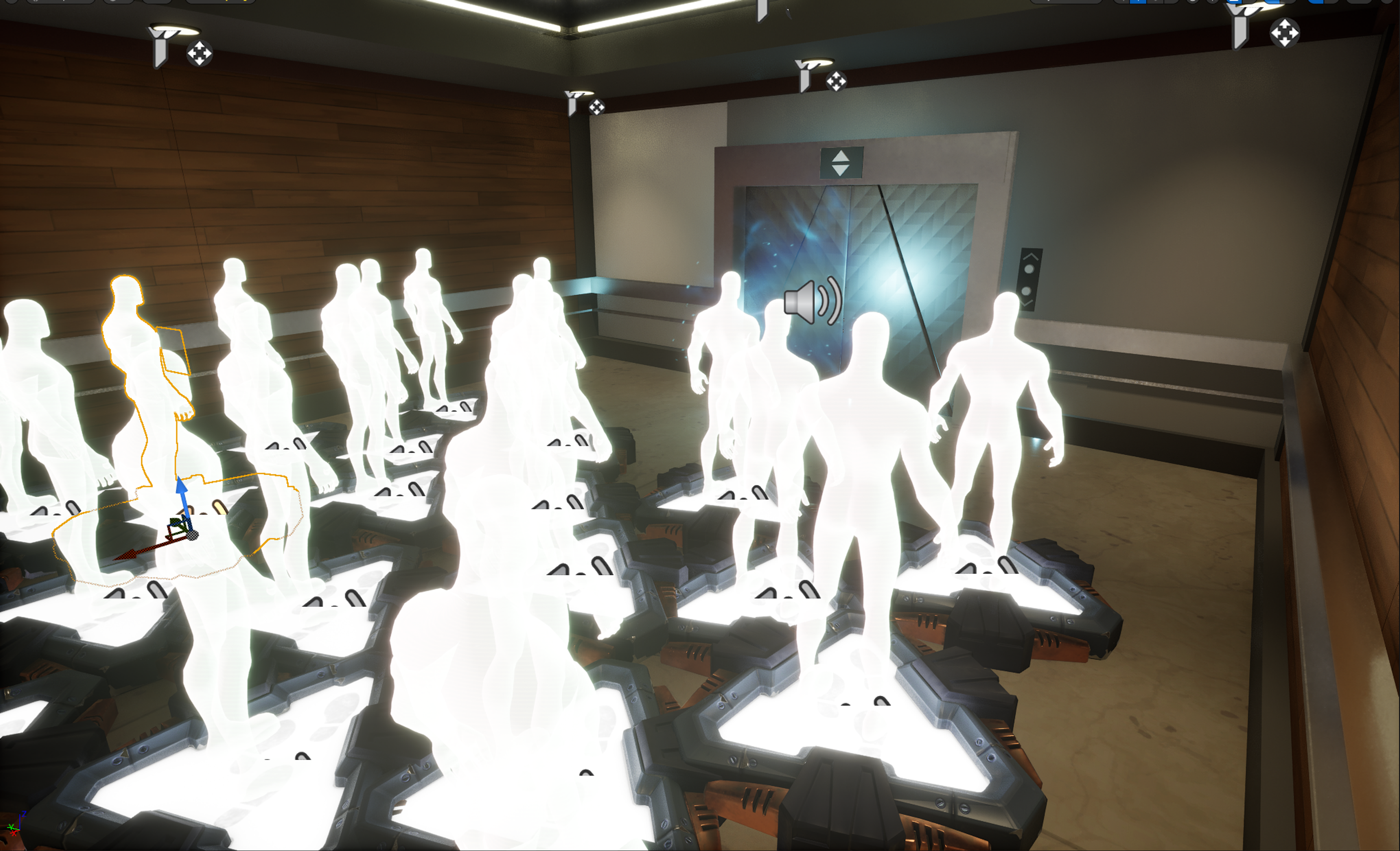
Player Spawn Pad

It’s a good idea to place extra spawners to ensure spawning is registered for every player.

Place your spawn pads in an area away from the arena where the gameplay will be carried out. For this template, players spawn in an area designed to look like an elevator lobby that leads to the area where the gameplay will take place.

These spawn pads are used to spawn players at the start of the round and when players of the prop team are eliminated.

Place a Player Spawn Pad in your lobby and configure the User Options to match the table below. Then, copy and paste the device to account for the amount of players in your game. Remember to place extra spawners to ensure spawning is registered for every player.

You're reading a preview

The full reference is free for BrainDeadGuild Discord members — sign in to read it all, or open the original at the source.

Sign in with Discord — free for members Read the original at Epic Games

Sign in with your BrainDead.TV / BrainDeadGuild Discord account for full access.

Comments

    Sign in to vote, comment, or suggest an edit. Sign in
    📄
    Source
    Epic Games

    © Epic Games. Official Epic developer documentation, shown here as a reference with a link to the original. All rights remain with Epic Games. Terms ↗

    View original Sources & licensing
    Request removal
    Last updated Feb 11, 2026
    Keep exploring
    More in Spawning · 5 of 138
    Prev
    item spawner
    Next
    spawn in verse
    Browse all files in this folder (A–Z)
    Next up
    • Using Player Spawn Pad Devices In Fortnite Creative
    • Using Teleporter Devices In Fortnite Creative
    • 9. Configuring the Informative Devices
    Related topics
    • Verse Prop Hunt Template 8 Customizing Player Spawns In Unreal Editor For Fortnite Spawning
    • Prop Hunt 07 Designing Your Island In Unreal Editor For Fortnite Building & Props
    • Design A Prop Hunt Game In Fortnite Creative Building & Props
    • Design A Prop Hunt Game In Fortnite Creative Building & Props
    • Verse Prop Hunt Template In Unreal Editor For Fortnite Building & Props

    Related

    Open in graph →

    Linked docs

    • Using Player Spawn Pad Devices In Fortnite Creative
    • Using Teleporter Devices In Fortnite Creative

    Related topics

    • Verse Prop Hunt Template 8 Customizing Player Spawns In Unreal Editor For Fortnite
    • Prop Hunt 07 Designing Your Island In Unreal Editor For Fortnite
    • Design A Prop Hunt Game In Fortnite Creative
    VerseIsland · an archipelago of Verse & UEFN knowledge
    🗺️ Island atlas Learn Guides History About & Press Sources & Licensing Status

    Not affiliated with Epic Games. Fortnite, UEFN, Unreal Engine, and Verse are trademarks of Epic Games, Inc. Content is attributed to its source — see Sources & Licensing.

    🦜

    Scout · your island guide

    The Isle of Verse